
Roll-A-Ball 游戏
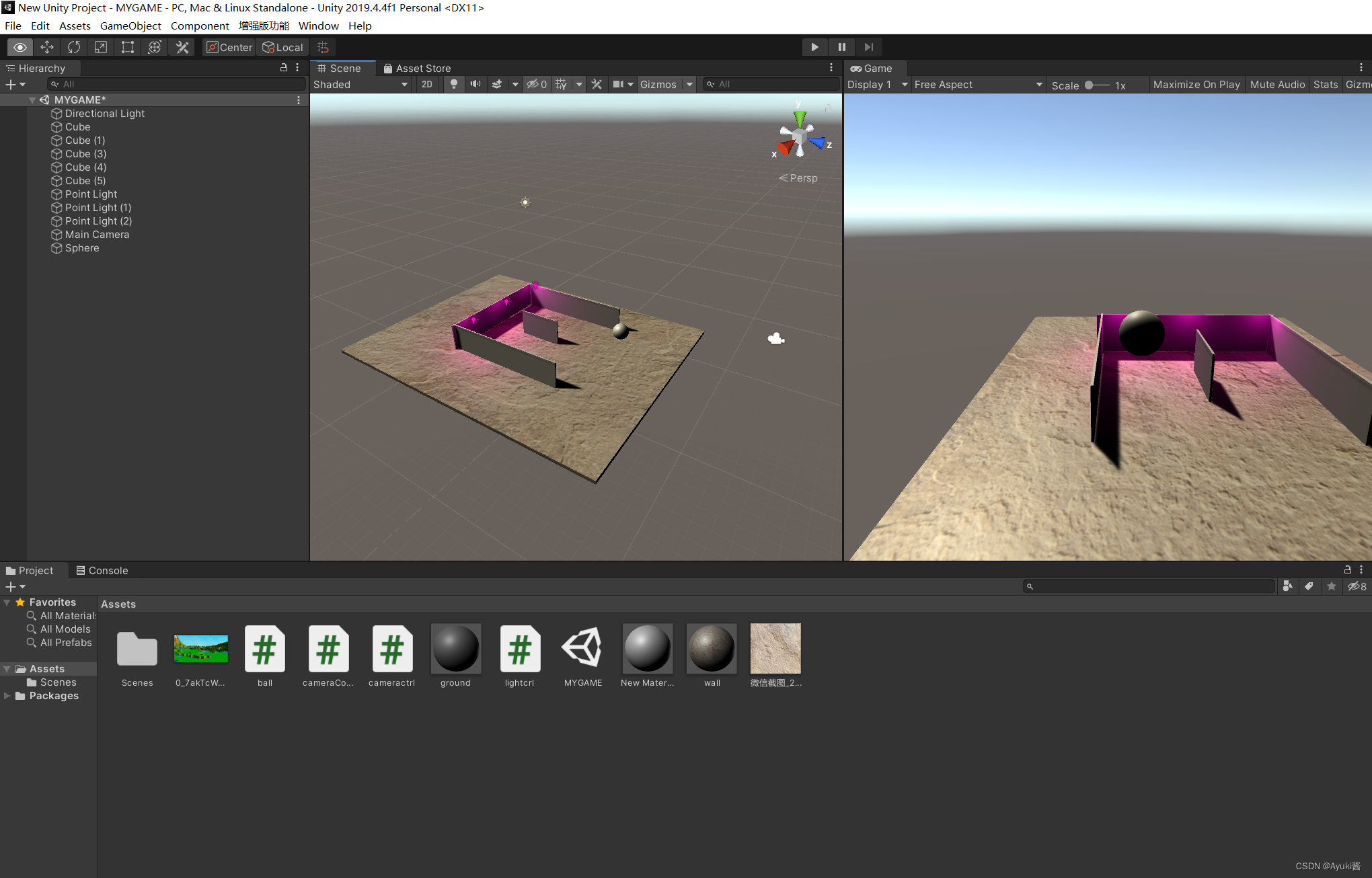
1)学习资料
- b站视频教程:https://www.bilibili.com/video/BV18W411671S/
- 文档:
* Roll-A-Ball 教程(一),
* Roll-A-Ball 教程(二) - 线上体验roll-a-ball成品
* http://www-personal.umich.edu/~ayarger/ShadowsInPlatformersWeb/
2)核心代码:
功能1:用W A S D控制小球移动的脚本:
新建一个C#脚本叫做sphereControll,添加到 小球身上。
using System.Collections;
using System.Collections.Generic;
using UnityEngine;public class sphereControll : MonoBehaviour
{// Update is called once per framevoid Update(){if (Input.GetKey(KeyCode.W)){GetComponent<Rigidbody>().AddForce(new Vector3(0, 0, 10));}if (Input.GetKey(KeyCode.S)){GetComponent<Rigidbody>().AddForce(new Vector3(0, 0, -10));}if (Input.GetKey(KeyCode.A)){GetComponent<Rigidbody>().AddForce(new Vector3(-10, 0, 0));}if (Input.GetKey(KeyCode.D)){GetComponent<Rigidbody>().AddForce(new Vector3(10, 0, 0));}if (Input.GetKey(KeyCode.Space)){GetComponent<Rigidbody>().AddForce(new Vector3(0, 10, 0));}}
}
或者:用Input.getAxis控制小球移动的脚本:
using System.Collections;
using System.Collections.Generic;
using UnityEngine;public class sphereControll : MonoBehaviour
{float horizontal;float vertical;public float speed=10;// Update is called once per framevoid Update(){horizontal=Input.GetAxis("Horizontal");vertical=Input.GetAxis("Vertical");GetComponent<Rigidbody>().AddForce(new Vector3(horizontal,0,vertical)*speed);}
}
功能2:摄像机跟随脚本,
新建一个C#脚本叫做CameraController.cs,添加到 摄像机身上。
using System.Collections;
using System.Collections.Generic;
using UnityEngine;public class CameraController : MonoBehaviour
{public GameObject player;Vector3 offset;void Start(){offset = transform.position - player.transform.position;}void Update(){transform.position = player.transform.position + offset;}
}
功能3:物块自动旋转
新建脚本,Rotator.cs,挂到要旋转的物体上。
using System.Collections;
using System.Collections.Generic;
using UnityEngine;public class Rotator : MonoBehaviour
{void Update(){transform.Rotate(new Vector3(15,30,45)*Time.deltaTime);}
}
功能4:碰到即消失。
在小球的脚本中,添加以下代码,若碰到了tag是pickup的物体,则销毁该物体
void OnTriggerEnter(Collider other){if (other.gameObject.tag == "pickup"){Destroy(other.gameObject);} }


![[C++]内存管理:串顺序存储的内存回收](http://pic.xiahunao.cn/yaotu/[C++]内存管理:串顺序存储的内存回收)

:ArkUI 首页仪表盘搭建)