
Unity 下载网络图片的方法,可使用WWW类或UnityWebRequest类,其中UnityWebRequest是新版的方法。
通常我们下载图片都会转成Texture,然后赋值给UI或者物体。
具体实现方法:
using System.Collections;
using System.Collections.Generic;
using UnityEngine;
using UnityEngine.Networking;
using UnityEngine.UI;public class LoadNetImage : MonoBehaviour
{private string imagePath1 = "http://photocq.photo.store.qq.com/psc?/V12I366i33niTT/D58JeCw1McT8yUSxC9nwTKkKt7uD3ggcCPwGHf.kCG4HUdicWJ9EQ5ouDbp5F*R9DRS1hvwirV1qrJZO1AOKFA!!/b&bo=qgFAAQAAAAABF9o!&rf=viewer_4"; // 网络图片的路径    public Renderer render1;  //Plan对象1public Renderer render2;  //Plan对象2public RawImage image1;  //图片对象1public RawImage image2;  //图片对象2// Start is called before the first frame updatevoid Start(){StartCoroutine(LoadTextureFromNet1(imagePath1));StartCoroutine(LoadTextureFromNet2(imagePath1));}// Update is called once per framevoid Update(){}//方法1IEnumerator LoadTextureFromNet1(string filePath){// 创建一个WWW对象并加载本地图片WWW www = new WWW(filePath);yield return www;if (string.IsNullOrEmpty(www.error)){// 获取加载的纹理Texture2D texture = www.texture;//把贴图赋到RawImageimage1.texture = texture;//把贴图赋到物体Material material = new Material(Shader.Find("Standard"));material.mainTexture = texture;render1.material = material;}else{Debug.LogError("下载失败:" + www.error);}}//方法2IEnumerator LoadTextureFromNet2(string filePath){// 创建一个UnityWebRequest对象并加载本地图片UnityWebRequest www = UnityWebRequestTexture.GetTexture(filePath);yield return www.SendWebRequest();if (www.result == UnityWebRequest.Result.Success){// 获取加载的纹理Texture2D texture = DownloadHandlerTexture.GetContent(www);//把贴图赋到RawImageimage2.texture = texture;//把贴图赋到物体Material material = new Material(Shader.Find("Standard"));material.mainTexture = texture;render2.material = material;}else{Debug.LogError("下载失败:" + www.error);}}
}
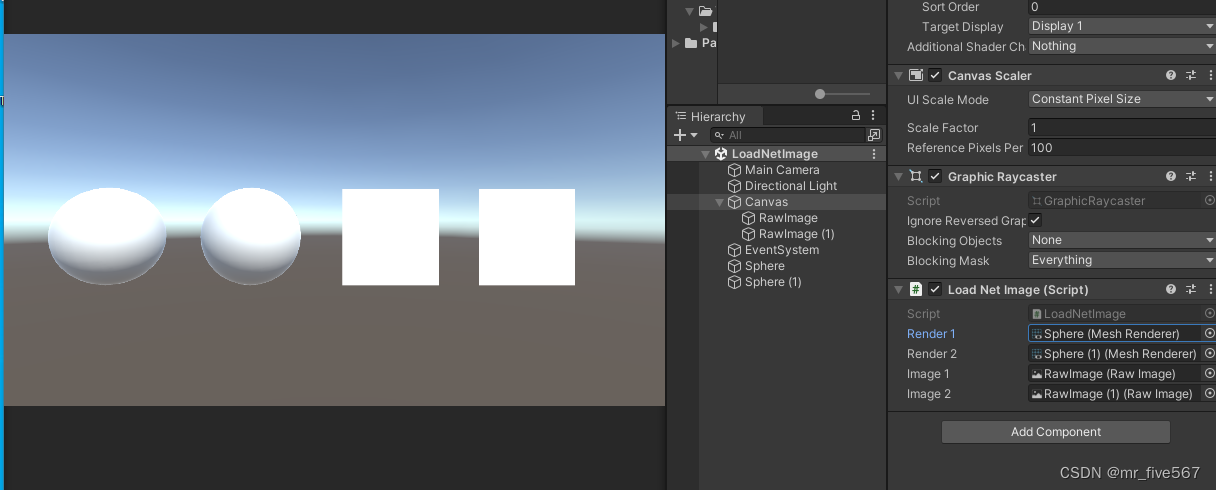
使用上面方法,运行前:
运行后:
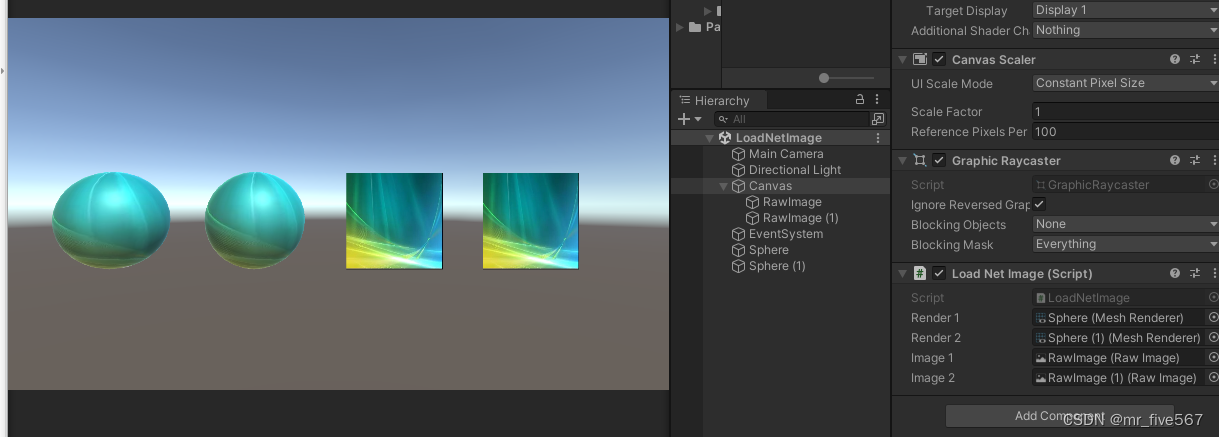
完美把网络图片Load下来,并赋到UI和物体上。


![[C++]内存管理:串顺序存储的内存回收](http://pic.xiahunao.cn/yaotu/[C++]内存管理:串顺序存储的内存回收)

:ArkUI 首页仪表盘搭建)