
能正确导出包含中文的pdf的版本:itext-5.5.6.jar和itext-asian-5.2.0.jar
转自https://www.cnblogs.com/cczheng-666/articles/4637530.html
原因在IText5以上版本就换了命名空间(com/itextpdf/text/pdf/fonts/),但是iTextAsian没有更新,还是之前的包名com/lowagie/text/pdf/fonts/)。
手动修改包名方法:
转自https://blog.csdn.net/sds15732622190/article/details/77193315
1.解压ITextAsian.jar包,将解压出来的文件放入一个文件夹中。
2.将com文件夹下面的lowagie修改为itextpdf,如图。
3.更改之后,将其放入一个文件夹中,并cmd到该文件夹目录下,执行命令:jar cvf iTextAsian.jar com/itextpdf/text/pdf/fonts/*,如图。
4.将新生成的jar包替换原来的,导入到项目中。
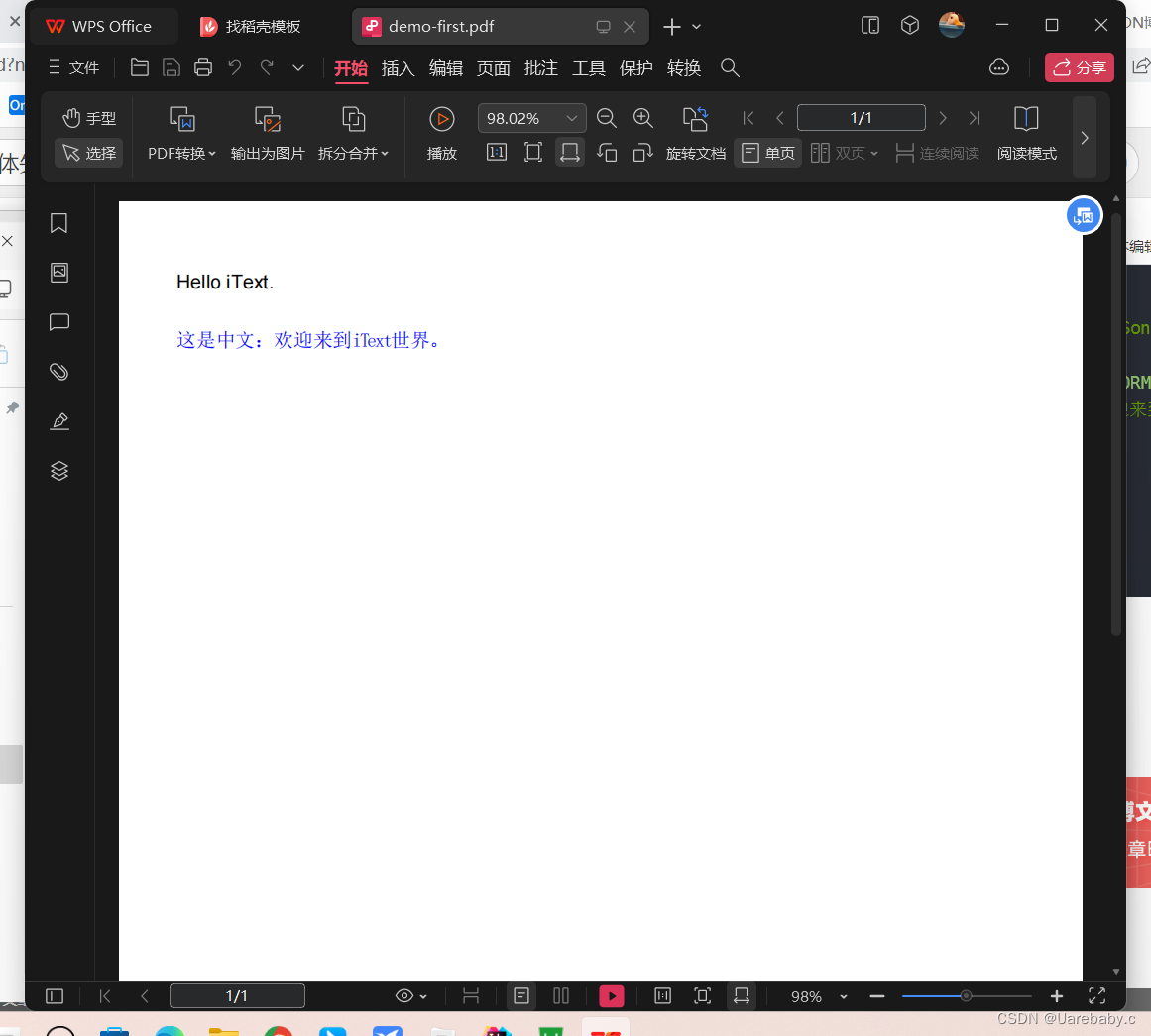
参考代码:
// 第一步: Create a DocumentDocument document = new Document(PageSize.A4);// 第二 步: Get a PdfWriter instance.PdfWriter.getInstance(document, new FileOutputStream(pdfPath));// 第三步:Open the Document.document.open();// 第四步:添加内容// 添加 Paragraphdocument.add(new Paragraph("Hello iText."));document.add(Chunk.NEWLINE);// 添加 中文信息BaseFont bfCN = BaseFont.createFont("STSongStd-Light", "UniGB-UCS2-H",false);Font fontCN = new Font(bfCN, 12, Font.NORMAL, BaseColor.BLUE);document.add(new Paragraph("这是中文:欢迎来到iText世界。", fontCN));// 第五步:Close the Document.document.close();


)


![[C++]内存管理:串顺序存储的内存回收](http://pic.xiahunao.cn/yaotu/[C++]内存管理:串顺序存储的内存回收)

:ArkUI 首页仪表盘搭建)