
效果预览
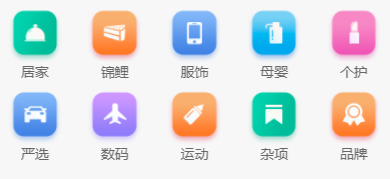
组件封装
src\pages\index\components\CategoryPanel.vue
<script setup lang="ts">
import type { CategoryItem } from '@/types/index'
defineProps<{list: CategoryItem[]
}>()
</script><template><view class="category"><navigatorclass="category-item"hover-class="none":url="item.url"v-for="item in list || []":key="item.id"><image class="icon" :src="item.icon"></image><text class="text">{{ item.name }}</text></navigator></view>
</template><style lang="scss">
.category {margin: 20rpx 0 0;padding: 10rpx 0;display: flex;flex-wrap: wrap;min-height: 328rpx;.category-item {width: 150rpx;display: flex;justify-content: center;flex-direction: column;align-items: center;box-sizing: border-box;.icon {width: 100rpx;height: 100rpx;}.text {font-size: 26rpx;color: #666;}}
}
</style>
类型声明
src\types\index.d.ts
/** 首页-分类导航 */
export type CategoryItem = {/** 图标路径 */icon: string/** id */id: string/** 分类名称 */name: string// 导航地址url: string
}
相关接口
src\apis\index.ts
import { http } from '@/utils/http'
import type { CategoryItem } from '@/types/index'/*** 首页-分类导航*/
export const getHomeCategoryAPI = () => {return http<CategoryItem[]>({method: 'GET',url: '/home/category/mutli',})
}
实战使用
src\pages\index\index.vue
import CategoryPanel from './components/CategoryPanel.vue'
<CategoryPanel :list="CategoryList" />
import { onLoad } from '@dcloudio/uni-app'
import { ref } from 'vue'
import type { CategoryItem } from '@/types/'
import { getHomeCategoryAPI } from '@/apis/index'
let CategoryList = ref<CategoryItem[]>([])
const getCategoryInfo = async () => {let res = await getHomeCategoryAPI()CategoryList.value = res.result
}onLoad(() => {getCategoryInfo()
})


)


![[C++]内存管理:串顺序存储的内存回收](http://pic.xiahunao.cn/yaotu/[C++]内存管理:串顺序存储的内存回收)

:ArkUI 首页仪表盘搭建)