
一、gitee相关配置
到gitee官网创建一个新的仓库并获取其token
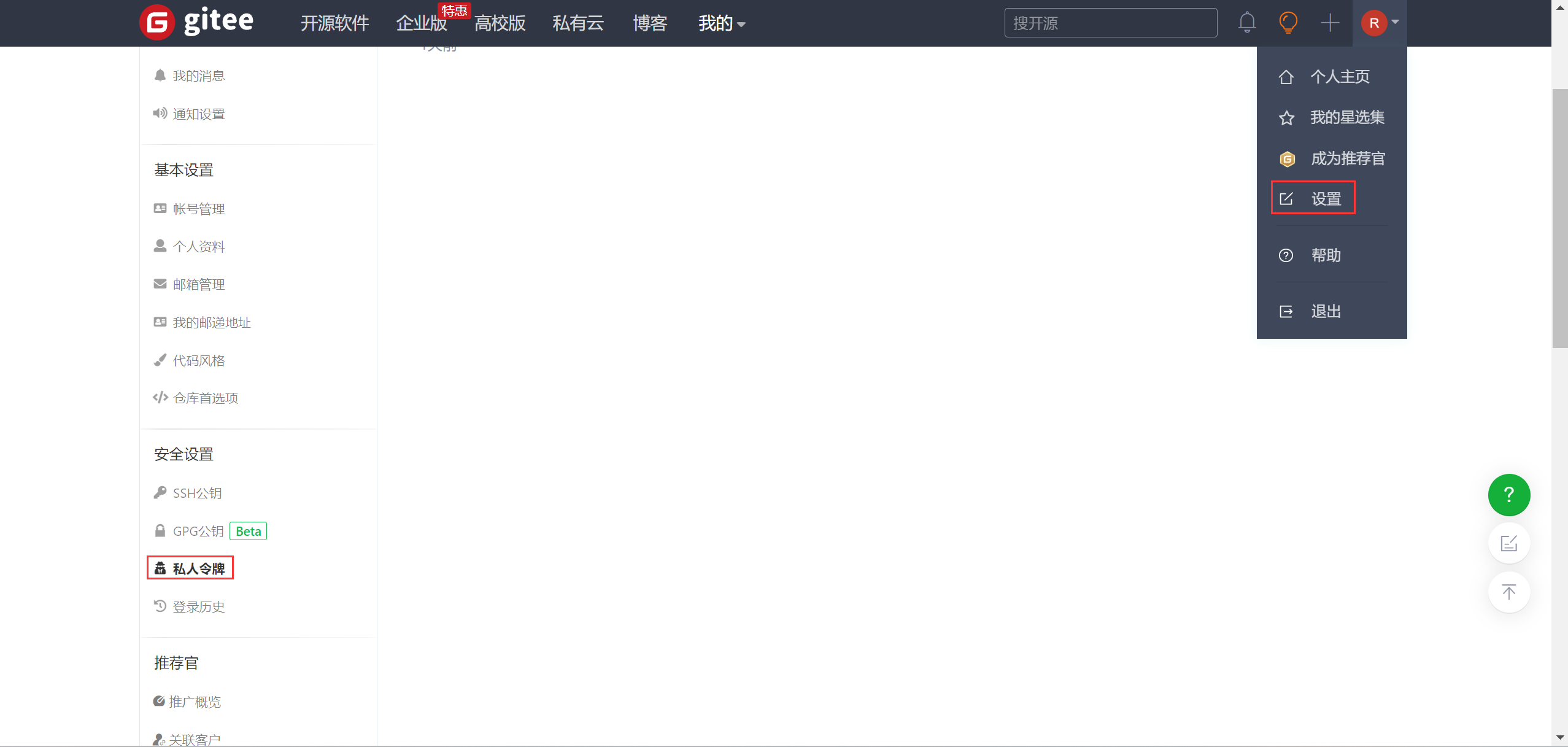
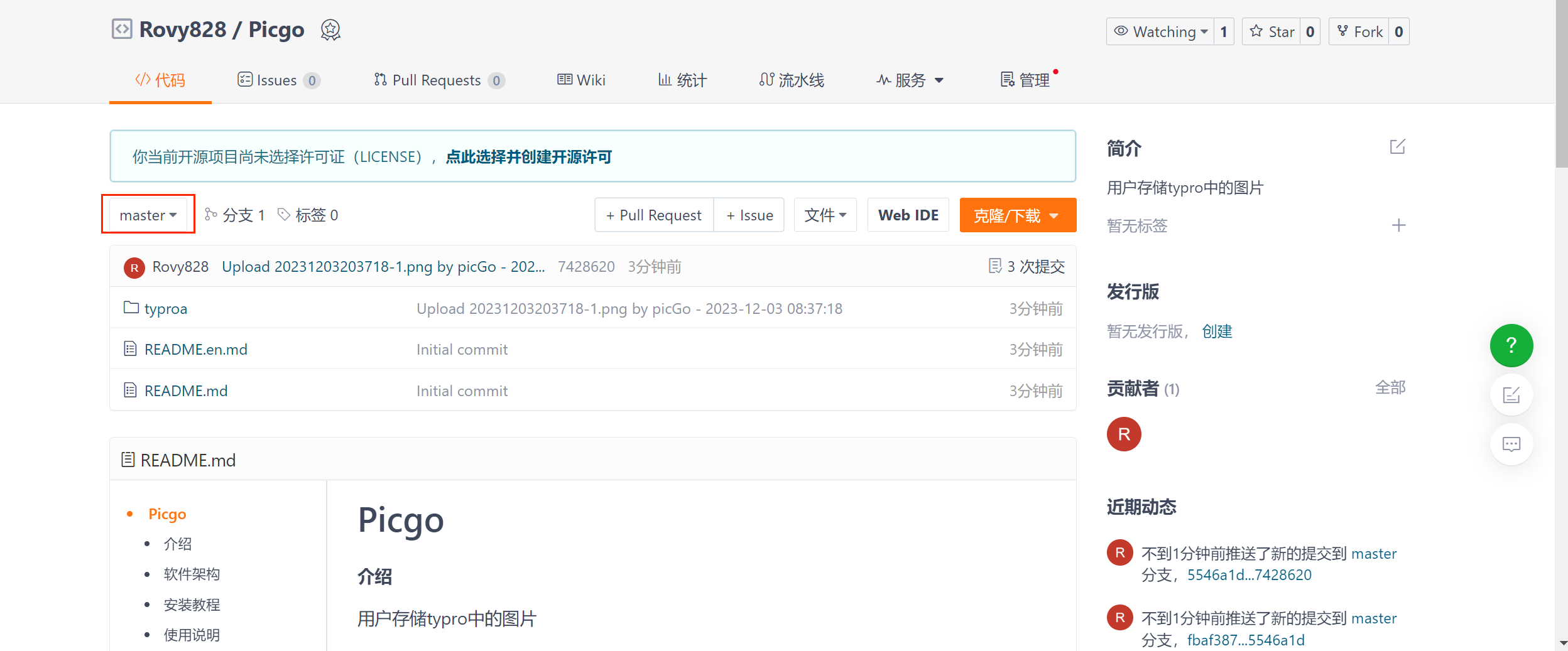
gitee配置时候一定要新建仓库之后初始化好仓库
比如:创建出README.md文档
出现master这个显示界面,刚开始未初始化的时候是会报错的
二、typora相关配置
在typora这个位置下载插件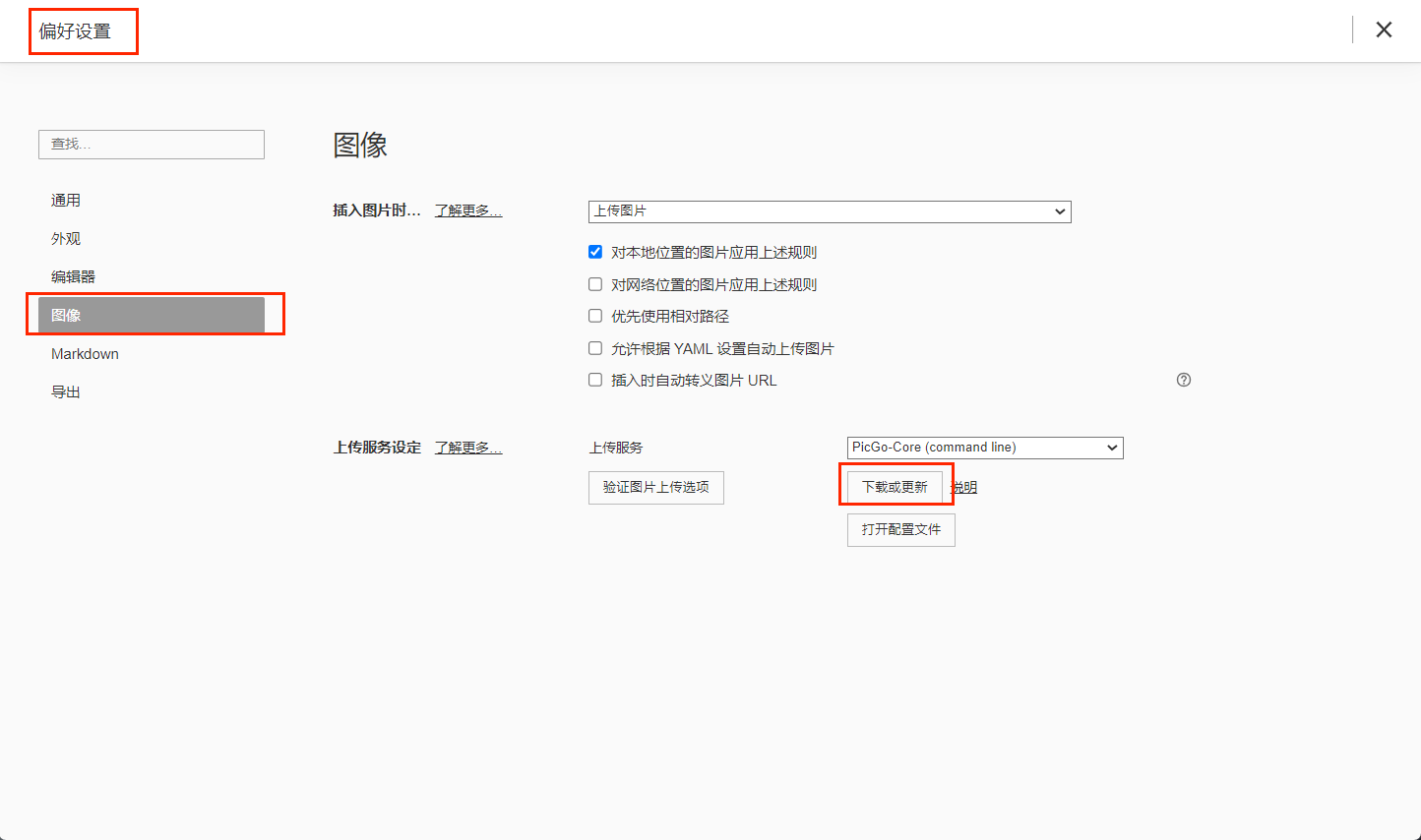
在picgo.exe文件夹下输入cmd
打开命令行输入如下命令安装相关插件
.\picgo install gitee-uploader.\picgo install super-prefix三、Picgo-core配置
打开配置文件
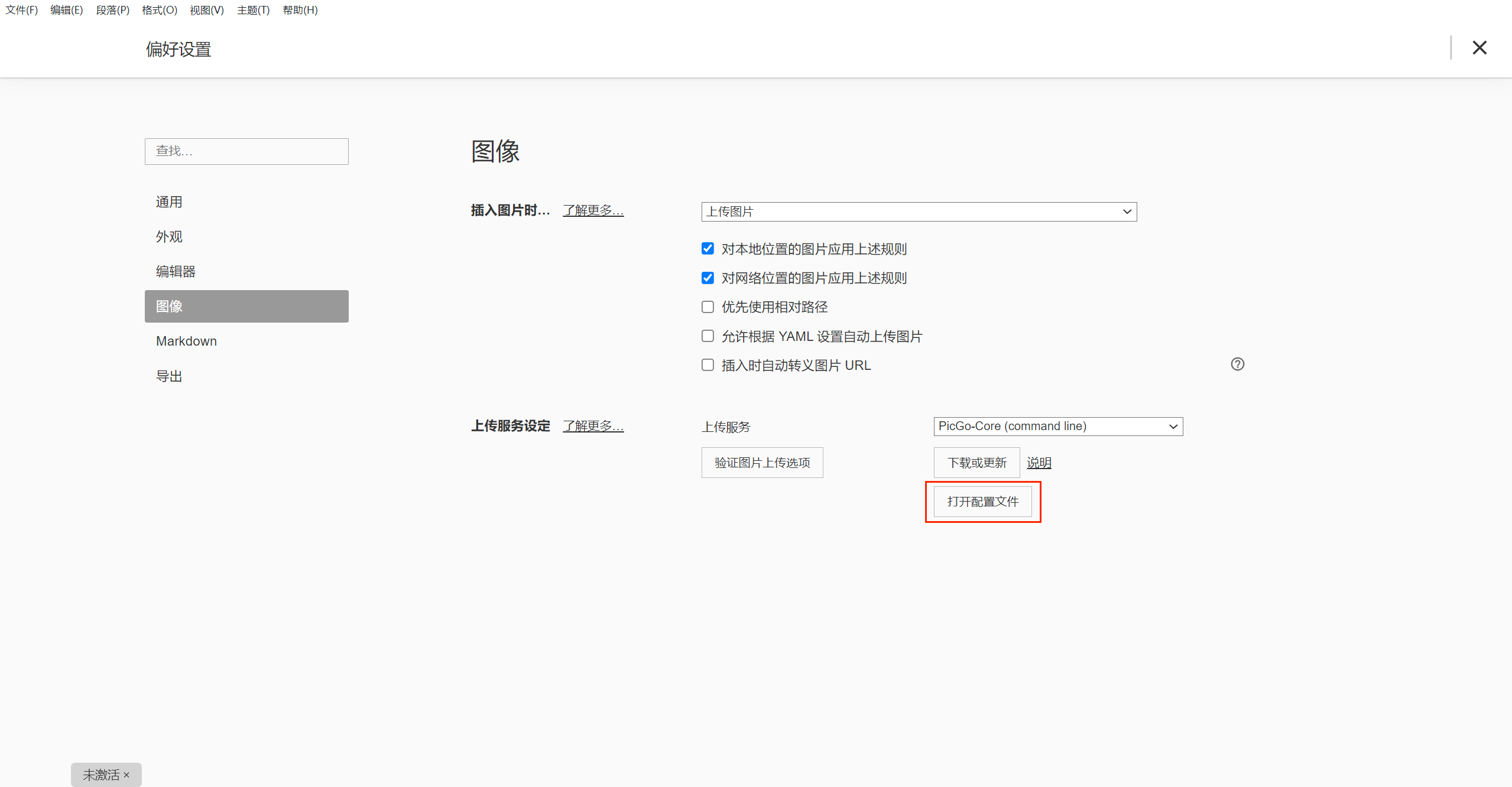
之后按照官方文档更改相关配置
{"picBed": {"uploader": "gitee","smms": {"token": "","backupDomain": "smms.app"},"gitee": {"branch": "master","customUrl": "https://gitee.com/","path": "","repo": "","token": ""}},"picgoPlugins": {"picgo-plugin-gitee-uploader": true,"picgo-plugin-super-prefix": true},"picgo-plugin-super-prefix": {"fileFormat": "YYYYMMDDHHmmss"},"picgo-plugin-gitee-uploader": {"lastSync": ""}
}
至此,完成
官方文档参考
https://picgo.github.io/PicGo-Core-Doc
博客参考:
http://t.csdnimg.cn/zDlLy


)
![2026论文工具排行榜[特殊字符]实测好用的毕业论文辅助工具(性价比榜单)](http://pic.xiahunao.cn/yaotu/2026论文工具排行榜[特殊字符]实测好用的毕业论文辅助工具(性价比榜单))
)


)

 - 亨得利官方)


![[C++]内存管理:串顺序存储的内存回收](http://pic.xiahunao.cn/yaotu/[C++]内存管理:串顺序存储的内存回收)

:ArkUI 首页仪表盘搭建)