)
1.给实体(如切斯特,自己)减伤(修改自c_findnext)
通过TheSim:FindEntities遍历范围内实体,根据传入的prefab(实体名称)找到对应的实体,用tarinst存下来,ratio1为减伤倍率,最后一个参数可不填
使用方式:将本函数插入.\Steam\steamapps\common\dont_starve\data\scripts\consolecommands.lua中后,重进游戏,站在切斯特附近打开控制台,输入c_setabsorb("chester", 0.99),即可给切斯特赋予99%的减伤
特殊:给自己减伤直接输入:GetPlayer().components.health:SetAbsorptionAmount(ratio1),无需对游戏文件做任何修改
ps.可以改成根据实体id分别赋予减伤的版本,但是我用不上,所以不写了(
function c_setabsorb(prefab, ratio1, inst)inst = inst or GetPlayer()local ratio1 = ratio1 or .95local radius = 9001local trans = inst.Transformlocal found = falselocal tarinst = instlocal foundlowestid = nillocal reallowest = nillocal reallowestid = nilprint("Finding a ",prefab)local x,y,z = trans:GetWorldPosition()local ents = TheSim:FindEntities(x,y,z, radius)for k,v in pairs(ents) doif v ~= inst and v.prefab == prefab thenprint(v.GUID,lastfound,foundlowestid )found = truetarinst = vif not reallowestid or v.GUID < reallowestid thenreallowest = vreallowestid = v.GUIDendendendif found thentarinst.components.health:SetAbsorptionAmount(ratio1)tarinst.components.health:SetMinHealth(100)endlastfound = found.GUIDreturn found-- inst.AnimState:PlayAnimation("hide_loop")-- found.components.health:StartRegen(TUNING.ROCKY_REGEN_AMOUNT, TUNING.ROCKY_REGEN_PERIOD)
end
2.超级机器人(手动过载【发光、加速】):【控制台直接输入c_mannualoverride()即可,再次输入时退出该模式】
local joy_lightmod = false
function c_mannualoverride()local inst = GetPlayer()joy_lightmod = not joy_lightmodlocal radius = 12local runspeed_bonus = .5local mintemp = 10if not joy_lightmod thenradius = 3runspeed_bonus = 0mintemp = -20endinst.Light:Enable(joy_lightmod)inst.Light:SetRadius(radius)inst.components.locomotor.runspeed = TUNING.WILSON_RUN_SPEED*(1+runspeed_bonus)inst.components.temperature.mintemp = mintemp
end
修改自机器人被闪电劈中后的逻辑,除了调大了发光范围方便赶路,其他数值都是抄的
ps.radius为发光范围,20已经足够覆盖整个屏幕
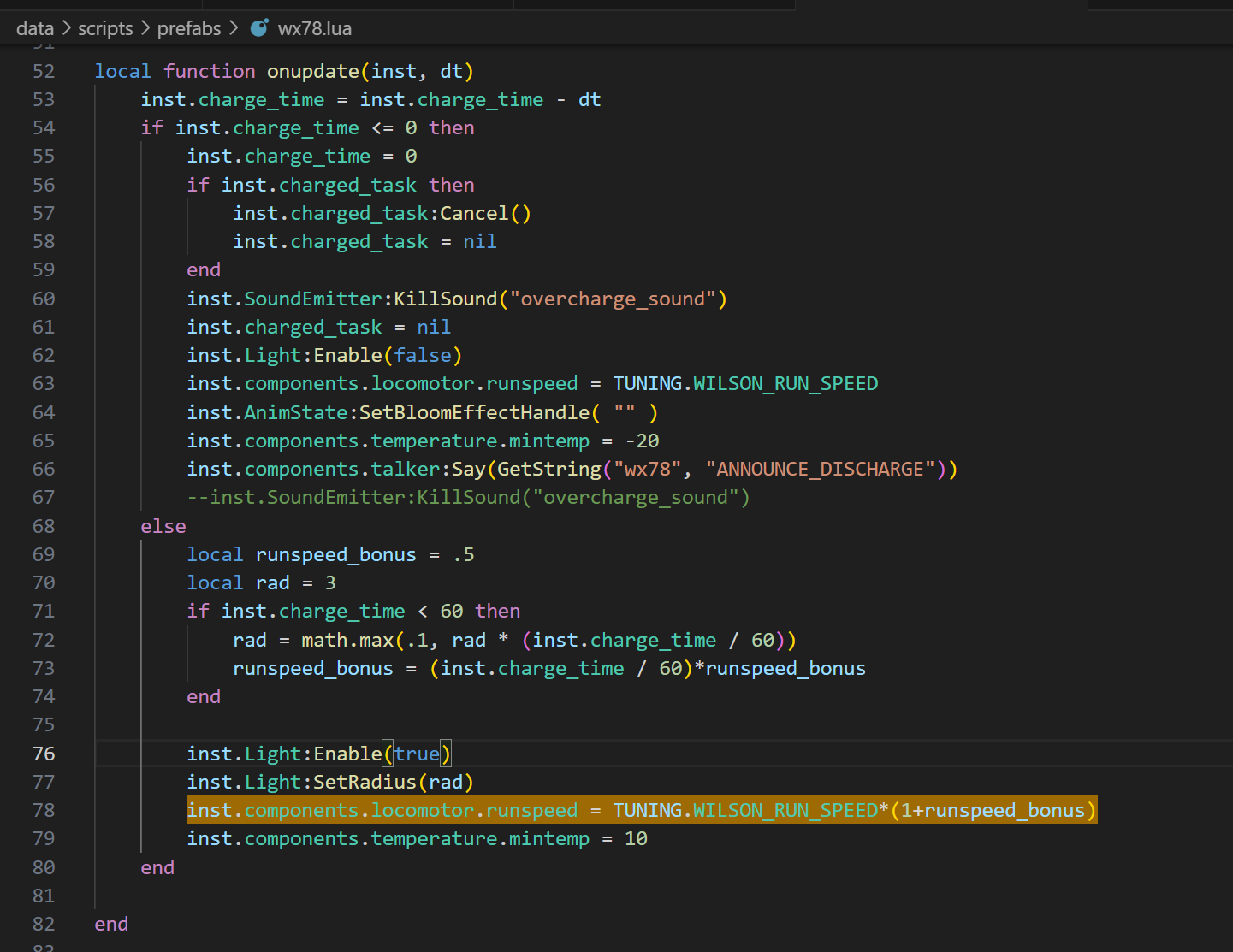
目前就这俩挺方便的,剩下上帝模式、创造模式饥荒wiki上面都有


![[C++]内存管理:串顺序存储的内存回收](http://pic.xiahunao.cn/yaotu/[C++]内存管理:串顺序存储的内存回收)

:ArkUI 首页仪表盘搭建)