app支付宝登录

url的app_id是商户的appid
url的redirect_uri是支付宝授权成功后跳回地址(授权成功之后会在支付宝中打开这个地址)
仅需修改app_id的值和redirect_uri的值
encodeURIComponent()是为了防止url中有特殊字符导致传参失败,必须的
doVerify(){let type = false//这是用来判断手机上是否安装了支付宝,为了避免有的人没安装if (plus.runtime.isApplicationExist({pname: 'com.eg.android.AlipayGphone',action: 'alipay://'})) {type = true} else {type = false}if (type) {let url = 'https://openauth.alipay.com/oauth2/publicAppAuthorize.htm?app_id=商户APPID&scope=auth_userinfo&redirect_uri=跳转到的H5页面线上路径'let action = {url: 'alipays://platformapi/startapp?appId=20000067&url=' + encodeURIComponent(url)};//android和ios跳转第三方的方式是不同的所以在这里进行判断if(uni.getSystemInfoSync().platform == 'android'){plus.runtime.openURL(action.url)}if(uni.getSystemInfoSync().platform == 'ios'){plus.runtime.launchApplication({action: action.url})}} else {uni.showModal({title: '提示',content: '是否下载并安装支付宝?',success(res) {if (res.confirm) {//url是支付宝下载地址let action = {type: 'navigateTo',url: 'https://m.alipay.com'};//这里判断道理同上if(uni.getSystemInfoSync().platform == 'android'){plus.runtime.openURL(action.url)}if(uni.getSystemInfoSync().platform == 'ios'){plus.runtime.launchApplication({action: action.url})}} else if (res.cancel) {console.log('用户点击取消');}}});}
}
如果遇到了这样的问题支付宝官方也给出了解决方案,https://opendocs.alipay.com/support/04yvew?pathHash=10613137,虽然给出的解决方案界面跟现在的不一样但是方法是一样 的
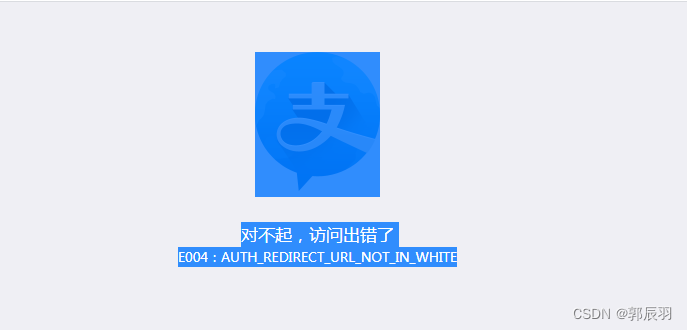
到这里已经可以跳转到支付宝授权页面了,但是还需要返回到app,这里就需要一个中转的H5页面来做这个事情了
下面就是中转页面我是用uniapp开发的,你们也可以用其他语言开发都可以的
还有一个地方需要注意的,yingxiangli://这个地址是需要云打包后才能生效的,ios也是需要设置的(如果你用的话)
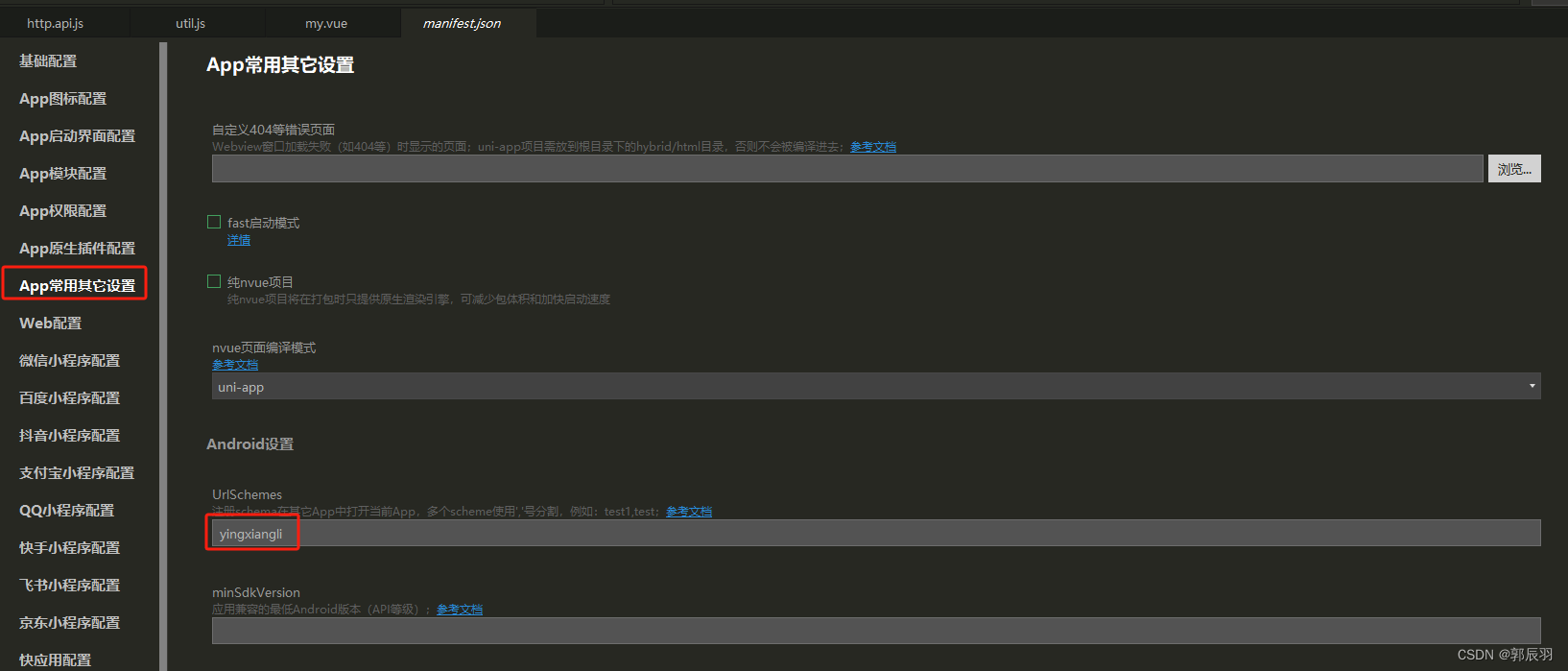
中转页面
<template><view class="content"><view style="text-align: center;margin-top: 50rpx;"><image src="../../static/yyicon.png" class="logo_img" mode=""></image></view><view id="box" @click="func">返回APP</view><view class="desc">您已授权登录,请点击返回APP</view></view>
</template><script>export default {data() {return {title: 'Hello',code: "",}},onLoad() {var code;},methods: {//这里是拿取支付宝返回code的地方,这里我就需要一个code,支付宝页只返回了一个code,如果你需要的参数比较多,支付宝返回的不止一个参数下面的代码就需要改一下了getQueryVariable(variable) {var query = window.location.href.substring(1);var vars = query.split("&");for (var i = 0; i < vars.length; i++) {var pair = vars[i].split("=");return pair[1];}return (false);},func() {this.code = this.getQueryVariable("auth_code=");// 判断是那种设备let u = navigator.userAgent;console.log(u);var isAndroid = u.indexOf('Android') > -1 || u.indexOf('Linux') > -1; // Android系统或者uc浏览器var isiOS = !!u.match(/\(i[^;]+;( U;)? CPU.+Mac OS X/); // iOS系统// 如果为Android系统if (isAndroid) {window.location.href = "yingxiangli://?auth_code=" + this.code; // 注意*** 这里需要修改为刚刚设置的urlscheme,auth_code需要后端拼接。auth_code只有后端才能拿到window.setTimeout(function() {window.location.href ="http://www.baidu.com"; // 3s后如果不能跳转到 App,则跳转到 App 的下载地址,一般是应用宝的对应的下载地址}, 2000);return;}// ios设备:原理:判断是否认识这个协议,认识则直接跳转,不认识就在这里下载appios();if (isiOS) {let startIndex = u.indexOf('iPhone OS') + 9;let endIndex = u.indexOf('like Mac OS') - 1;let num = +u.slice(startIndex, endIndex).split('_')[0]; // 计算版本号的前面数值if (num < 9) {window.location.href = "yingxiangli://?auth_code=" + this.code; //  注意*** 这里需要修改为刚刚设置的urlscheme,auth_code需要后端拼接。auth_code只有后端才能拿到} else {window.location.href = " "; // universal link 链接}window.setTimeout(function() {window.location.href = " "; // 3s后如果不能跳转到 App,则跳转到 AppStore 的下载地址}, 3000);return;};}}}
</script><style>body {display: flex;justify-content: center;align-items: center;text-align: center;height: 90vh;font-size: .9375rem;}content {display: flex;flex-direction: column;justify-content: center;align-items: center;}.logo_img {width: 6.875rem;height: 6.875rem;margin-bottom: .625rem;}#box {width: 80%;height: 2rem;text-align: center;line-height: 2rem;border-radius: 20px;background-color: rgb(23, 120, 194);color: white;margin: .9375rem auto;}.desc {text-align: center;font-size: 28rpx;color: gray;}
</style>