【HTML】-- 03 HTML高级

3. HTML高级
3.1 页面结构分析
| 元素名 | 描述 |
|---|---|
| header | 标题头部区域的内容(用于页面或页面中的一块区域) |
| footer | 标记脚部区域的内容(用于整个页面或页面的一块区域) |
| section | Web页面中的一块独立区域 |
| article | 独立的文章内容 |
| aside | 相关内容或应用(常用于侧边栏) |
| nav | 导航类辅助内容 |
<!DOCTYPE html>
<html lang="en">
<head><meta charset="UTF-8"><title>页面结构</title>
</head>
<body><header><h2>网页头部</h2>
</header><section><h2>网页主体</h2>
</section><footer><h2>网页脚部</h2>
</footer></body>
</html>
3.2 iframe内联框架
<iframe src="path" name="mainFrame"></iframe>
<!--src引用页面地址 name框架标识名-->
<!DOCTYPE html>
<html lang="en">
<head><meta charset="UTF-8"><title>内联框架iframe</title>
</head>
<body><!--iframe内联框架
src:跳转地址
-->
<iframe src="//player.bilibili.com/player.html?aid=453579451&bvid=BV135411i7mj&cid=1402626572&p=1"scrolling="no" border="0" frameborder="no" framespacing="0" allowfullscreen="true"> </iframe>
<br/><iframe src="" name="my blog" frameborder="0"></iframe>
<a href="https://blog.csdn.net/qq_51916086?spm=1010.2135.3001.5343">点击跳转</a></body>
</html>
运行结果:
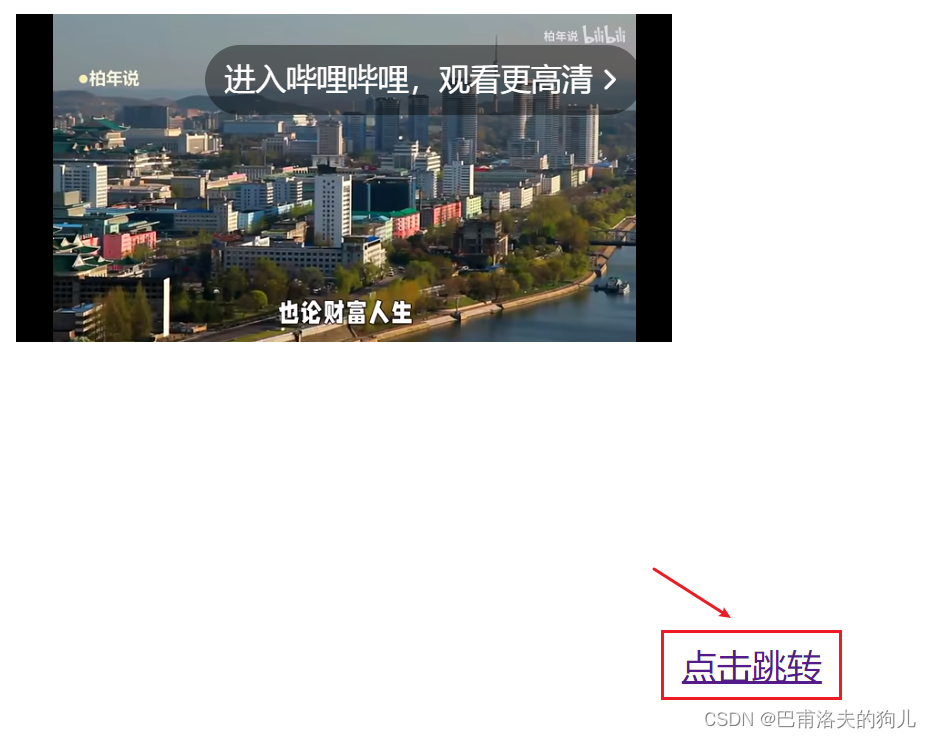
如上所示,在点击右下角跳转选项后,页面会跳转至a标签中链接的博客页面。
3.3 表单
表单语法
<form method="post" action="result.html">
<!--method规定如何发送表单数据 action表示向何处发送表单数据--><p> 账号:<input name="name" type="text"> </p><p> 密码:<input name="pass" type="password"> </p><p><input type="submit" name="Button" value="提交"/><input type="reset" name="Reset" value="重填"/><p>
</form>
<!DOCTYPE html>
<html lang="en">
<head><meta charset="UTF-8"><title>表单</title>
</head>
<body><h1>注册</h1><!--表单
action:表单提交的位置,可以是网站,也可以是一个请求处理地址
method:get/post,两种提交方式
-->
<form action="1.The%20first%20html.html" method="post"><!--input:输入框--><p>账号:<input type="text" name="account"></p><p>密码:<input type="password" name="password"></p><p><input type="submit"><input type="reset"></p>
</form></body>
</html>
运行结果:
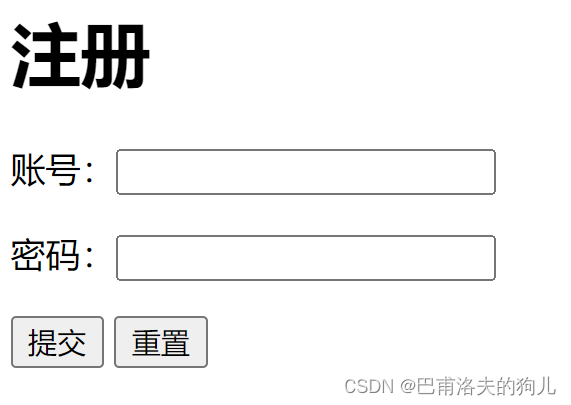
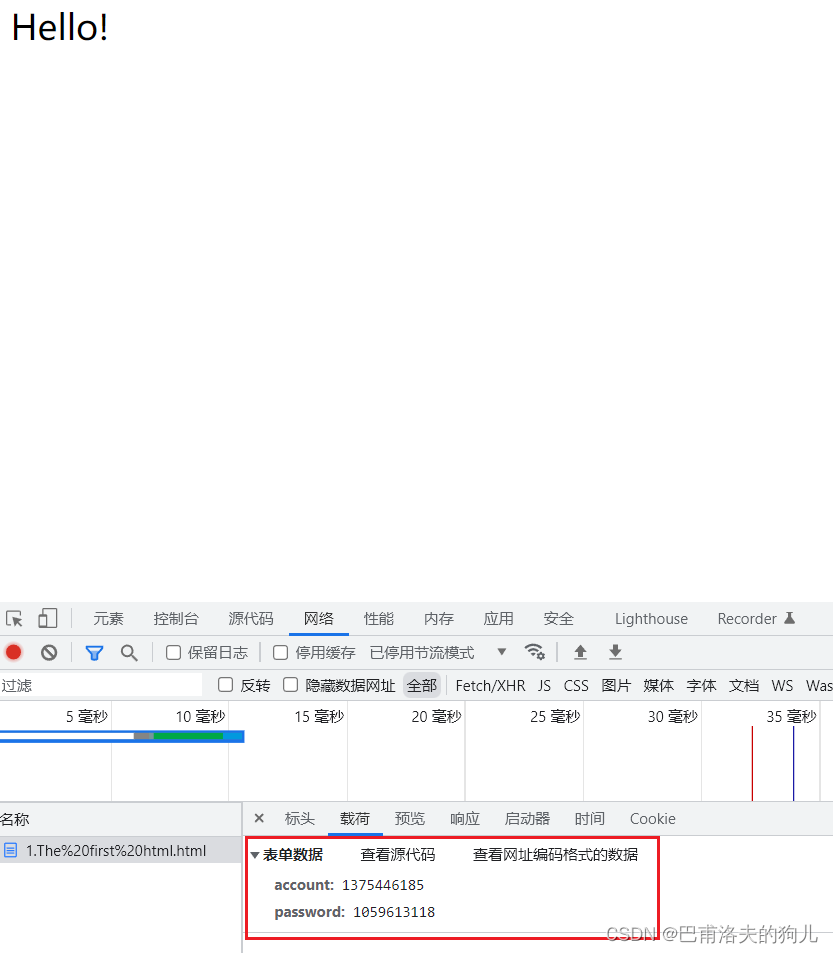
这里可以进一步对表单的两种提交方式进行区分:get会直接在url中看到表单信息,如下所示:

而post则只能通过页面检查获得表单信息,如下:
3.4 文本框和单选框
| 属性 | 说明 |
|---|---|
| type | 指定元素的类型。text、password、checkbox、radio、submit、reset、file、hidden、image和button,默认为text |
| name | 指定表单元素的名称 |
| value | 元素的初始值。type为radio时必须指定一个值 |
| size | 指定表单元素的初识宽度。当type为text或password时,表单元素的大小以字符为单位。对于其他类型,宽度以像素为单位 |
| maxlength | type为text或password时,输入的最大字符数 |
| checked | type为radio或checkbox时,指定按钮是否是被选中 |
<!DOCTYPE html>
<html lang="en">
<head><meta charset="UTF-8"><title>表单</title>
</head>
<body><h1>注册</h1><!--表单
action:表单提交的位置,可以是网站,也可以是一个请求处理地址
method:get/post,两种提交方式
-->
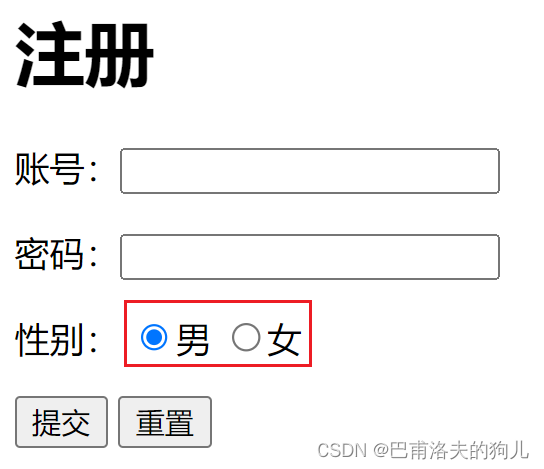
<form action="1.The%20first%20html.html" method="post"><!--文本输入框value="duo"     默认初始值maxlength="8"   最长字符数size="30"       文本框长度--><p>账号:<input type="text" name="account"></p><p>密码:<input type="password" name="password"></p><!--单选框标签input type="radio"value:单选框的值name:组别,会影响单选框值的选择效果--><p>性别:<input type="radio" value="man" name="sex">男<input type="radio" value="woman" name="sex">女</p><p><input type="submit"><input type="reset"></p>
</form></body>
</html>
运行结果:(注意单选框的选择效果)
3.5 按钮和多选框
<!DOCTYPE html>
<html lang="en">
<head><meta charset="UTF-8"><title>表单</title>
</head>
<body><h1>注册</h1><!--表单
action:表单提交的位置,可以是网站,也可以是一个请求处理地址
method:get/post,两种提交方式
-->
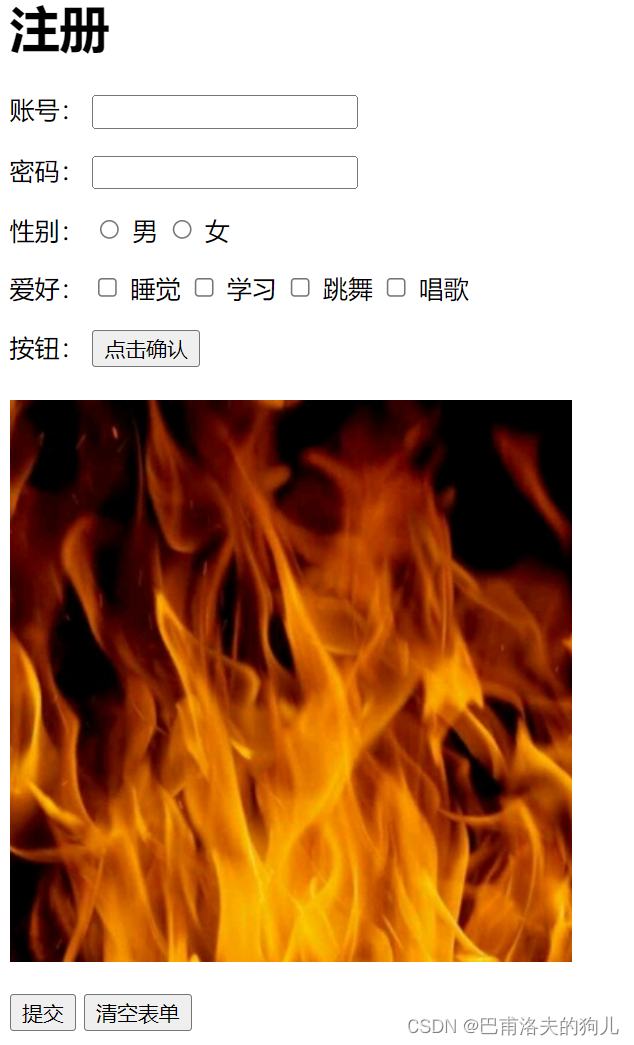
<form action="1.The%20first%20html.html" method="get"><!--文本输入框value="duo"     默认初始值maxlength="8"   最长字符数size="30"       文本框长度--><p>账号:<label><input type="text" name="account"></label></p><p>密码:<label><input type="password" name="password"></label></p><!--单选框标签input type="radio"value:单选框的值name:组别,会影响单选框值的选择效果--><p>性别:<label><input type="radio" value="man" name="sex"></label>男<label><input type="radio" value="woman" name="sex"></label>女</p><!--多选框标签input type="checkbox"--><p>爱好:<label><input type="checkbox" value="sleep" name="hobby"></label>睡觉<label><input type="checkbox" value="study" name="hobby"></label>学习<label><input type="checkbox" value="dance" name="hobby"></label>跳舞<label><input type="checkbox" value="sing" name="hobby"></label>唱歌</p><!--按钮标签input type="button" 普通按钮input type="image"  图像按钮--><p>按钮:<input type="button" name="btn1" value="点击确认"><br/><br/><input type="image" src="../resources/image/fire.jpg" alt="我的头像"></p><p><input type="submit"><input type="reset" value="清空表单"></p>
</form></body>
</html>
运行结果:(点击图像可以直接跳转至表单form中填写的提交位置action)