
一、概述
上一篇文章,已经实现了商品列表数据,上下拉动,动态加载。
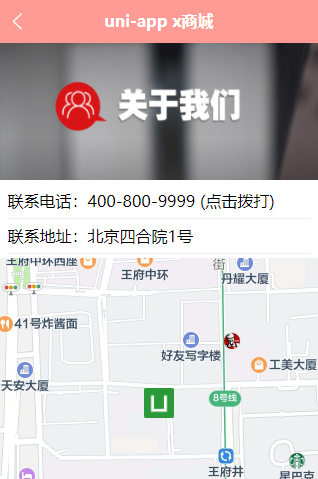
接下来,实现联系我们,地图显示,拨打电话,效果如下:
二、联系我们
修改 pages/contact/contact.uvue文件,增加view
完整代码如下:
<template><view class="contact"><image src="/static/public/gywmban.jpg" class="img"></image><view class="info"><view>联系电话:400-800-9999 (点击拨打)</view><view>联系地址:北京四合院1号</view></view></view>
</template><script>export default {data() {},methods: {}}
</script><style lang="scss">.img {width: 750rpx;height: 320rpx;}
</style>
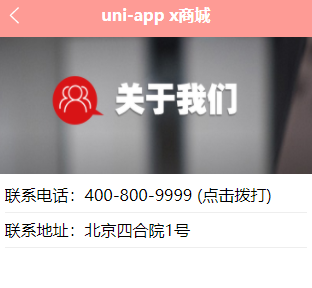
图片随便从网上下载即可,效果如下:
三、腾讯地图
接下来,需要实现地图展示,这个需要调用腾讯地图的api key才可以正常显示,否则使用map组件,会提示:
Map key not configured.
首先需要前往腾讯位置服务控制台申请API密钥,地址:https://lbs.qq.com/dev/console/home
注册手机号,必须绑定微信号
登录之后,创建一个应用map,然后创建key
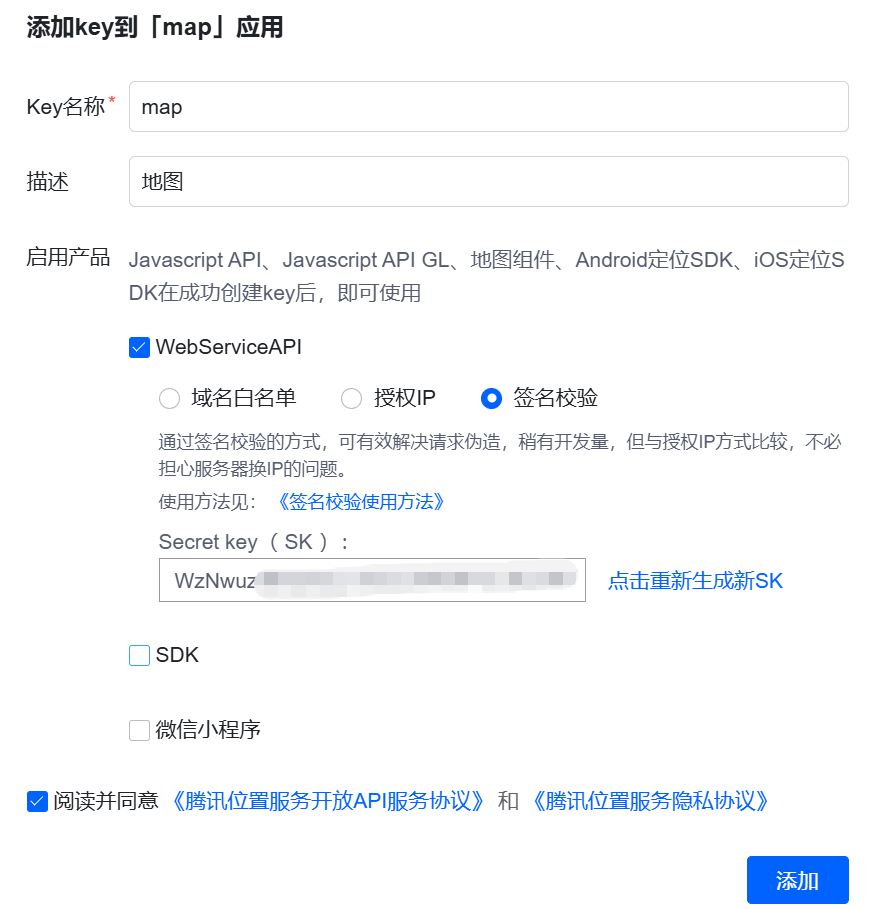
注意保存secure key
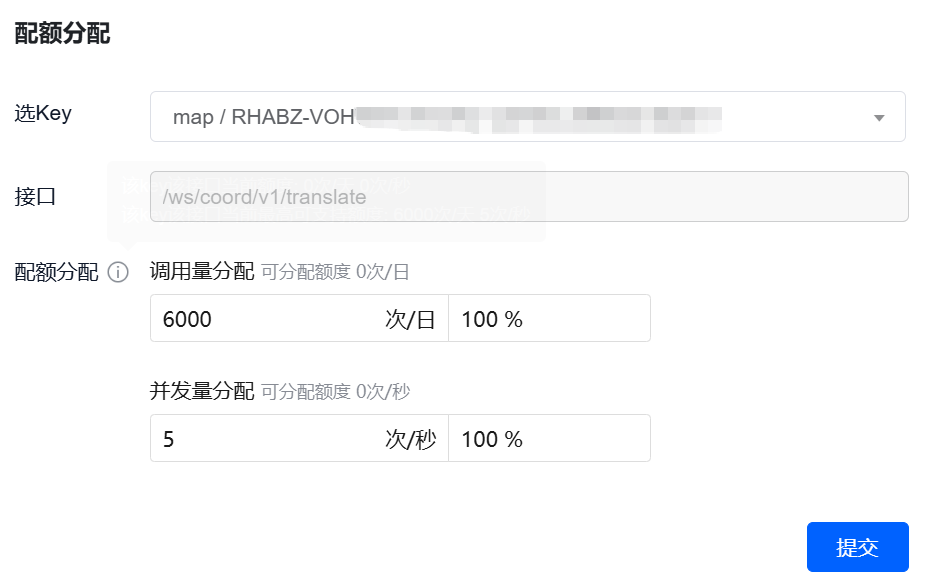
然后给key配置额度,直接填满。 注意:免费额度是,每日可以调用6000次,如果需要更多次,需要付费购买。
四、地图显示
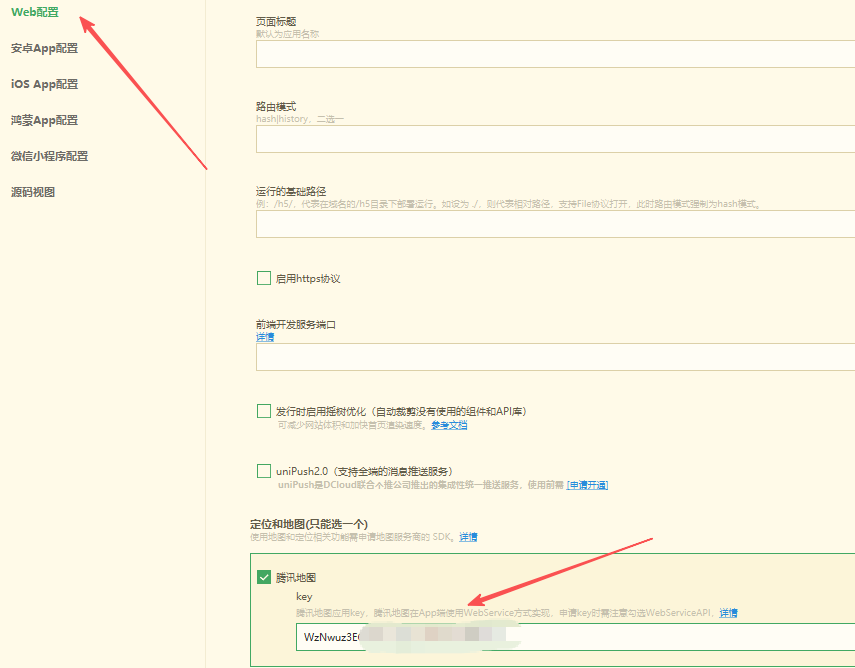
设置secure key
打开manifest.json,设置腾讯地址图
百度地图-坐标拾取器
打开官网:https://lbs.baidu.com/maptool/getpoint
搜索北京市,复制坐标
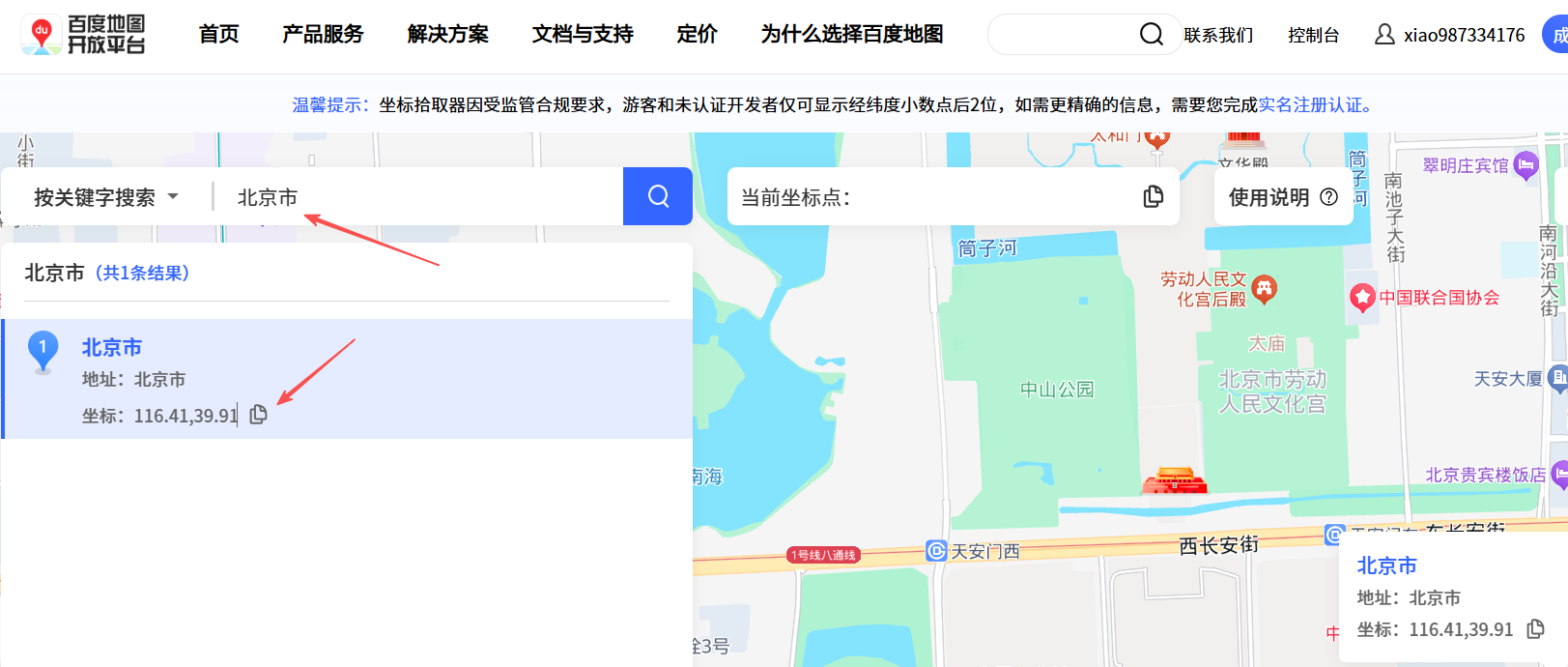
北京市的坐标为: 116.41,39.91
修改 pages/contact/contact.uvue文件,增加map组件,指定坐标
完整代码如下:
<template><view class="contact"><image src="/static/public/gywmban.jpg" class="img"></image><view class="info"><view>联系电话:400-800-9999 (点击拨打)</view><view>联系地址:北京四合院1号</view></view><map :latitude="latitude" :longitude="longitude" :markers="markers" :scale="scale" class="map" /></view>
</template><script>export default {data() {return {latitude: 39.91, // 北京纬度longitude: 116.41, // 北京经度scale: 16, // 缩放级别
                markers: [{id: 1,latitude: 39.91,longitude: 116.41,title: "天安门",iconPath: "/static/logo.png",// 本地图标路径width: 30,height: 30}]}},methods: {}}
</script><style lang="scss">.img {width: 750rpx;height: 320rpx;}.info {padding: 10rpx 20rpx;font-size: 30rpx;view {line-height: 80rpx;border-bottom: 1px solid #eee;}}.map {width: 750rpx;height: 750rpx;}
</style>
说明:
latitude,中心纬度
longitude,中心经度
scale,缩放级别,取值范围为3-20
markers,标记点
width: 图标宽度
height: 图标高度
更多参数,可以查看官方文档:https://uniapp.dcloud.net.cn/component/map.html
五、拨打电话
接下来要实现,点击电话号码,能进入拨打电话。
调用uni.makePhoneCall方法
官方文档:https://uniapp.dcloud.net.cn/api/system/phone.html
修改 pages/contact/contact.uvue文件,增加点击事件
完整代码如下:
<template><view class="contact"><image src="/static/public/gywmban.jpg" class="img"></image><view class="info"><view @click="phone">联系电话:400-800-9999 (点击拨打)</view><view>联系地址:北京四合院1号</view></view><map :latitude="latitude" :longitude="longitude" :markers="markers" :scale="scale" class="map" /></view>
</template><script>export default {data() {return {latitude: 39.91, // 北京纬度longitude: 116.41, // 北京经度scale: 16, // 缩放级别
                markers: [{id: 1,latitude: 39.91,longitude: 116.41,title: "天安门",iconPath: "/static/logo.png",// 本地图标路径width: 30,height: 30}]}},methods: {phone() {uni.makePhoneCall({phoneNumber: '400-800-9999'})}}}
</script><style lang="scss">.img {width: 750rpx;height: 320rpx;}.info {padding: 10rpx 20rpx;font-size: 30rpx;view {line-height: 80rpx;border-bottom: 1px solid #eee;}}.map {width: 750rpx;height: 750rpx;}
</style>
编译运行,点击号码,会有一个提示
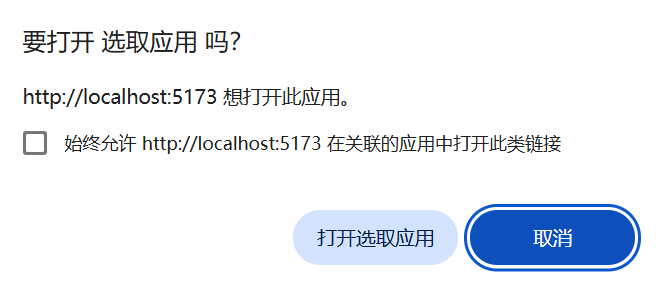
如果是手机运行,就会提示,是否拨打这个号码