web使用腾讯地图进行路线配置

实现效果
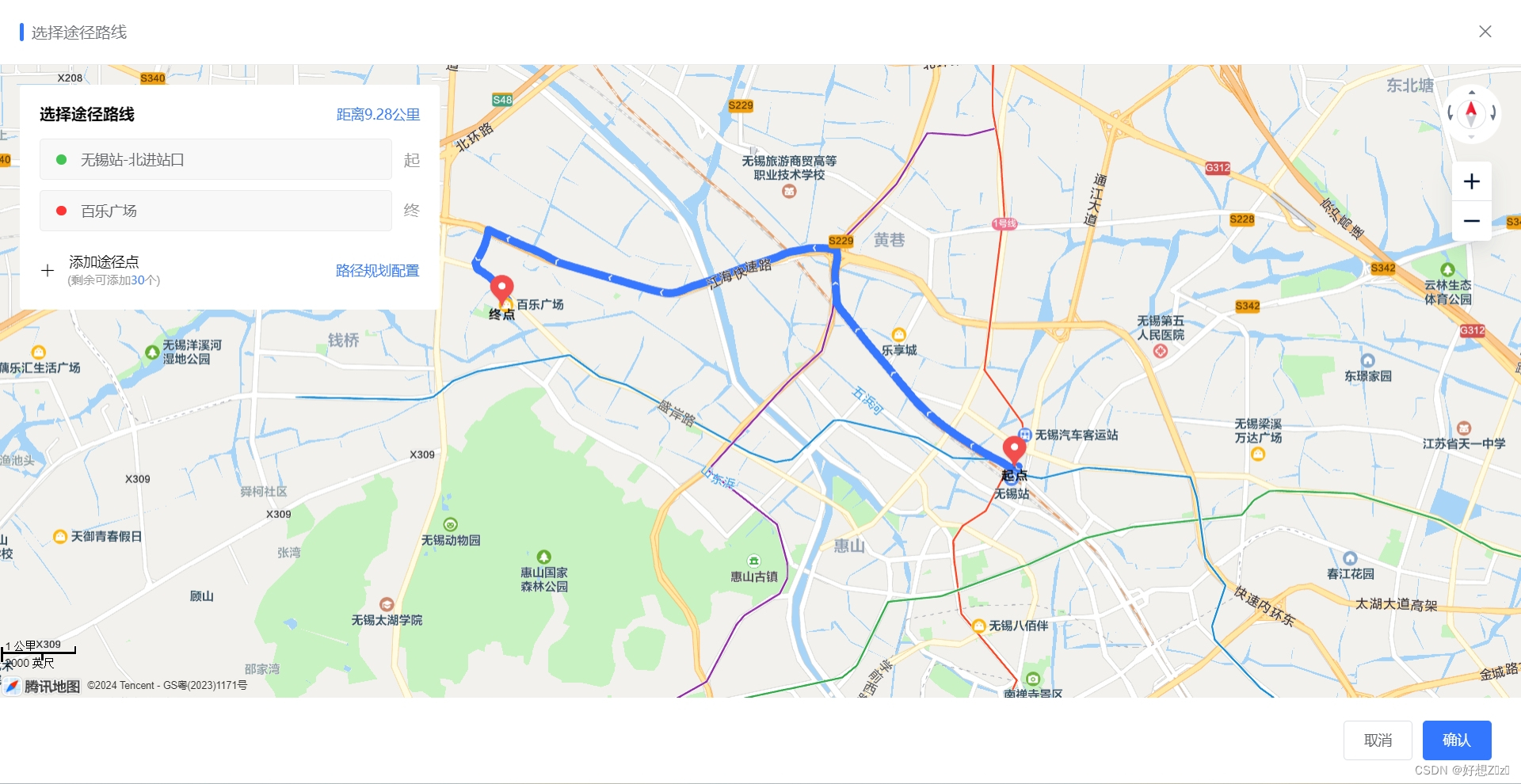
地图容器:
<div v-loading="loading" id="map" class=" height-percent-100" style="overflow:hidden;cursor: grab"></div>
创建地图对象:
/*** 初始化地图*/initMap () {const loading = this.$loading({lock: true,text: '初始化地图中',spinner: 'el-icon-loading',background: 'rgba(0, 0, 0, 0.7)'});// 体谅一下网慢的,等在线路程js加载完setTimeout(() => {try {// eslint-disable-next-line no-undefthis.map = new TMap.Map('map', {// eslint-disable-next-line no-undefcenter: new TMap.LatLng(this.center.lat, this.center.lng), // 地图显示中心点zoom: 12// 缩放级别});if (this.mapData) {this.routes = this.mapData?.routes.length ? this.mapData.routes.map(item => {return {...item,title: item.roadName,policy: item.policy || 'REAL_TRAFFIC'}}) : []this.roadKm = this.mapData?.roadKm || 0if (this.routes.length) {this.start()}}this.$nextTick(() => {loading.close()})} catch (err) {this.$message.warning('地图初始化失败,请检查网络')loading.close()}}, 500)},选择路径后规划路线:
/*** 开始路径规划*/async start () {this.loading = truelet distance = 0const coords = []for (const [index] of this.routes.entries()) {if (index) {await this.request(index).then(res => {distance += res.distancecoords.push(...res.polyline)}).catch(() => {this.loading = false})}}this.roadKm = Number((distance / 1000).toFixed(2))const pl = [];// 坐标解压(返回的点串坐标,通过前向差分进行压缩)const kr = 1000000;for (let i = 2; i < coords.length; i++) {coords[i] = Number(coords[i - 2]) + Number(coords[i]) / kr;}// 将解压后的坐标放入点串数组pl中for (let i = 0; i < coords.length; i += 2) {// eslint-disable-next-line no-undefpl.push(new TMap.LatLng(coords[i], coords[i + 1]));}if (this.polylineLayer) {this.polylineLayer.setMap(null)this.polylineLayer = null}this.display_polyline(pl)if (this.marker) {this.marker.setMap(null)this.marker = null}this.display_marker(this.routes)this.loading = false},