optee TA文件签名

TA的签名
在optee_os目录下,存放着签名的私钥和签名脚本。
工程目录 optee_os/keys/default_ta.pem
工程目录 optee_os/scripts/sign_encrypt.py
编译TA时会先将TA编译为elf文件。此时执行签名脚本,对elf文件签名并生成.ta文件。
签名使用了RSA2048的 私钥default_ta.pem私钥(当该TA需要被正式release的时候需要使用自有的私钥替换掉该),此私钥通过编译时makefile调用python脚本时传入。
此脚本还会放置头部数据,shdr,放在TA镜像的头部。这是与签名信息相关的数据,其为shdr类型的结构体。
#define SHDR_MAGIC  0x4f545348/*** struct shdr - signed header* @magic:  magic number must match SHDR_MAGIC* @img_type:   image type, values defined by enum shdr_img_type* @img_size:   image size in bytes* @algo:   algorithm, defined by public key algorithms TEE_ALG_**      from TEE Internal API specification* @hash_size:  size of the signed hash* @sig_size:   size of the signature* @hash:   hash of an image* @sig:    signature of @hash*/
struct shdr {uint32_t magic;uint32_t img_type;uint32_t img_size;uint32_t algo;uint16_t hash_size;uint16_t sig_size;/** Commented out element used to visualize the layout dynamic part* of the struct.** hash is accessed through the macro SHDR_GET_HASH and* signature is accessed through the macro SHDR_GET_SIG** uint8_t hash[hash_size];* uint8_t sig[sig_size];*/
};
头部放置了magic number,需要和optee-os代码里的magic number匹配。其他的就是签名相关的数据。
magic:需要与optee-os里定义的magic匹配。
img_type:TA镜像类型,是否加密。
img_siez:TA镜像大小。
alg:签名算法,默认RSA。
hash_size::TA签名的摘要大小。此摘要是除去sig和hash后对整个ta文件的摘要
sig_size:TA签名的大小。签名是对前面摘要的签名。
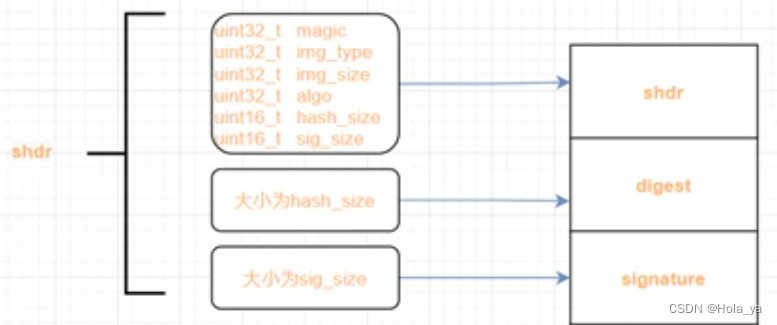
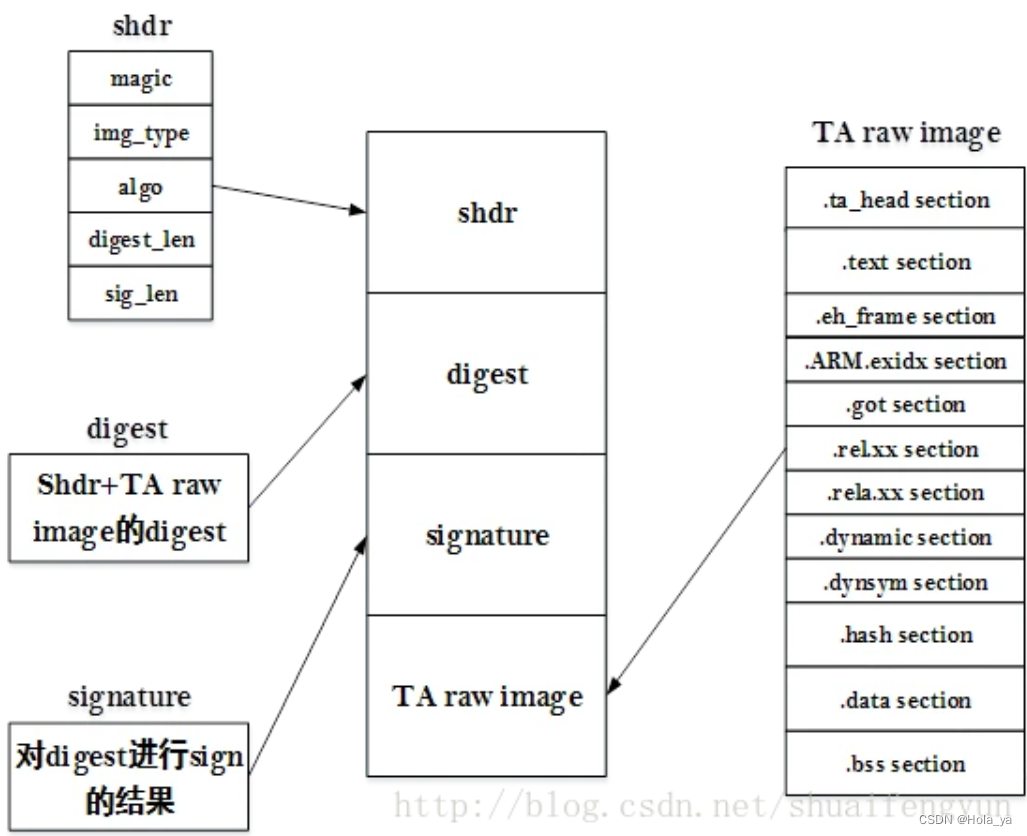
以optee_example中的aes ta为例
hexdump -C 5dbac793-f574-4871-8ad3-04331ec17f24.elf | less
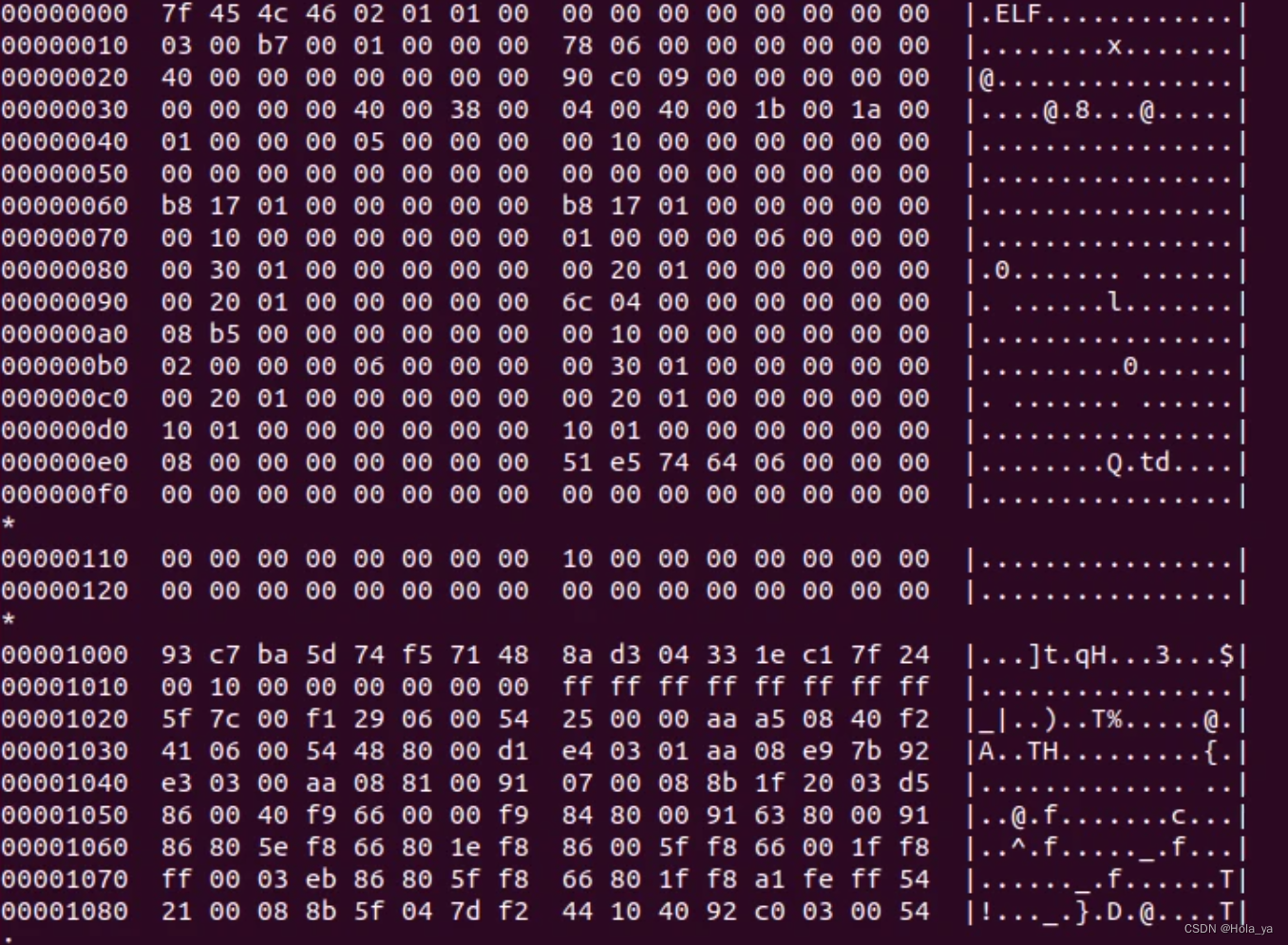
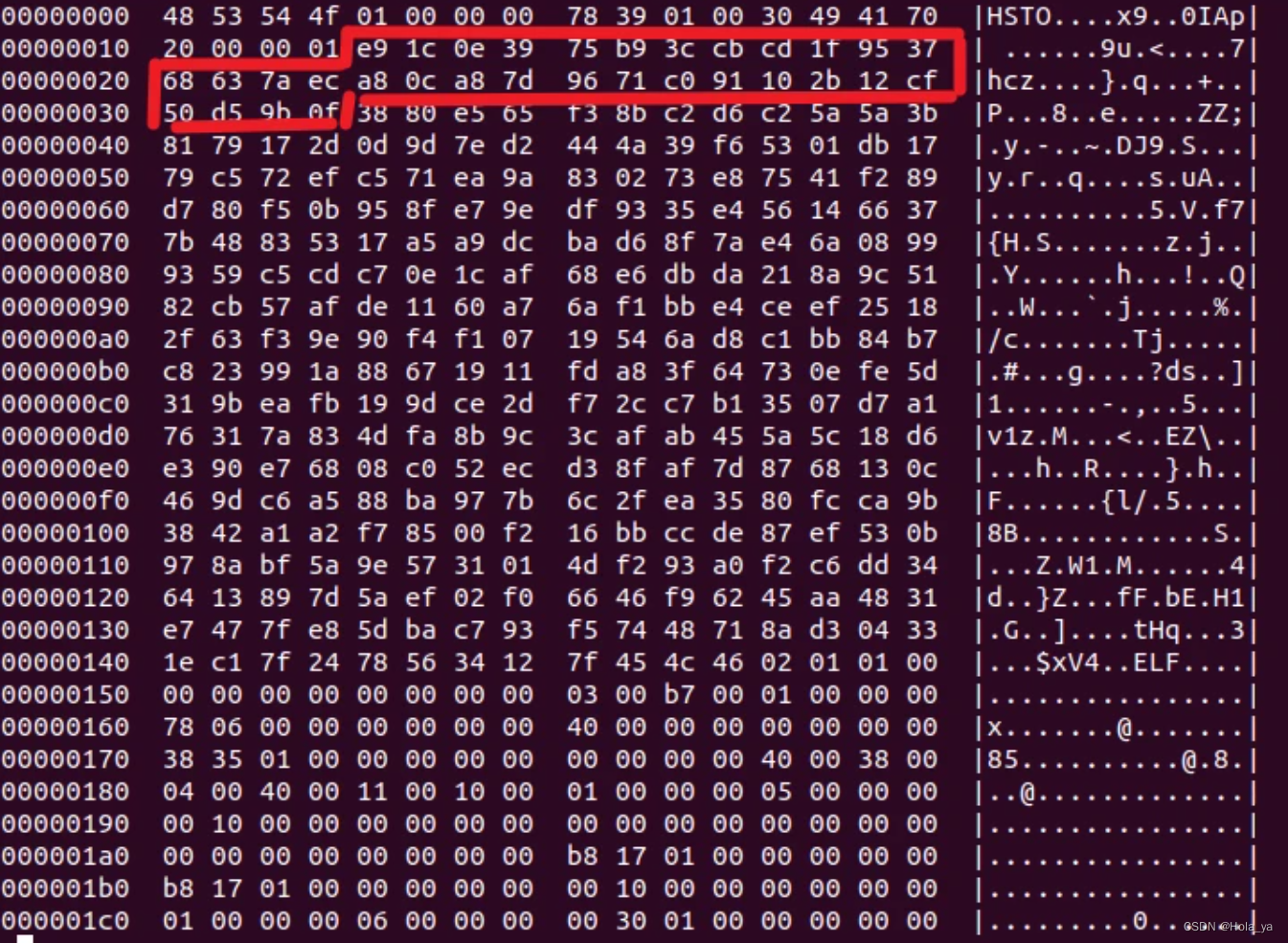
hexdump -C 5dbac793-f574-4871-8ad3-04331ec17f24.ta | less

红色框里的就是头部shdr的信息,对应为
4字节的magic:0x4f545348;
4字节的img_tpye:0x01;
4字节的img_size:0x013978;
4字节的alg:0x70414930,对应optee定义的TEE_ALG_RSASSA_PKCS1_PSS_MGF1_SHA256宏;
2字节的hash_size:0x20;
2字节的sig_size:0x100。
在这之后的0x20字节的内容就是digest,再之后的0x100字节就是签名的内容。
红圈之后是 ta uuid(16Bytes),和 ta hdr_version(4Bytes),是在 sign_encrypt.py 脚本中添加

因为计算hash的是 shr+ta stripped elf,将 shr 去掉进行如下验证,即在 sign_encrypt.py 脚本中注释掉shr,然后再编译ta
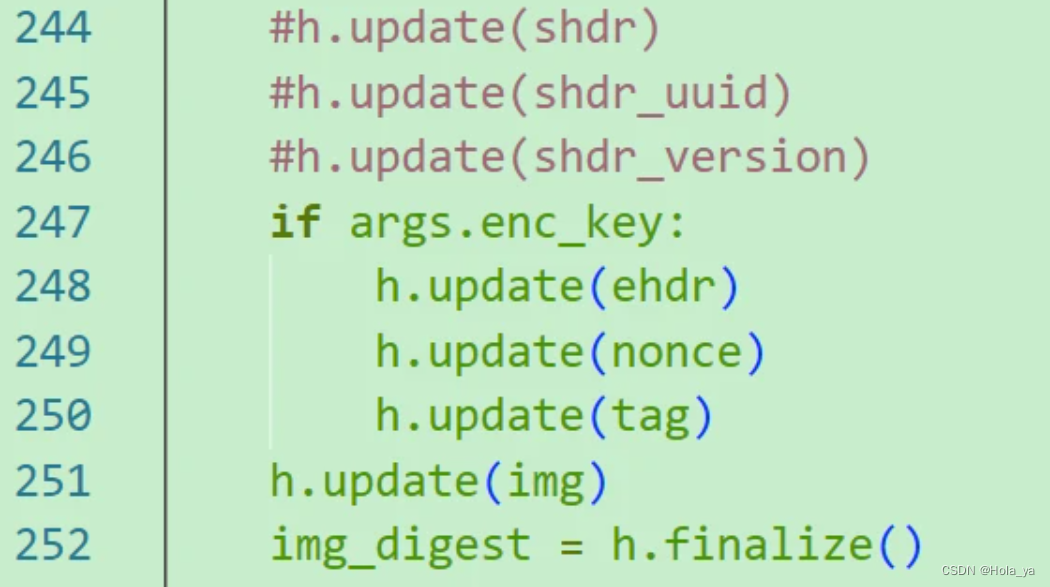
得到如下的ta
利用openssl计算SHA256,可以看到结果是一致的
openssl dgst -sha256 5dbac793-f574-4871-8ad3-04331ec17f24.stripped.elf

TA的验签
optee验签TA时使用的公钥哪儿来的?
编译时调用的pem_to_pub_c.py脚本,从makefile给出的密钥路径default_ta.pem中解析出rsa_pub公钥,生成ta_pub_key.c文件,放到了ta_pub_key.c文件的ta_pub_key_modulus数组中。所以ta_pub_key_modulus就是验签TA用到的公钥。
如何验签?
放置公钥的数组在optee-os加载TA时shdr_verify_signature函数会从此数组里获取公钥用于验签TA。验签时取出镜像头部的shdr,通过rpc调用到ree侧的tee_supplicant,此时会将TA的镜像加载到REE与TEE的共享内存中,因为共享内存是非安全的内存,所以此时不能加载全部TA,所以先加载shdr头部到安全内存中来,然后调用shdr_verify_signature读取公钥和shdr的签名信息验签。
/* 存放公钥的数组 */
const unit8_t ta_pub_key_modulus[];
/* Validate header signature */
res = shdr_verify_signature(shdr); // optee_os\core\crypto\signed_hdr.c
校验流程:shdr_verify_signature
- 先比较magic
if (shdr->magic != SHDR_MAGIC)return TEE_ERROR_SECURITY;
- 判断alg是否是RSA
if (TEE_ALG_GET_MAIN_ALG(shdr->algo) != TEE_MAIN_ALGO_RSA)return TEE_ERROR_SECURITY;
- 从生成的ta_pub_key_modulus数组里取出公钥
res = crypto_bignum_bin2bn(ta_pub_key_modulus, ta_pub_key_modulus_size, key.n);
- 使用RSA算法验签
res = crypto_acipher_rsassa_verify(shdr->algo, &key, shdr->hash_size,SHDR_GET_HASH(shdr), shdr->hash_size,SHDR_GET_SIG(shdr), shdr->sig_size);
- 验签成功后会校验hash
TA是分段加载的,在加载TA的时候会调用ree_fs_ta_read。每加载一次就update一次hash_ctx,
/*更新hash_ctx,以便后面计算出TA的hash值使用*/
// core\kernel\ree_fs_ta.c 中 ree_fs_ta_read
res = crypto_hash_update(handle->hash_ctx, dst, len);
/** Last read: time to check if our digest matches the expected* one (from the signed header)*/res = check_digest(handle);
加载完所有TA的段后校验hash,与shdr里的hash比较
static TEE_Result check_digest(struct ree_fs_ta_handle *h)
{void *digest = NULL;TEE_Result res;digest = malloc(h->shdr->hash_size);if (!digest)return TEE_ERROR_OUT_OF_MEMORY;/*加载完成后进行最后计算hash值*/res = crypto_hash_final(h->hash_ctx, digest, h->shdr->hash_size);if (res != TEE_SUCCESS) {res = TEE_ERROR_SECURITY;goto out;}/*与shdr头里存放的hash比较*/if (memcmp(digest, SHDR_GET_HASH(h->shdr), h->shdr->hash_size))res = TEE_ERROR_SECURITY;
out:free(digest);return res;
}