使用gcloud SDK 管理和部署 Cloud run service

查看cloud run 上的service 列表:
gcloud run services list
> gcloud run services listSERVICE             REGION        URL                                                 LAST DEPLOYED BY                                              LAST DEPLOYED AT
✔  helloservice        europe-west2  https://helloservice-7hq3m4pdya-nw.a.run.app        terraform@jason-hsbc.iam.gserviceaccount.com                  2023-12-02T18:42:14.055559Z
✔  helloservice2       europe-west2  https://helloservice2-7hq3m4pdya-nw.a.run.app       jason1.pan@maplequad.com                                      2023-12-02T14:58:46.466365Z
✔  java-http-function  europe-west2  https://java-http-function-7hq3m4pdya-nw.a.run.app  service-912156613264@gcf-admin-robot.iam.gserviceaccount.com  2023-11-04T20:57:43.771263Z
获得某个service 的详细信息
gcloud run services describe 《servicename》 --region=《regionname》
 gcloud run services describe helloservice --region=europe-west2
✔ Service helloservice in region europe-west2URL:     https://helloservice-7hq3m4pdya-nw.a.run.app
Ingress: all
Traffic:100% LATEST (currently helloservice-00008-cuv)Last updated on 2023-12-02T18:42:14.055559Z by terraform@jason-hsbc.iam.gserviceaccount.com:Revision helloservice-00008-cuvContainer helloservice-1Image:           europe-west2-docker.pkg.dev/jason-hsbc/my-docker-repo/helloservice:0.0.2Port:            8080Memory:          512MiCPU:             1000mStartup Probe:TCP every 240sPort:          8080Initial delay: 0sTimeout:       240sFailure threshold: 1Type:          DefaultService account:   vm-common@jason-hsbc.iam.gserviceaccount.comConcurrency:       80Max Instances:     2Timeout:           300s
停止某个service
实际上无这个功能
参考下面google的官方说明
https://cloud.google.com/run/docs/managing/services
Disabling an existing service
Cloud Run does not offer a direct way to make a service stop serving traffic, but you can achieve a similar result by revoking the permission to invoke the service to identities that are invoking the service. Notably, if your service is “public”, remove allUsers from the Cloud Run Invoker role (roles/run.invoker).
建议你直接删除不必要的service, 或者修改权限设置让它不能被访问
删除某个service
gcloud run services delete --region=《regionname》 -q
-q 这里意思是quite , 避免删除确认提问, 小心用就是了
> gcloud run services delete helloservice --region=europe-west2 -q
Deleting [helloservice]...done.
Deleted service [helloservice].
部署某个service
重点来了, 部署某个service , 只要service name 和 region相同会覆盖旧的service, 不用先停止再部署
命令行部署 cloud run service 和 在 google console 上部署的是差不多的
https://blog.csdn.net/nvd11/article/details/134725434
命令:
gcloud run deploy 《servicename》
–image=《GAR url / tag name of your image》
–port=《container port》
–platform=managed
–region=《region name》
–min-instances=0
–max-instances=2
–ingress=all
–service-account=《gcp service account name》
–no-allow-unauthenticated or allow-unauthenticated
> gcloud run deploy helloservice \--image=europe-west2-docker.pkg.dev/jason-hsbc/my-docker-repo/helloservice:0.0.1-SNAPSHOT \--port=8080 \--platform=managed \--region=europe-west2 \--min-instances=0 \--max-instances=2 \--ingress=all \--service-account=vm-common@jason-hsbc.iam.gserviceaccount.com \--no-allow-unauthenticated
Deploying container to Cloud Run service [helloservice] in project [jason-hsbc] region [europe-west2]
✓ Deploying new service... Done.                                                                                                                                                                     ✓ Creating Revision...                                                                                                                                                                             ✓ Routing traffic...
Done.
Service [helloservice] revision [helloservice-00001-qnk] has been deployed and is serving 100 percent of traffic.
Service URL: https://helloservice-7hq3m4pdya-nw.a.run.app
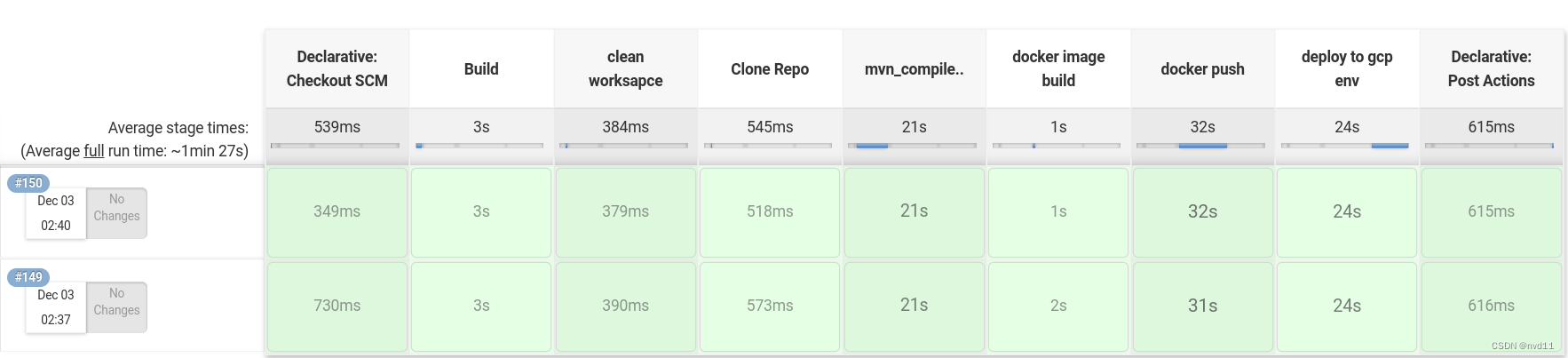
用Jenkins 自动化部署某个service
这里我把jenkins file 和 jenkins library 发出来作为参考
jenkins file:
https://nvd11.coding.net/p/Jenkins_lib_java_docker/d/jenkins_files/git/tree/master/cloudrun/cloudrun_helloservice.groovy
jenkins lib:
https://nvd11.coding.net/p/Jenkins_lib_java_docker/d/Jenkins_Libs/git/tree/master/vars/build.groovy