Rust开发WASM,浏览器运行WASM

首先需要安装wasm-pack
cargo install wasm-pack使用cargo创建工程
cargo new --lib mywasm编辑Cargo.toml文件,修改lib的类型为cdylib,并且添加依赖wasm-bindgen
[package]
name = "mywasm"
version = "0.1.0"
edition = "2021"# See more keys and their definitions at https://doc.rust-lang.org/cargo/reference/manifest.html[lib]
crate-type = ["cdylib"][dependencies]
wasm-bindgen = "0.2"
修改代码lib.rs
use wasm_bindgen::prelude::*;#[wasm_bindgen]
pub fn add(n1: usize, n2: usize) -> usize {n1 + n2
}
编译lib.rs生成wasm
wasm-pack build --target web下载wasm-bindgen的过程大概需要10分钟,请耐心等待。
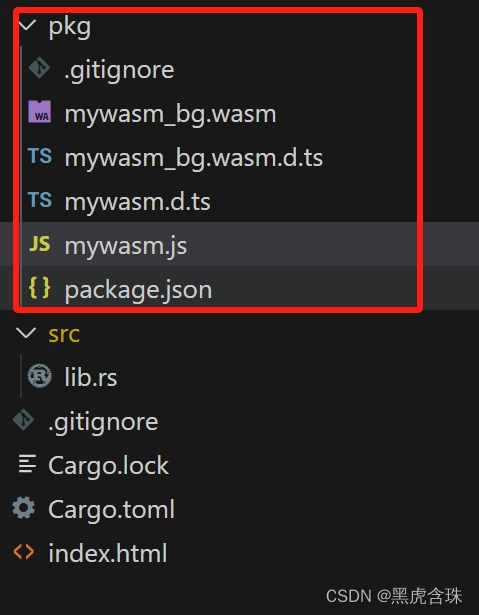
接下来创建文件index.html,使用wasm
<!DOCTYPE html>
<html><head><meta charset="utf-8"><title>wasm web demo</title></head><body><script type="module">import init, {add} from "./pkg/mywasm.js";init().then(() => {console.log("add(1,2) = " + add(1, 2))});</script></body>
</html>
启动测试用web server
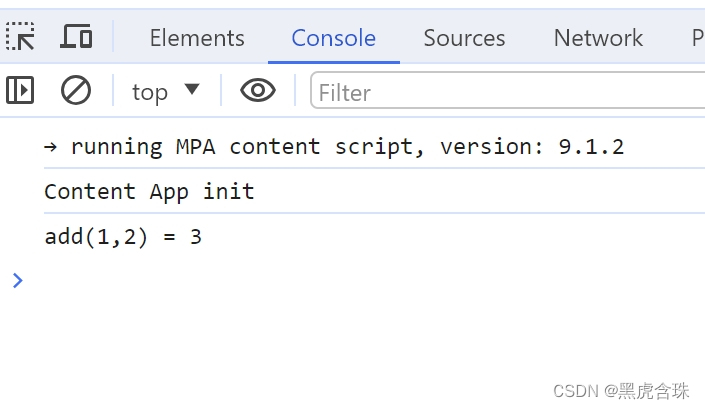
python3 -m http.server 8000打开chrome访问http://localhost:8000,并且打开调试控制台,可以看到运行结果。