canvas实现涂鸦画板功能

查看专栏目录
canvas实例应用100+专栏,提供canvas的基础知识,高级动画,相关应用扩展等信息。canvas作为html的一部分,是图像图标地图可视化的一个重要的基础,学好了canvas,在其他的一些应用上将会起到非常重要的帮助。
文章目录
- 示例效果图
- 示例源代码(共104行)
- canvas基本属性
- canvas基础方法
canvas如何实现涂鸦画板功能呢? 我们监听鼠标事件时获取到的坐标是相对于整个页面的坐标(e.clientX 和 e.clientY)。为了将这些坐标转换为相对于 元素自身的坐标,我们需要从这些值中减去 canvas.offsetLeft 和 canvas.offsetTop,确保绘制路径是在 <canvas> 元素的坐标系统内,而不是在整个页面的坐标系统中。
canvas.offsetLeft 是一个JavaScript属性,它代表了元素(在这个例子中是 <canvas> 元素)相对于其最近的定位祖先元素(offset parent)的左边距离。如果没有定位的祖先元素,那么就是相对于文档的左边距离。
这个属性通常与 canvas.offsetTop 一起使用,后者代表元素相对于其最近的定位祖先元素的顶部距离。
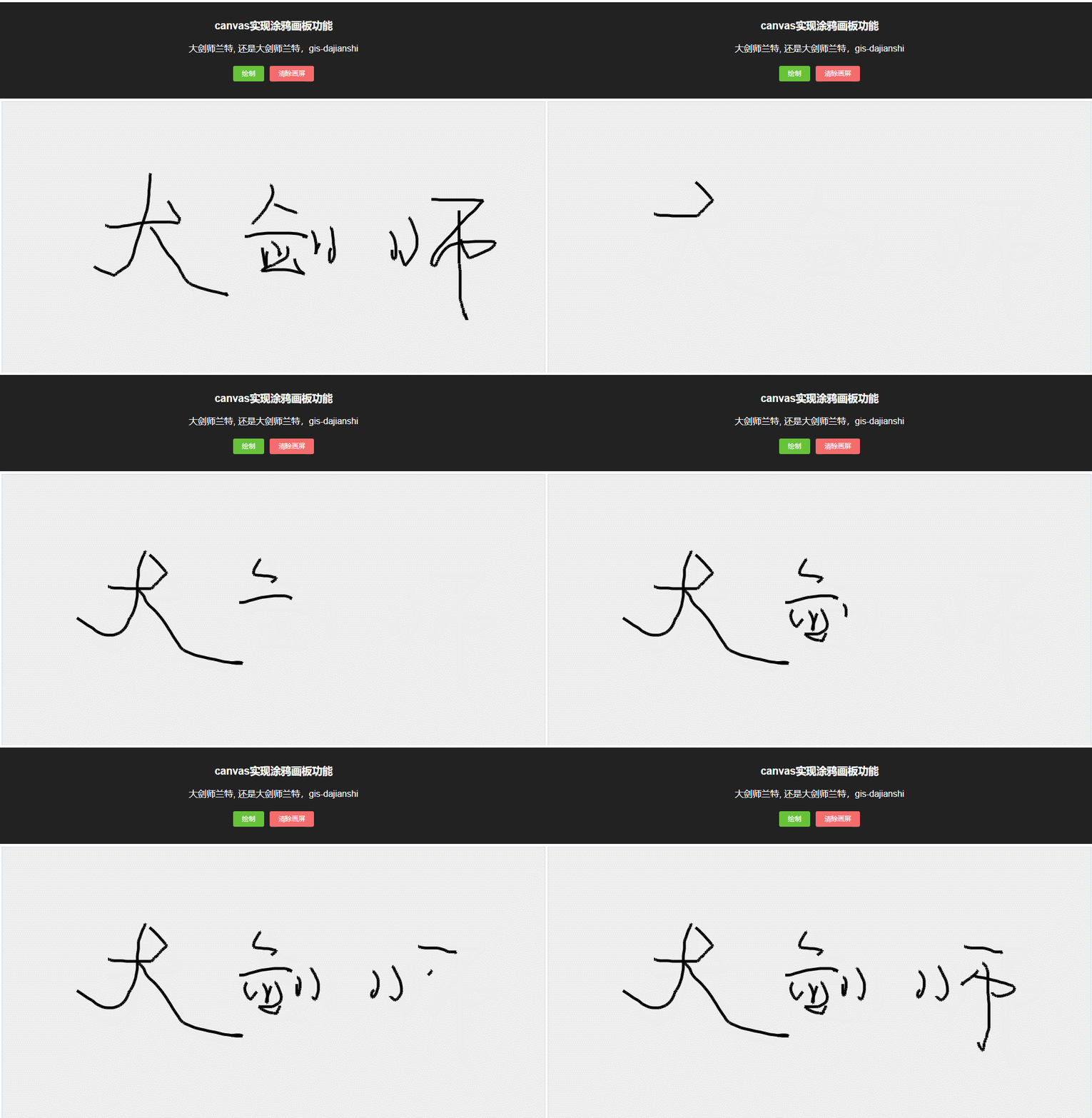
示例效果图
示例源代码(共104行)
/*
* @Author: 大剑师兰特(xiaozhuanlan),还是大剑师兰特(CSDN)
* @此源代码版权归大剑师兰特所有,可供学习或商业项目中借鉴,未经授权,不得重复地发表到博客、论坛,问答,git等公共空间或网站中。
* @Email: 2909222303@qq.com
* @weixin: gis-dajianshi
* @First published in CSDN
* @First published time: 2024-02-07
*/
<template><div class="djs_container"><div class="top"><h3>canvas实现涂鸦画板功能</h3><div>大剑师兰特, 还是大剑师兰特,gis-dajianshi</div><h4><el-button type="success" size="mini" @click="draw()">绘制</el-button><el-button type="danger" size="mini" @click="clearCanvas()">清除画屏</el-button></h4></div><div class="dajianshi ">
<!-- 			<canvas id="dajianshi" ref="mycanvas" width="980" height="490" @></canvas> --><canvas id="dajianshi" ref="mycanvas" @mousedown="startDrawing" @mousemove="draw" @mouseup="stopDrawing" width="980" height="490"></canvas></div></div>
</template>
<script>export default {data() {return {canvas: null,ctx: null,drawing: false,color: 'black',lineWidth: 5,lastX: 0,lastY: 0}},mounted() {this.setCanvas()},methods: {clearCanvas() {this.drawing = false;this.ctx.clearRect(0, 0, this.canvas.width, this.canvas.height);},setCanvas() {this.canvas = document.getElementById('dajianshi');if (!this.canvas.getContext) return;this.ctx = this.canvas.getContext("2d");},startDrawing(e) {this.drawing = true;this.lastX = e.clientX - this.canvas.offsetLeft;this.lastY = e.clientY - this.canvas.offsetTop;},draw(e) {if (!this.drawing) return;const x = e.clientX - this.canvas.offsetLeft;const y = e.clientY - this.canvas.offsetTop;this.ctx.beginPath();this.ctx.moveTo(this.lastX, this.lastY);this.ctx.lineTo(x, y);this.ctx.strokeStyle = this.color;this.ctx.lineWidth = this.lineWidth;this.ctx.stroke();this.ctx.closePath();this.lastX = x;this.lastY = y;},stopDrawing() {this.drawing = false;}}}
</script>
<style scoped>.djs_container {width: 100%;height: 680px;margin:0;padding:0;
/* 		margin: 50px auto; */
/* 		border: 1px solid #222; */position: relative;}.top {margin: 0 auto 0px;padding: 10px 0;background: #222;color: #fff;}.dajianshi {margin: 5px auto 0;border: 1px solid #cde;width: 980px;height: 490px;background-color: #eee;}
</style>
canvas基本属性
| 属性 | 属性 | 属性 |
|---|---|---|
| canvas | fillStyle | filter |
| font | globalAlpha | globalCompositeOperation |
| height | lineCap | lineDashOffset |
| lineJoin | lineWidth | miterLimit |
| shadowBlur | shadowColor | shadowOffsetX |
| shadowOffsetY | strokeStyle | textAlign |
| textBaseline | width |
canvas基础方法
| 方法 | 方法 | 方法 |
|---|---|---|
| arc() | arcTo() | addColorStop() |
| beginPath() | bezierCurveTo() | clearRect() |
| clip() | close() | closePath() |
| createImageData() | createLinearGradient() | createPattern() |
| createRadialGradient() | drawFocusIfNeeded() | drawImage() |
| ellipse() | fill() | fillRect() |
| fillText() | getImageData() | getLineDash() |
| isPointInPath() | isPointInStroke() | lineTo() |
| measureText() | moveTo() | putImageData() |
| quadraticCurveTo() | rect() | restore() |
| rotate() | save() | scale() |
| setLineDash() | setTransform() | stroke() |
| strokeRect() | strokeText() | transform() |
| translate() |