centos安装harbor

安装docker
yum install epel-release  yum-utils#docker官网源
yum-config-manager \--add-repo \https://download.docker.com/linux/centos/docker-ce.repoyum install docker-ce -y
安装docker-compose
 curl -SL https://github.com/docker/compose/releases/download/v2.24.5/docker-compose-linux-x86_64 -o /usr/local/bin/docker-composesudo ln -s /usr/local/bin/docker-compose /usr/bin/docker-compose赋予权限
chmod 755 /usr/bin/docker-composedocker-compose version
安装harbor
在线安装
wget https://github.com/goharbor/harbor/releases/download/v2.9.2/harbor-online-installer-v2.9.2.tgztar -zxvf harbor-online-installer-v2.9.2.tgzcd harborcp harbor /usr/local
修改配置
vim /etc/hosts
192.168.217.132 harbor.dev.com
vim harbor.yaml
# The IP address or hostname to access admin UI and registry service.
# DO NOT use localhost or 127.0.0.1, because Harbor needs to be accessed by external clients.
hostname: harbor.dev.com   改成自己的# http related config
http:# port for http, default is 80. If https enabled, this port will redirect to https portport: 80   默认端口# https related config
https:# https port for harbor, default is 443# port: 443# The path of cert and key files for nginx# certificate: /your/certificate/path   禁止掉# private_key: /your/private/key/path    禁止掉harbor_admin_password: 123445      修改登录密码# Harbor DB configuration
database:# The password for the root user of Harbor DB. Change this before any production use.password: 12345   修改数据库密码 # The maximum number of connections in the idle connection pool. If it <=0, no idle connections are retained.
预测执行一下
./prepare 看是否报错
执行安装 ./install
./install.sh [Step 0]: checking if docker is installed ...Note: docker version: 25.0.2[Step 1]: checking docker-compose is installed ...Note: Docker Compose version v2.24.5[Step 2]: preparing environment ...[Step 3]: preparing harbor configs ...
prepare base dir is set to /root/harbor
WARNING:root:WARNING: HTTP protocol is insecure. Harbor will deprecate http protocol in the future. Please make sure to upgrade to https
Clearing the configuration file: /config/portal/nginx.conf
Clearing the configuration file: /config/log/logrotate.conf
Clearing the configuration file: /config/log/rsyslog_docker.conf
Clearing the configuration file: /config/nginx/nginx.conf
Clearing the configuration file: /config/core/env
Clearing the configuration file: /config/core/app.conf
Clearing the configuration file: /config/registry/passwd
Clearing the configuration file: /config/registry/config.yml
Clearing the configuration file: /config/registryctl/env
Clearing the configuration file: /config/registryctl/config.yml
Clearing the configuration file: /config/db/env
Clearing the configuration file: /config/jobservice/env
Clearing the configuration file: /config/jobservice/config.yml
Generated configuration file: /config/portal/nginx.conf
Generated configuration file: /config/log/logrotate.conf
Generated configuration file: /config/log/rsyslog_docker.conf
Generated configuration file: /config/nginx/nginx.conf
Generated configuration file: /config/core/env
Generated configuration file: /config/core/app.conf
Generated configuration file: /config/registry/config.yml
Generated configuration file: /config/registryctl/env
Generated configuration file: /config/registryctl/config.yml
Generated configuration file: /config/db/env
Generated configuration file: /config/jobservice/env
Generated configuration file: /config/jobservice/config.yml
loaded secret from file: /data/secret/keys/secretkey
Generated configuration file: /compose_location/docker-compose.yml
Clean up the input dirNote: stopping existing Harbor instance ...[Step 4]: starting Harbor ...
[+] Running 62/9✔ log 7 layers [⣿⣿⣿⣿⣿⣿⣿]      0B/0B      Pulled                                                                                                   33.0s ✔ proxy 1 layers [⣿]      0B/0B      Pulled                                                                                                       17.6s ✔ postgresql 10 layers [⣿⣿⣿⣿⣿⣿⣿⣿⣿⣿]      0B/0B      Pulled                                                                                        31.3s ✔ core 9 layers [⣿⣿⣿⣿⣿⣿⣿⣿⣿]      0B/0B      Pulled                                                                                                24.7s ✔ registryctl 7 layers [⣿⣿⣿⣿⣿⣿⣿]      0B/0B      Pulled                                                                                            8.0s ✔ registry 5 layers [⣿⣿⣿⣿⣿]      0B/0B      Pulled                                                                                                17.5s ✔ redis 5 layers [⣿⣿⣿⣿⣿]      0B/0B      Pulled                                                                                                   13.7s ✔ jobservice 5 layers [⣿⣿⣿⣿⣿]      0B/0B      Pulled                                                                                              20.3s ✔ portal 4 layers [⣿⣿⣿⣿]      0B/0B      Pulled                                                                                                   13.2s
[+] Running 9/10⠇ Network harbor_harbor        Created                                                                                                             1.8s ✔ Container harbor-log         Started                                                                                                             0.5s ✔ Container harbor-portal      Started                                                                                                             1.0s ✔ Container harbor-db          Started                                                                                                             0.9s ✔ Container redis              Started                                                                                                             0.7s ✔ Container registryctl        Started                                                                                                             0.7s ✔ Container registry           Started                                                                                                             0.8s ✔ Container harbor-core        Started                                                                                                             1.1s ✔ Container harbor-jobservice  Started                                                                                                             1.5s ✔ Container nginx              Started                                                                                                             1.5s
✔ ----Harbor has been installed and started successfully.----
登录页面 http://IP
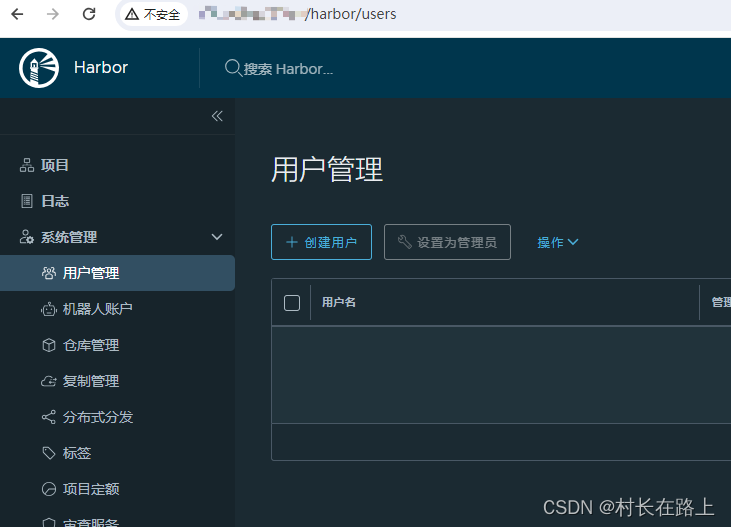
登录harbor
Get "http://None/service/token?account=admin&client_id=docker&offline_token=true&service=harbor-registry": dial tcp: lookup None on 192.168.217.2:53: no such host
原因:harbor 默认使用https 协议
解决办法:配置https 再次安装harbor
vim harbor.yaml
hostname: harbor.dev.com# http related config
http:# port for http, default is 80. If https enabled, this port will redirect to https portport: 80# https related config
https:# https port for harbor, default is 443port: 443# The path of cert and key files for nginxcertificate: /etc/certs/ca.crt      #ssl 配置private_key: /etc/certs/ca.key     #ssl
mkdir /etc/certs
 openssl genrsa -out /etc/certs/ca.key 2048# 修改成自己的IP  本机
openssl req -x509 -new -nodes -key /etc/certs/ca.key -subj "/CN=192.168.217.132" -days 5000 -out /etc/certs/ca.crt
修改docker 启动配置文件
vim /usr/lib/systemd/system/docker.service
默认配置
#ExecStart=/usr/bin/dockerd -H fd:// --containerd=/run/containerd/containerd.sockExecStart=/usr/bin/dockerd --insecure-registry=192.168.217.132
再次安装harbor 重启docker
systemctl daemon-reload
systemctl restart docker#安装harbor
cd /usr/local/harbor
./install
登录:
登录
# docker login 192.168.217.132Authenticating with existing credentials...
WARNING! Your password will be stored unencrypted in /root/.docker/config.json.
Configure a credential helper to remove this warning. See
https://docs.docker.com/engine/reference/commandline/login/#credentials-storeLogin Succeeded
常用harbor 命令
重启 harbor
cd /usr/local/harbor
docker-compose -f docker-compose.yaml restart