Apache POl Excel

目录
介绍
Apache POl的应用场景:
入门使用
通过POI创建Excel文件并且写入文件内容
通过POI读取Excel文件中的内容
介绍
Apache POl是一个处理Miscrosoft Office各种文件格式的开源项目。简单来说就是,我们可以使用POI在Java程序中对Miscrosoft Office各种文件进行读写操作。
一般情况下,POI都是用于操作Excel文件。
Apache POl的应用场景:
- 银行网银系统导出交易明细
- 各种业务系统导出Exceli报表
- 批量导入业务数据
入门使用
Apache POl的maven坐标:
<!-- poi -->
<dependency><groupId>org.apache.poi</groupId><artifactId>poi</artifactId>
</dependency>
<dependency><groupId>org.apache.poi</groupId><artifactId>poi-ooxml</artifactId>
</dependency>
通过POI创建Excel文件并且写入文件内容
public static void write() throws Exception {// 在内存中创建一个Excel文件XSSFWorkbook excel = new XSSFWorkbook();// 在Excel文件中常见一个Sheet页XSSFSheet sheet = excel.createSheet("hello");// 在Sheet中创建行对象,rownum编号从0开始XSSFRow row = sheet.createRow(0);// 创建单元格XSSFCell cell = row.createCell(0);// 在单元格内写入文件内容cell.setCellValue("姓名");cell = row.createCell(1);cell.setCellValue("城市");// 创建一个新行row = sheet.createRow(1);row.createCell(0).setCellValue("张三");row.createCell(1).setCellValue("北京");row = sheet.createRow(2);row.createCell(0).setCellValue("李四");row.createCell(1).setCellValue("天津");// 通过输出流将内存中的Excel文件写入磁盘FileOutputStream out = new FileOutputStream(new File("D:\\hello.xlsx"));excel.write(out);// 关闭资源out.close();excel.close();}效果展示
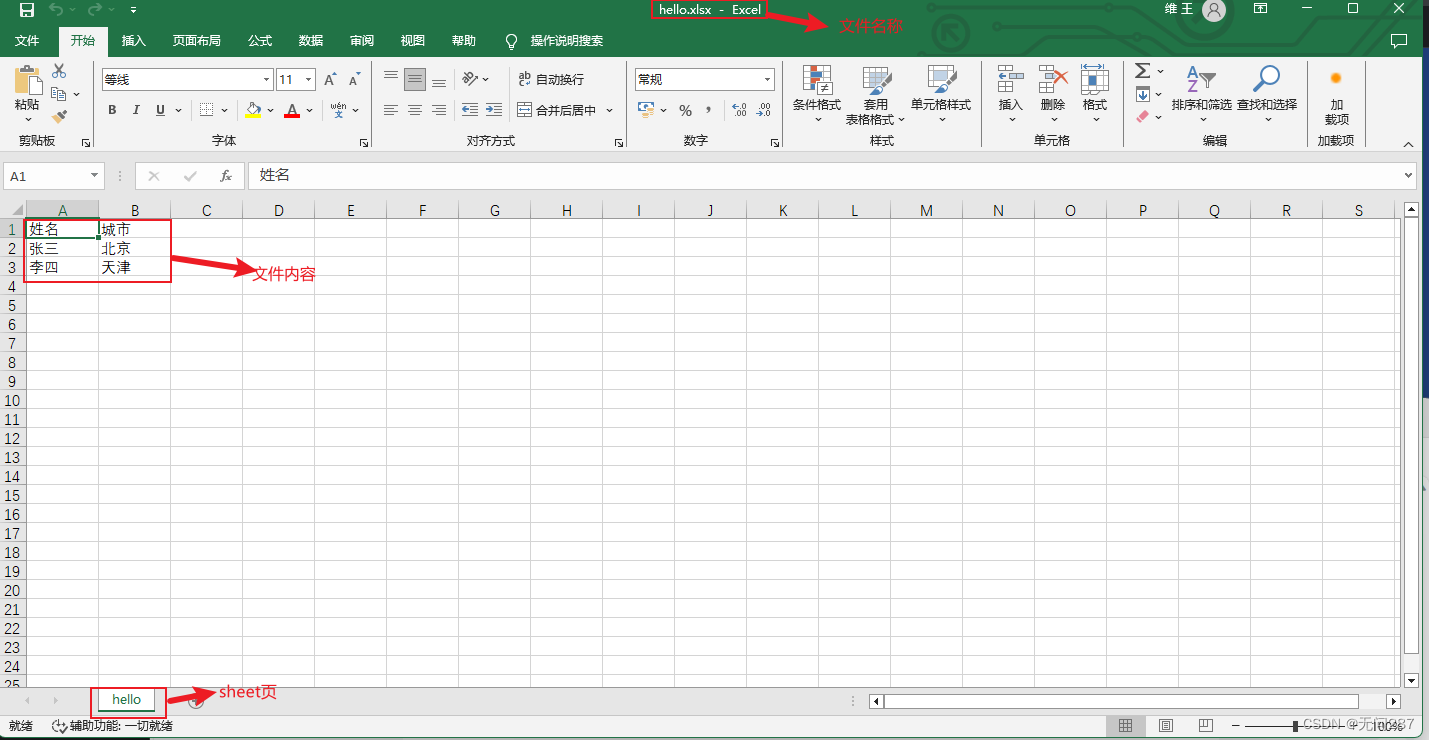
通过POI读取Excel文件中的内容
public static void read() throws Exception {InputStream in = new FileInputStream(new File("D:\\hello.xlsx"));// 读取磁盘上已经存在的Excel文件XSSFWorkbook excel = new XSSFWorkbook(in);// 读取Excel文件中的第一个Sheet页XSSFSheet sheet = excel.getSheetAt(0);// 读取Sheet中最后一行的行号int lastRowNum = sheet.getLastRowNum();for (int i = 0; i <= lastRowNum; i++) {// 获得某一行XSSFRow row = sheet.getRow(i);// 获取单元格对象String cellValue1 = row.getCell(0).getStringCellValue();String cellValue2 = row.getCell(1).getStringCellValue();System.out.println(cellValue1 + " " + cellValue2);}// 关闭资源in.close();excel.close();}结果展示