openssl3.2 - .pod文件的查看方法

文章目录
- .pod文件的查看方法
- 概述
- 笔记
- 初步的解决方法
- 备注 - pod2html.bat的详细用法
- 好像Perl就自带这个BAT
- END
.pod文件的查看方法
概述
看到openssl源码目录下有很多.pod文件, 软件发布的帮助内容都在里面.

当make install后, 大部分的.pod都会转成html文件, 但是有一部分不在转换的范围内.
我知道openssl是用perl干的这事, 还没有去makefile中去查 make install的实现.
找到一种方法, 将pod文件转成html文件, 先用着.
笔记
在本地计算机先找了一圈, 看看还有没有其他软件也有pod文件转html的功能, 找到了:P
我计算机上装了MATLAB-R2022a, 其中有个批处理, 叫pod2html.bat, 看名字挺像. 试试好使.
初步的解决方法
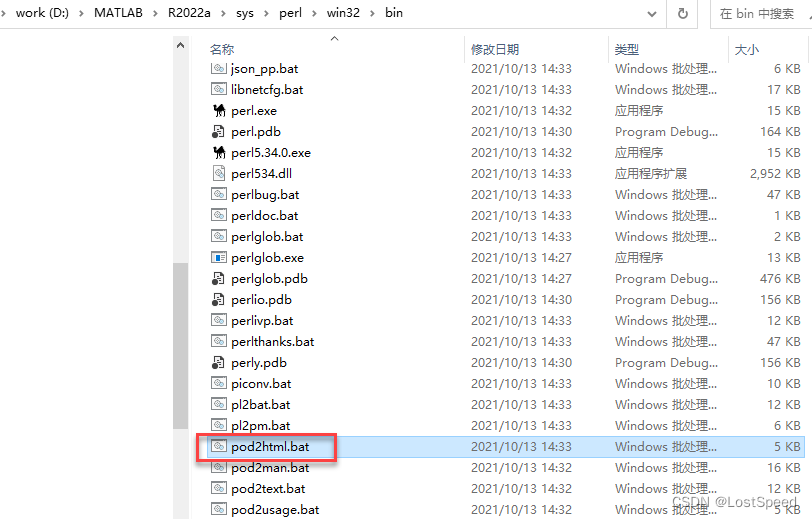
在matlab目录找到pod2html.bat
在自己的工具目录, 建立一个bat. 里面将pod2html.bat的path加入path环境变量, 再启动cmd.
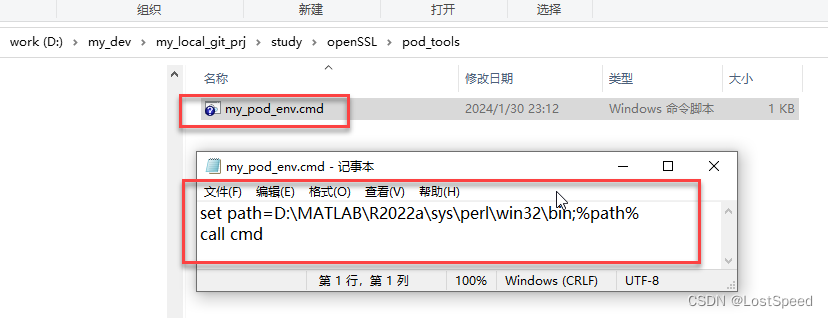
set path=D:\MATLAB\R2022a\sys\perl\win32\bin;%path%
call cmd
然后双击这个cmd, 就可以运行pod2html.bat了
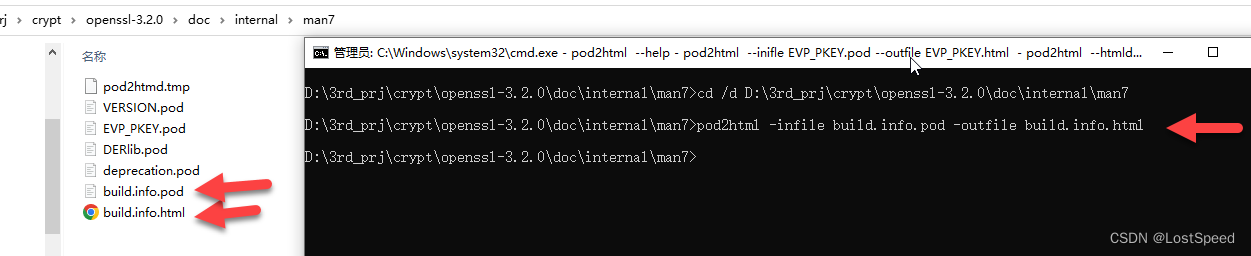
cd /d 转到需要看.pod文件的目录.
cd /d D:\3rd_prj\crypt\openssl-3.2.0\doc\internal\man7
用pod2html.bat进行文件转换, 将.pod转成.html就可以用浏览器看了.
pod2html -infile build.info.pod -outfile build.info.html
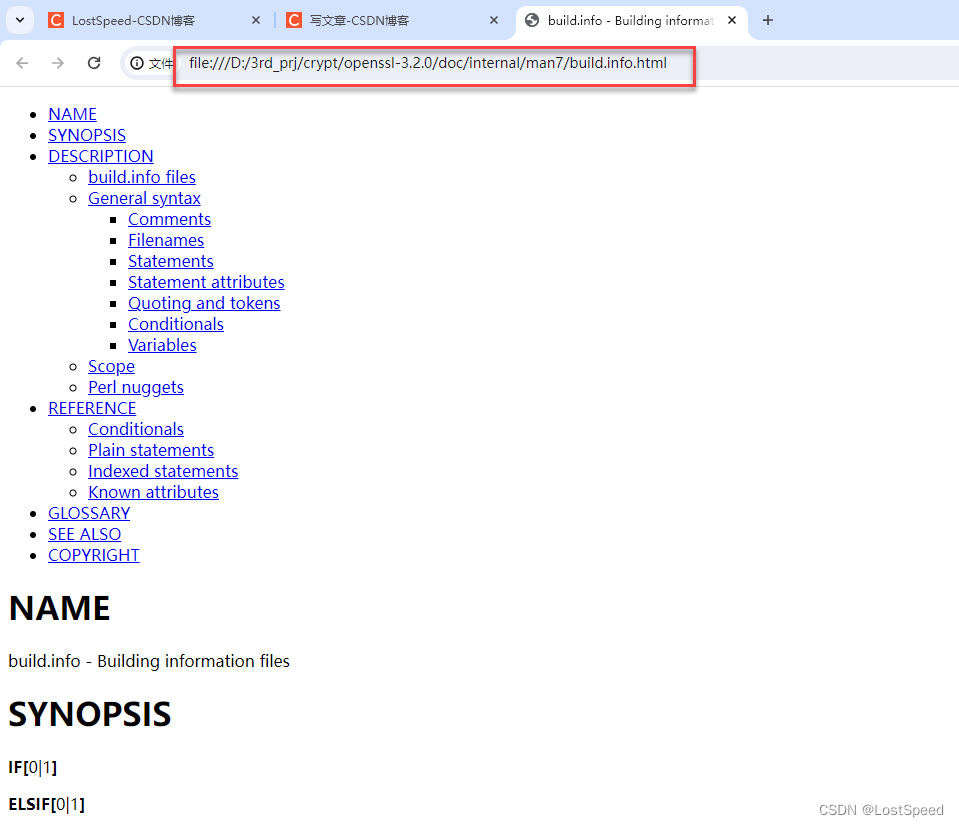
备注 - pod2html.bat的详细用法
自带帮助, pod2html.bat --help 就能看到怎么用.
D:\3rd_prj\crypt\openssl-3.2.0\doc\internal\man7>pod2html --help
Usage:  D:\MATLAB\R2022a\sys\perl\win32\bin/pod2html.bat --help --htmldir=<name> --htmlroot=<URL>--infile=<name> --outfile=<name>--podpath=<name>:...:<name> --podroot=<name>--cachedir=<name> --flush --recurse --norecurse--quiet --noquiet --verbose --noverbose--index --noindex --backlink --nobacklink--header --noheader --poderrors --nopoderrors--css=<URL> --title=<name>--[no]backlink  - turn =head1 directives into links pointing to the top ofthe page (off by default).--cachedir      - directory for the directory cache files.--css           - stylesheet URL--flush         - flushes the directory cache.--[no]header    - produce block header/footer (default is no headers).--help          - prints this message.--htmldir       - directory for resulting HTML files.--htmlroot      - http-server base directory from which all relative pathsin podpath stem (default is /).--[no]index     - generate an index at the top of the resulting html(default behaviour).--infile        - filename for the pod to convert (input taken from stdinby default).--outfile       - filename for the resulting html file (output sent tostdout by default).--[no]poderrors - include a POD ERRORS section in the output if there wereany POD errors in the input (default behavior).--podpath       - colon-separated list of directories containing librarypods (empty by default).--podroot       - filesystem base directory from which all relative pathsin podpath stem (default is .).--[no]quiet     - suppress some benign warning messages (default is off).--[no]recurse   - recurse on those subdirectories listed in podpath(default behaviour).--title         - title that will appear in resulting html file.--[no]verbose   - self-explanatory (off by default).
好像Perl就自带这个BAT
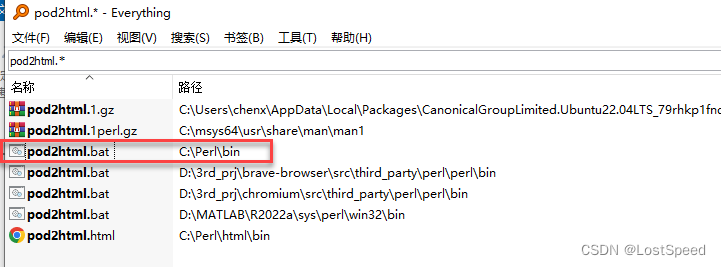
又全盘搜了一下, 看到perl就自带这个bat…