【vue3】vue3源码探索之旅:compiler-core(一)
)
简言
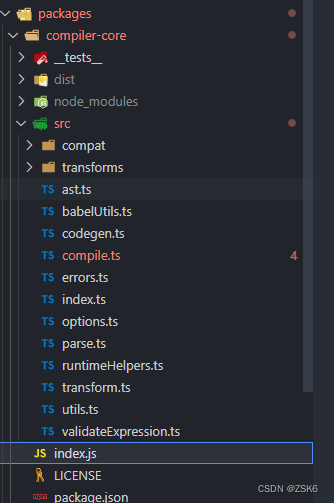
compiler-core包是vue3源码代码编译的核心代码包,且与平台无关,这个包主要功能是将代码解析成ast、然后转换成codegenNode对象、再编译生成可执行代码(render渲染函数)。
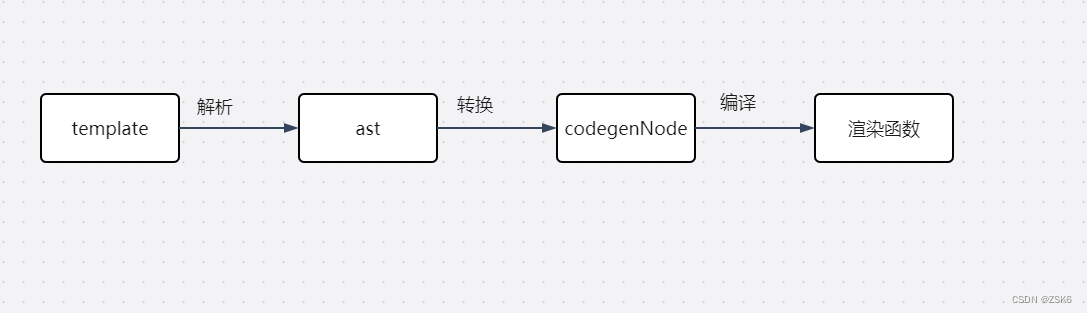
compiler-core将沿着上面流程进行探索。
compiler-core
找到compiler-core/src/index.ts文件,可以看到它导出了baseCompile函数:

说明baseCompile是很重要的函数,它返回渲染函数。
然后进入改函数看代码:

看到了 baseParse函数、transform函数、generate函数,这个三个比较重要,将会围绕它们进行探索。
template解析
解析成ast的流程一般是词法分析+语法分析,然后解析实现代码由有限状态机模式实现,先逐个字符或片段进行词法分析,然后语法分析,得到ast树。
baseParse
template指的是有规则约束的代码字符串,compiler-core/src/parse.ts内的baseParse函数就是处理它的,返回ast树。
export function baseParse(content: string,options: ParserOptions = {}
): RootNode {const context = createParserContext(content, options)const start = getCursor(context)return createRoot(parseChildren(context, TextModes.DATA, []),getSelection(context, start))
}
参数:
- content : template字符串
- options : 配置如何处理content字符串。
流程:
- createParserContext()函数,创建解析上下文context,这例存放源字符串、解析时的辅助信息和初始化配置。
- getCursor() : 获取当前读取位置信息。
- 创建根节点对象并返回,由createRoot()函数实现,根节点对象children属性存放的解析的上下文context的ast树啦。 由
createRoot(
parseChildren(context, TextModes.DATA, []),
getSelection(context, start)
)
实现。
示例:
const source = `
<div id="foo" :class="bar.baz">{{ world.burn() }}<div v-if="ok">yes</div><template v-else>no</template><div v-for="(value, index) in list"><span>{{ value + index }}</span></div>
</div>
`.trim();
const ast = baseParse(source);
console.log("ast:: ", ast);
结果:
ast::  {type: 0,children: [{type: 1,ns: 0,tag: 'div',tagType: 0,props: [Array],isSelfClosing: false,children: [Array],loc: [Object],codegenNode: undefined}],helpers: Set(0) {},components: [],directives: [],hoists: [],imports: [],cached: 0,temps: 0,codegenNode: undefined,loc: {start: { column: 1, line: 1, offset: 0 },end: { column: 7, line: 6, offset: 196 },source: '<div id="foo" :class="bar.baz">\n' +'  {{ world.burn() }}\n' +'  <div v-if="ok">yes</div>\n' +'  <template v-else>no</template>\n' +'  <div v-for="(value, index) in list"><span>{{ value + index }}</span></div>\n' +'</div>'}
}
parseChildren
parseChildren函数是进行解析的函数,它是一个解析器,解析未知内容,然后给未知内容甄别打标签,分发给解析指定内容的函数处理返回节点树。整体以堆栈的形式解析成ast树。
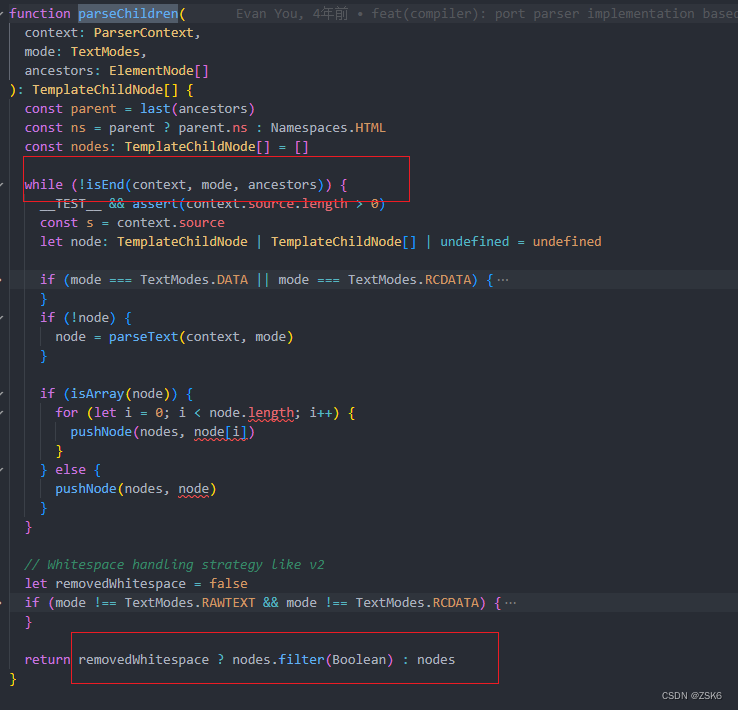
例如 : 它发现在解析的是文本,就用parseText函数处理,发现是注释就用parseComment函数处理,发现是元素就用 parseElement函数处理,发现是文本插值语法就用parseInterpolation函数处理。
codegenNode
codegenNode是什么?得到ast树之后,然后进行转换这一步,这一步就是生成codegenNode的。因为ast树只是将模板字符串读取了出来,你还要进行处理,处理得到codeenNode,才能编译成渲染函数执行。
transform
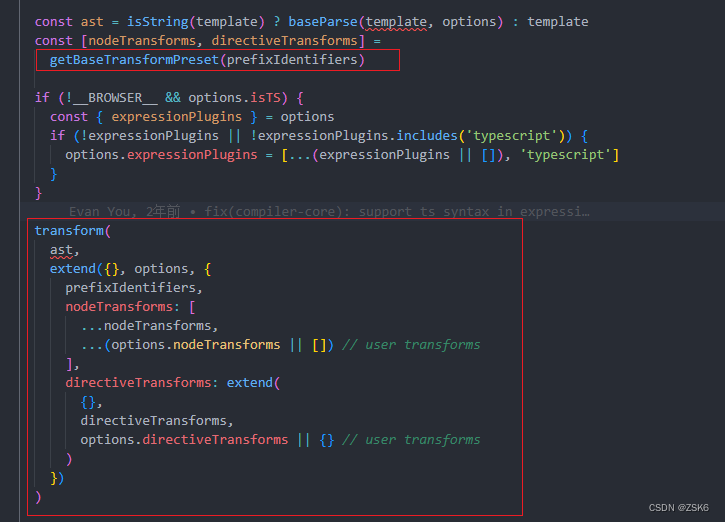
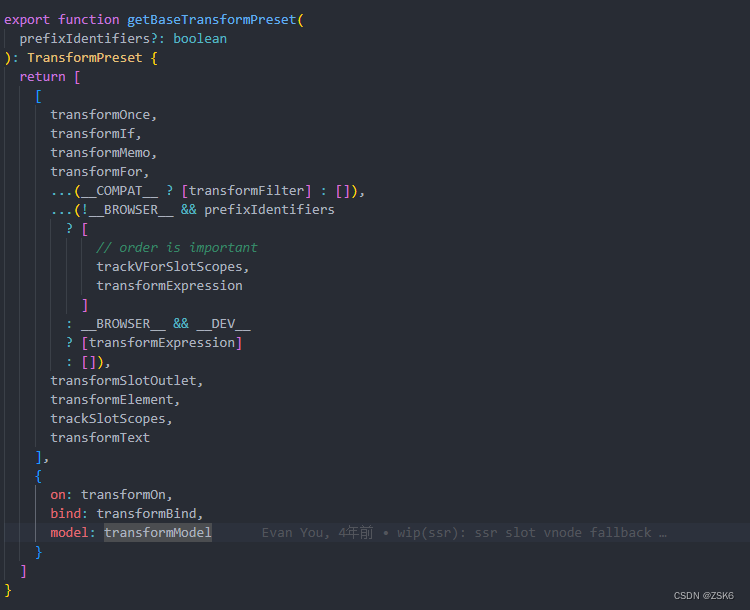
transform是执行转换处理的函数。在此之前需要调用getBaseTransformPreset()函数获取各种转换处理函数和操作函数。
export function transform(root: RootNode, options: TransformOptions) {const context = createTransformContext(root, options)traverseNode(root, context)if (options.hoistStatic) {hoistStatic(root, context)}if (!options.ssr) {createRootCodegen(root, context)}// finalize meta informationroot.helpers = new Set([...context.helpers.keys()])root.components = [...context.components]root.directives = [...context.directives]root.imports = context.importsroot.hoists = context.hoistsroot.temps = context.tempsroot.cached = context.cachedif (__COMPAT__) {root.filters = [...context.filters!]}
}
参数 :
- root , 从baseCompile函数看传的的ast树(baseParse返回的),
- options,转换配置信息。
流程 :
- createTransformContext函数生成转换上下文。
- traverseNode函数执行转换,各种转换就是在这调用执行的,指令啊,文本插值之类的。
- 若可以静态提升就执行hoistStatic函数
- 执行 createRootCodegen函数,在相应的ast树中生成codegenNode。
- 在根ast节点中绑定节点、指令、组件、静态提升信息、缓存等全局信息。
渲染函数
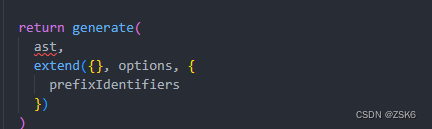
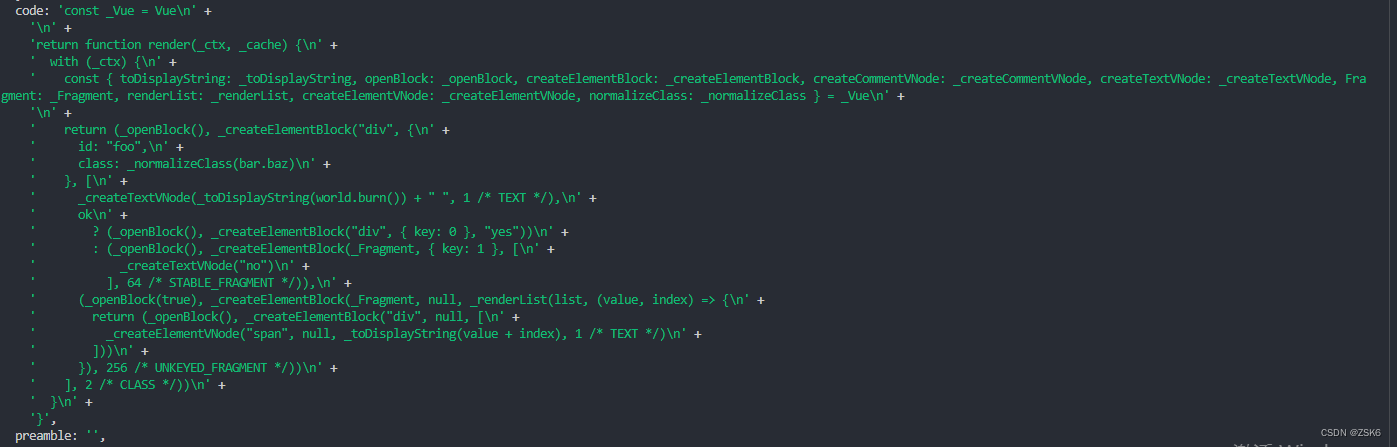
最后一步,生成渲染函数。
例如:
const source = `
<div id="foo" :class="bar.baz">{{ world.burn() }}<div v-if="ok">yes</div><template v-else>no</template><div v-for="(value, index) in list"><span>{{ value + index }}</span></div>
</div>
`.trim();const render = baseCompile(source, {sourceMap: true,filename: `foo.vue`,// mode: "module",
});
console.log(render);
结果:
generate
compiler-core/src/codegen.ts内的generate函数就是主要的生成渲染函数的地方。
export function generate(ast: RootNode,options: CodegenOptions & {onContextCreated?: (context: CodegenContext) => void} = {}
): CodegenResult {const context = createCodegenContext(ast, options)if (options.onContextCreated) options.onContextCreated(context)const {mode,push,prefixIdentifiers,indent,deindent,newline,scopeId,ssr} = contextconst helpers = Array.from(ast.helpers)const hasHelpers = helpers.length > 0const useWithBlock = !prefixIdentifiers && mode !== 'module'const genScopeId = !__BROWSER__ && scopeId != null && mode === 'module'const isSetupInlined = !__BROWSER__ && !!options.inline// preambles// in setup() inline mode, the preamble is generated in a sub context// and returned separately.const preambleContext = isSetupInlined? createCodegenContext(ast, options): contextif (!__BROWSER__ && mode === 'module') {genModulePreamble(ast, preambleContext, genScopeId, isSetupInlined)} else {genFunctionPreamble(ast, preambleContext)}// enter render functionconst functionName = ssr ? `ssrRender` : `render`const args = ssr ? ['_ctx', '_push', '_parent', '_attrs'] : ['_ctx', '_cache']if (!__BROWSER__ && options.bindingMetadata && !options.inline) {// binding optimization argsargs.push('$props', '$setup', '$data', '$options')}const signature =!__BROWSER__ && options.isTS? args.map(arg => `${arg}: any`).join(','): args.join(', ')if (isSetupInlined) {push(`(${signature}) => {`)} else {push(`function ${functionName}(${signature}) {`)}indent()if (useWithBlock) {push(`with (_ctx) {`)indent()// function mode const declarations should be inside with block// also they should be renamed to avoid collision with user propertiesif (hasHelpers) {push(`const { ${helpers.map(aliasHelper).join(', ')} } = _Vue`)push(`\n`)newline()}}// generate asset resolution statementsif (ast.components.length) {genAssets(ast.components, 'component', context)if (ast.directives.length || ast.temps > 0) {newline()}}if (ast.directives.length) {genAssets(ast.directives, 'directive', context)if (ast.temps > 0) {newline()}}if (__COMPAT__ && ast.filters && ast.filters.length) {newline()genAssets(ast.filters, 'filter', context)newline()}if (ast.temps > 0) {push(`let `)for (let i = 0; i < ast.temps; i++) {push(`${i > 0 ? `, ` : ``}_temp${i}`)}}if (ast.components.length || ast.directives.length || ast.temps) {push(`\n`)newline()}// generate the VNode tree expressionif (!ssr) {push(`return `)}if (ast.codegenNode) {genNode(ast.codegenNode, context)} else {push(`null`)}if (useWithBlock) {deindent()push(`}`)}deindent()push(`}`)return {ast,code: context.code,preamble: isSetupInlined ? preambleContext.code : ``,// SourceMapGenerator does have toJSON() method but it's not in the typesmap: context.map ? (context.map as any).toJSON() : undefined}
}
参数:
- ast :转换后的ast树。
- options:编译时的配置。
流程:
- createCodegenContext函数创建代码生成上下文,包含配置信息和辅助操作函数。
- 根据编译模式(module或function)生成不同的渲染函数模板声明。
- 生成资产引用和优化
- 生成vnode表达式
- 返回包含ast、渲染函数、map映射信息、preamble信息的对象。
结语
compiler-core包的主要流程就是这样,是与平台无相关的实现解析编译vue模板的基础代码。