code server安装使用教程

1. 安装
1.1. 下载code-server安装包
类似这种文件:code-server-3.10.2-linux-amd64.tar.gz
解压:tar -xvf code-server-3.10.2-linux-amd64.tar.gz
1.2 (可选)建立软连接
ln -s path/to/code-server-3.10.2-linux-amd64/bin/code-server code-server1.3 建立运行脚本
vim run_vscode.sh
写入如下内容,PASSWORD自己设置,最后行8445是端口号,需要网络设置。
PASSWORD=your_passwod
TZ=Asia/Shanghai
export PASSWORD=$PASSWORD
export SUDO_PASSWORD=$PASSWORD
export TZ=$TZ
nohup ./code-server --bind-addr=0.0.0.0:8445 &
2. 使用
启动:
nohup sh run_vscode.sh > vscode_log.txt 2>&1 &
然后可以在浏览器打开。
关闭方法:
(1)ps aux | grep code
(2)kill -9 the_pid
3. 编程插件
按需下载扩展程序:GitLens; Python;C/C++;
cpptools-linux(如需要手动安装,则先下载包,然后如下图所示)

4. 调试方法
调试前编译
在终端里用cmake编译好(可以直接使用VSCode Server里的终端,不需要另开窗口)
创建或修改调试配置
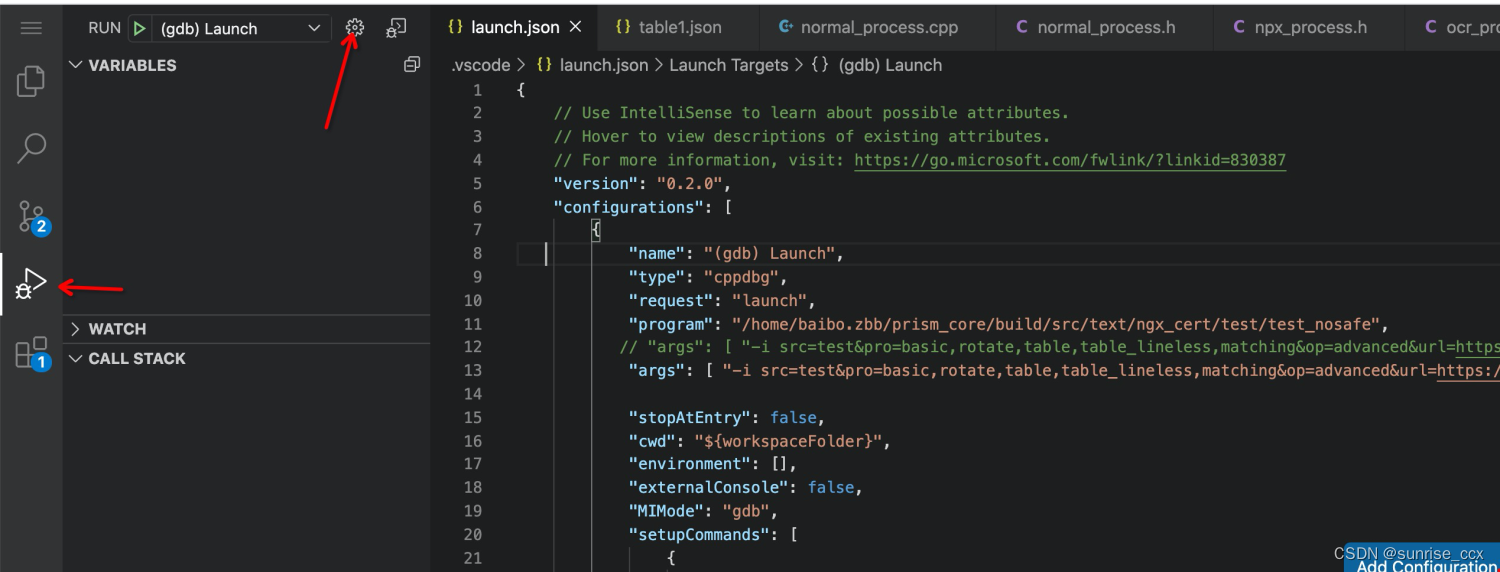
推荐cpp配置文件内容(.vscode/launch.json):
{// Use IntelliSense to learn about possible attributes.// Hover to view descriptions of existing attributes.// For more information, visit: https://go.microsoft.com/fwlink/?linkid=830387"version": "0.2.0","configurations": [{"name": "(gdb) Launch","type": "cppdbg","request": "launch","program": "your/program","args": ["-k1 v1", "-k2 v2"],"stopAtEntry": false,"cwd": "${workspaceFolder}","environment": [{"name":"CUDA_VISIBLE_DEVICES", "value": "4"}],"externalConsole": false,"MIMode": "gdb","setupCommands": [{"description": "Enable pretty-printing for gdb","text": "-enable-pretty-printing","ignoreFailures": true}]}]
}
推荐python分布式训练配置文件内容(.vscode/launch.json):
{// Use IntelliSense to learn about possible attributes.// Hover to view descriptions of existing attributes.// For more information, visit: https://go.microsoft.com/fwlink/?linkid=830387"version": "0.2.0","configurations": [{"name": "Python: distributed","type": "python","request": "launch","program": "path/to/env/lib/python3.7/site-packages/torch/distributed/launch.py","console": "integratedTerminal","env": {"CUDA_VISIBLE_DEVICES": "0"},"args": ["--nproc_per_node=1","examples/run_funsd.py","--model_name_or_path=microsoft/layoutlmv2-base-uncased","--output_dir=/tmp/test-ner","--do_train","--do_predict","--max_steps=1000","--warmup_ratio=0.1","--fp16"],"justMyCode": false,}]
}