vue使用elementui的el-menu的折叠菜单collapse


由于我的是在el-menu所在组件外面的兄弟组件设置是否折叠的控制,我用事件总线bus进行是否折叠传递
| 参数 | 说明 | 类型 | 可选值 | 默认值 |
|---|---|---|---|---|
| collapse | 是否水平折叠收起菜单(仅在 mode 为 vertical 时可用) | boolean | — | false |
| background-color | 菜单的背景色(仅支持 hex 格式) | string | — | #ffffff |
| text-color | 菜单的文字颜色(仅支持 hex 格式) | string | — | #303133 |
| active-text-color | 当前激活菜单的文字颜色(仅支持 hex 格式) | string | — | #409EFF |
| default-active | 当前激活菜单的 index | string | — | — |
| unique-opened | 是否只保持一个子菜单的展开 | boolean | — | false |
| router | 是否使用 vue-router 的模式,启用该模式会在激活导航时以 index 作为 path 进行路由跳转 | boolean | — | false |
在左边的折叠菜单组件中,

<template><el-menu:default-active="$route.path"class="el-menu-vertical-demo"background-color="#001529"text-color="#fff"active-text-color="#1378e6":unique-opened="true":collapse="iscollapse"><h2 class="title">A2</h2><el-submenu index="/"><template slot="title"><i class="el-icon-s-home"></i><span>首页</span></template><el-menu-item index="/everydayCheck">每日质检</el-menu-item><el-menu-item index="/order">采购订单</el-menu-item></el-submenu></el-menu>
</template><script>
export default {name: "Menu",data() {return {// 在 el-menu 中绑定 :collapse="iscollapse" ,预设值为 false,展开菜单iscollapse: false,};},mounted() {// 用事件总线绑定事件,兄弟组件触发后,就传递参数true/false,控制是否展开this.$bus.$on("clickCollapse", (iscollapse) => {this.iscollapse = iscollapse;});},
};
</script><style scoped>
/* 设置展开宽度,不至于收缩出现bug */
.el-menu-vertical-demo:not(.el-menu--collapse) {width: 200px;min-height: 400px;
}
.title {margin: 20px 0 0 20px;color: #fff;
}
.el-menu {border-right: 0;height: 100vh;
}
.el-menu /deep/.el-submenu__title {font-size: 13px !important;
}
.el-menu-vertical-demo {overflow-x: hidden;overflow-y: hidden;
}
</style>
在右边的兄弟控制折叠菜单的组件中,
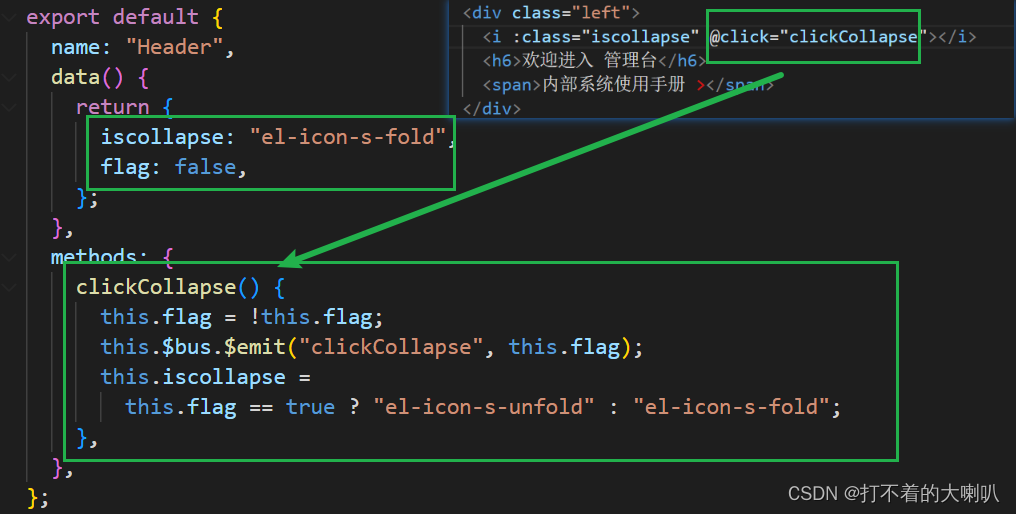
<template><div class="container"><div class="left"><i :class="iscollapse" @click="clickCollapse"></i><h6>欢迎进入 管理台</h6><span>内部系统使用手册 ></span></div><div class="right"><span><i class="el-icon-date"></i>授课日程</span><span><i class="el-icon-tickets"></i>导入/导出任务</span><span class="user"><img src="./images/headPortrait.gif" alt="" />泡泡龙</span></div></div>
</template><script>
export default {name: "Header",data() {return {// elementui中的字体图标iscollapse: "el-icon-s-fold",// 传值flag阀门flag: false,};},methods: {clickCollapse() {// 1、每次传递先取反// 2、触发事件总线的折叠事件,传值判断是否折叠// 3、三元表达式改变折叠按钮的图标this.flag = !this.flag;this.$bus.$emit("clickCollapse", this.flag);this.iscollapse =this.flag == true ? "el-icon-s-unfold" : "el-icon-s-fold";},},
};
</script><style scoped>
.container {display: flex;justify-content: space-between;padding: 0 20px 0 15px;font-size: 13px;height: 58px;border-bottom: 1px solid #cecece;
}
.container > div {display: flex;align-items: center;
}
.left i {padding: 5px;font-size: 23px;cursor: pointer;
}
.left h6 {margin: 0 20px 0 10px;
}
.left span {color: #3f9cfb;font-weight: 700;
}
.right span > i {margin-right: 5px;
}
.right span:nth-child(1) {color: #ff6b00;font-weight: 700;
}
.right span:nth-child(2) {margin: 0 20px;color: #6c6c6c;
}
.right span:nth-child(3) {font-weight: 700;color: #101010;
}
.right .user {display: flex;align-items: center;
}
.right .user img {margin-right: 20px;width: 40px;height: 40px;border-radius: 20%;
}
</style>
就是如此,有疑问评论区见