Github 不能访问,提示:port 22: Connection timed out

问题描述
github clone 代码出现错误:
$ git clone git@github.com:Atlan4/Fnirsi1013D.git
Cloning into 'Fnirsi1013D'...
ssh: connect to host github.com port 22: Connection timed out
fatal: Could not read from remote repository.Please make sure you have the correct access rights
and the repository exists.
问题原因
有时防火墙会完全拒绝允许SSH连接。如果不能使用带有凭据缓存的HTTPS克隆,你可以尝试使用在HTTPS端口上进行的SSH连接来进行克隆。大多数防火墙规则应该允许这样做,但代理服务器可能会干扰。
解决办法
Windows 系统:
C:\Users\用户名\.ssh 目录下新建 config 文件,用户名替换为你的用户名。config 内容如下:
Host github.comHostname ssh.github.comPort 443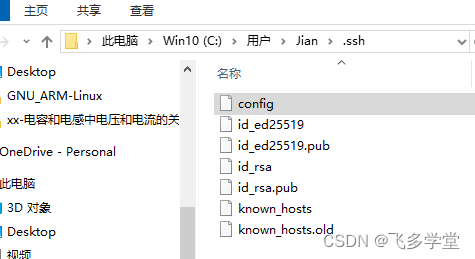
Linux 系统:
nano ~/.ssh/config添加和Windows 同样的内容