匿名/箭头函数,立即执行函数IIFE;函数声明式和函数表达式

目录
匿名/箭头函数:简洁
继承上一层作用域链的this
不绑定arguments,用rest参数
rest 参数:...真正的数组
因为没有function声明,所以没有原型prototype,所以不能作为构造函数
当函数体只有一句时,可省 return , {}
IIFE:()()(立即调用函数表达式)/自执行匿名函数
函数定义方式
A.函数声明:function变量提升
B.函数表达式:const暂时性死区
应用:React
this:组件实例
bind:constructor、标签
()=>:calss、标签
匿名/箭头函数:简洁
继承上一层作用域链的this
不绑定arguments,用rest参数
rest 参数:...真正的数组
function sum(...numbers) {let total = 0;for (let number of numbers) {total += number;}return total;
}console.log(sum(1, 2, 3)); // 输出 6
因为没有function声明,所以没有原型prototype,所以不能作为构造函数
当函数体只有一句时,可省 return , {}
const fun = () => "S";
console.log(fun());// "S"
console.log((() => "S")());// "S"
console.log(() => "S");// () => "S"
IIFE:()()(立即调用函数表达式)/自执行匿名函数
- 第一部分是一个具有词法作用域的匿名函数,并且用圆括号运算符
()运算符闭合起来。这样不但阻止了外界访问 IIFE 中的变量,而且不会污染全局作用域。 - 第二部分创建了一个立即执行函数表达式
(),通过它,JavaScript 引擎将立即执行该函数。
(function () {// …
})();(() => {// …
})();(async () => {// …
})();
函数定义方式
A.函数声明:function变量提升
类内function不用function声明,但也可变量提升
function add(x, y) {return x + y;}B.函数表达式:const暂时性死区
const、let、calss不会提升
const add = function(x, y) {return x + y;};应用:React
this:组件实例
无论时类组件还是函数组件,都是用箭头函数表达式避免this问题
bind:constructor、标签
()=>:calss、标签
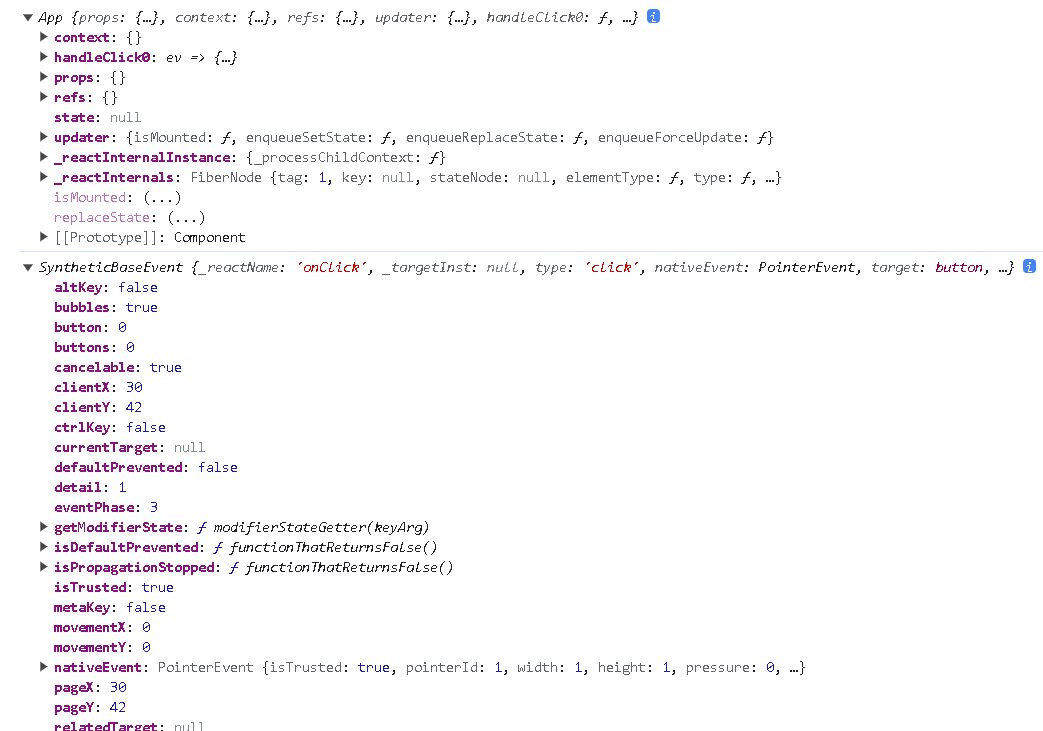
import React, { Component } from 'react'; // 请确保导入 React 和 Componentclass APP extends Component {constructor(props) {super(props);// 将 handleClick 方法绑定到组件实例的上下文this.handleClick5 = this.handleClick5.bind(this);}handleClick1(ev) {console.log(this);//undefinedconsole.log(ev);//合成的SyntheticBaseEvent console.log(ev.target);//button}//箭头函数//方法A:类中箭头handleClick2 = () => {console.log(this);//APP类组件实例}//方法B:onclick中箭头handleClick3() {console.log(this);//APP类组件实例}// bind绑定组件实例this// 方法A:onclickhandleClick4() {console.log(this);   //APP类组件实例}// 方法B:constructorhandleClick5() {console.log(this); //APP类组件实例  }render() {return (<div><button onClick={this.handleClick1}>点击1</button>{/* 箭头函数 */}<button onClick={this.handleClick2}>点击2</button><button onClick={() => { this.handleClick3() }}>点击3</button>{/* bind */}<button onClick={this.handleClick4.bind(this)}>点击4</button><button onClick={this.handleClick5}>点击5</button></div>);}
}export default APP;