解决Spring Boot跨域问题(配置JAVA类)
)
什么是跨域问题
跨域问题指的是不同端口之间,使用 ajax 无法相互调用的问题。跨域问题本质是浏览器的一种保护机制,它是为了保证用户的安全,防止恶意网站窃取数据。 比如前端用的端口号为8081,后端用的端口号为8080,后端想接收前端发送的数据就会出现跨域问题。
如图所示:

提供两个配置类
这里我前端的端口采用的为8081,后端为8080。
1.在后端文件创建一个软件包(这里为config)

2.在config里面创建一个JAVA类(这里为CrosConfig)
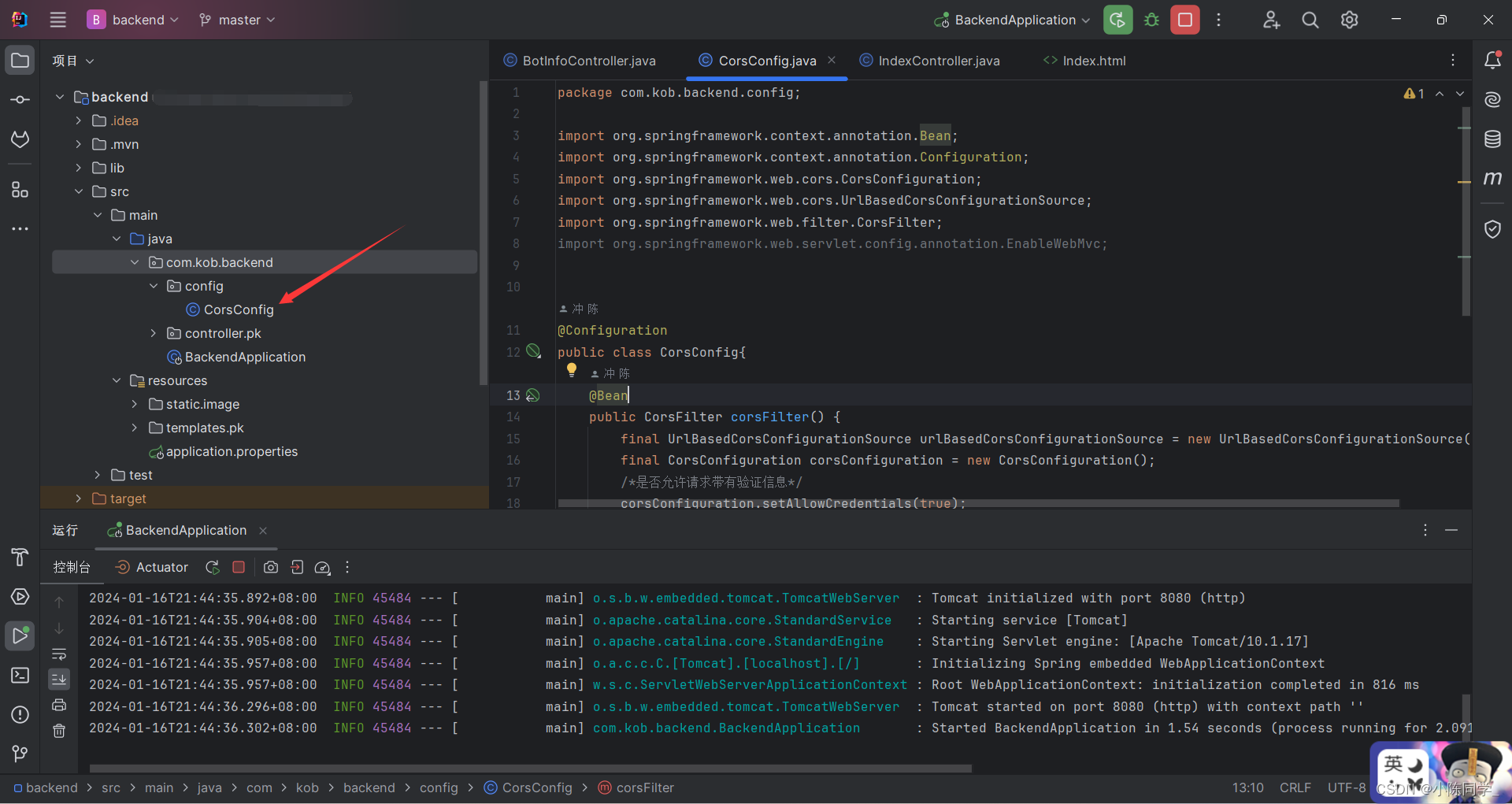 3.在该JAVA类里面保存并执行下面的配置类
第一个
package com.kob.backend.config;import org.springframework.context.annotation.Bean;
import org.springframework.context.annotation.Configuration;
import org.springframework.web.cors.CorsConfiguration;
import org.springframework.web.cors.UrlBasedCorsConfigurationSource;
import org.springframework.web.filter.CorsFilter;
import org.springframework.web.servlet.config.annotation.EnableWebMvc;@Configuration
public class CorsConfig{@Beanpublic CorsFilter corsFilter() {final UrlBasedCorsConfigurationSource urlBasedCorsConfigurationSource = new UrlBasedCorsConfigurationSource();final CorsConfiguration corsConfiguration = new CorsConfiguration();/*是否允许请求带有验证信息*/corsConfiguration.setAllowCredentials(true);/*允许访问的客户端域名*/corsConfiguration.addAllowedOriginPattern("*");/*允许服务端访问的客户端请求头*/corsConfiguration.addAllowedHeader("*");/*允许访问的方法名,GET POST等*/corsConfiguration.addAllowedMethod("*");urlBasedCorsConfigurationSource.registerCorsConfiguration("/**", corsConfiguration);return new CorsFilter(urlBasedCorsConfigurationSource);}}
第二个
package com.kob.backend.config;import org.springframework.context.annotation.Configuration;import javax.servlet.*;
import javax.servlet.http.HttpServletRequest;
import javax.servlet.http.HttpServletResponse;
import java.io.IOException;@Configuration
public class CorsConfig implements Filter {@Overridepublic void doFilter(ServletRequest req, ServletResponse res, FilterChain chain) throws IOException, ServletException {HttpServletResponse response = (HttpServletResponse) res;HttpServletRequest request = (HttpServletRequest) req;String origin = request.getHeader("Origin");if(origin!=null) {response.setHeader("Access-Control-Allow-Origin", origin);}String headers = request.getHeader("Access-Control-Request-Headers");if(headers!=null) {response.setHeader("Access-Control-Allow-Headers", headers);response.setHeader("Access-Control-Expose-Headers", headers);}response.setHeader("Access-Control-Allow-Methods", "*");response.setHeader("Access-Control-Max-Age", "3600");response.setHeader("Access-Control-Allow-Credentials", "true");chain.doFilter(request, response);}@Overridepublic void init(FilterConfig filterConfig) {}@Overridepublic void destroy() {}
}