pytest + allure(windows)安装
安装)
背景
- 软硬件环境: windows11,已安装anaconda,python,pycharm
- 用途:使用pytest + allure 生成报告
- allure 依赖java,点击查看java安装教程
allure 下载与安装
- 从 allure下载网址下载最新版本.zip文件


- 放在自定义目录解压,不建议放在c盘
- 进入bin目录,复制当前路径,将其添加进path环境变量,可参考 window11 如何配置环境变量 Path

- 检查allure 是否可用,win+R调出运行框,输入cmd, 在命令行输入
allure --version
pytest 安装
# 建议使用anaconda 创建干净的python 工作环境
pip install pytest allure-pytest
anaconda安装教程
示例
test_allure.py
# -*- coding: UTF-8 -*-
import pytest
import alluredef test_html_description():assert True@allure.feature("注册")
class TestRegister():@allure.story("注册成功")def test_register_success(self):print("测试用例:注册成功")pass@allure.story("注册失败")def test_register_failure(self):with allure.step("输入用户名"):print("输入用户名")with allure.step("输入密码"):print("输入密码")with allure.step("再次输入密码"):print("再次输入密码")print("点击注册")with allure.step("注册失败"):assert 1 + 1 == 2print("注册失败")pass
main.py
# -*- coding: UTF-8 -*-"""
@Project -> File: pythonProject -> run_all
@IDE:PyCharm
@Author: xxq
@Date: 2024/1/16
@Desc:1.功能描述:2.实现步骤:1.
"""# -*- coding: UTF-8 -*-import pytest
import osif __name__ == '__main__':cur_path = os.path.split(os.path.realpath(__file__))[0]report_path = os.path.join(cur_path, "report", "xml")html_path = os.path.join(cur_path, "report", "html")pytest.main(["-s", "-v", '--clean-alluredir', "--alluredir", report_path])os.system(r"allure generate --clean {} -o {}".format(report_path, html_path))
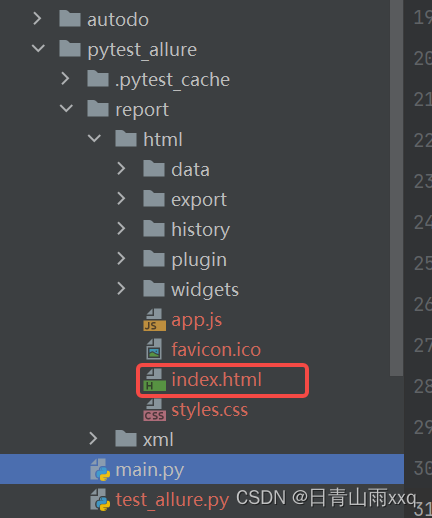
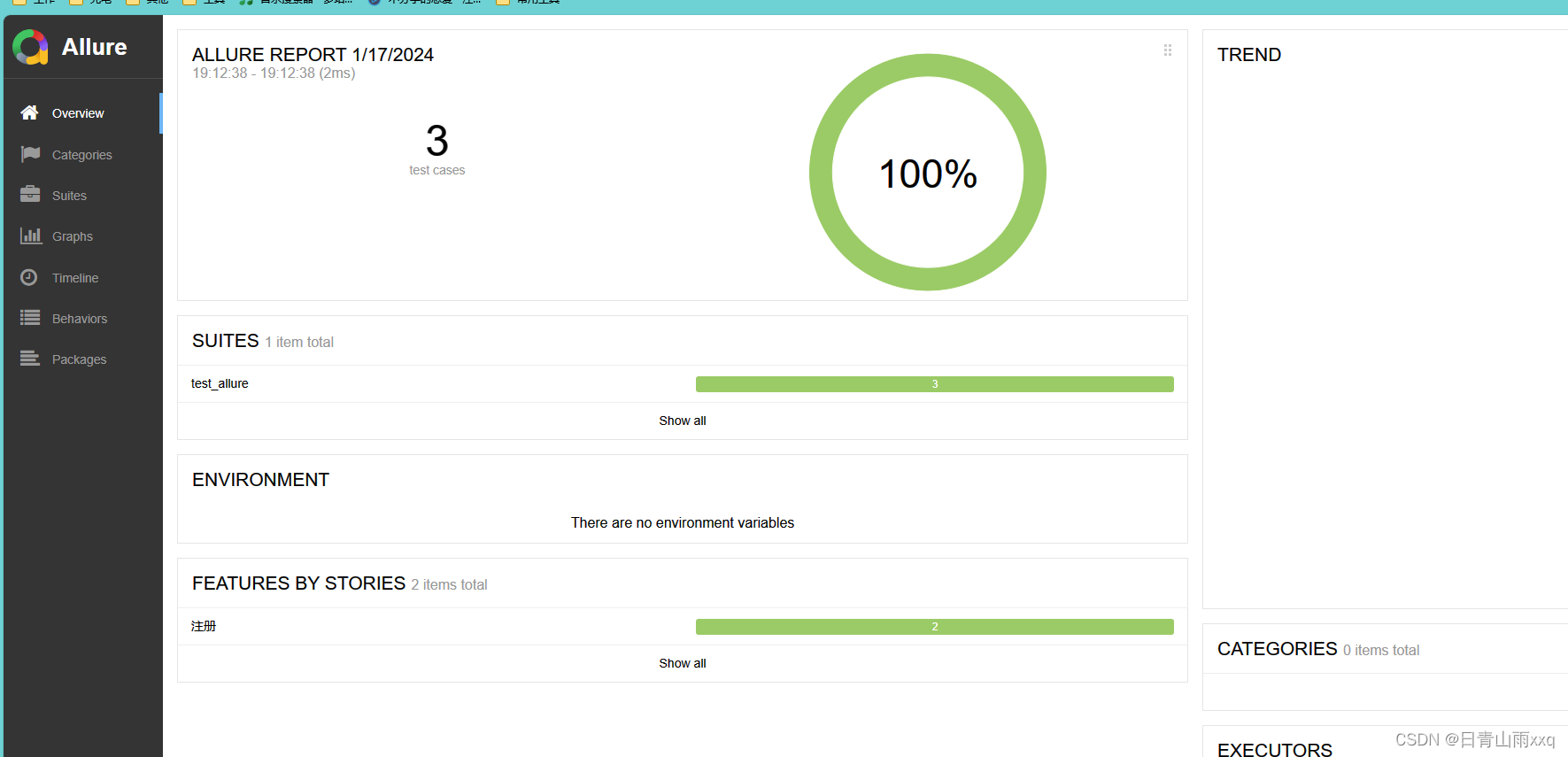
报告放在report里,在网页打开index.html