Elasticsearch的基本功能和使用

Elasticsearch ,简称为 ES,是一款非常强大的开源的高扩展的分布式全文 检索引擎,可以帮助我们从海量数据中快速找到需要的内容,它可以近乎实时的 存储、检索数据.还可以可以实现日志统计、分析、系统监控等功能.官网:https://www.elastic.co/cn例如京东,淘宝,头条等站内搜索功能.
ES环境搭建
ES 下载地址: https://www.elastic.co/cn/downloads/elasticsearch 默认打开是最新版本 7.6.1 版下载
https://artifacts.elastic.co/downloads/elasticsearch/elasticsearch-7.6.1-windows-x86_64.zip解压
在bin目录中双击elasticsearch.bat启动
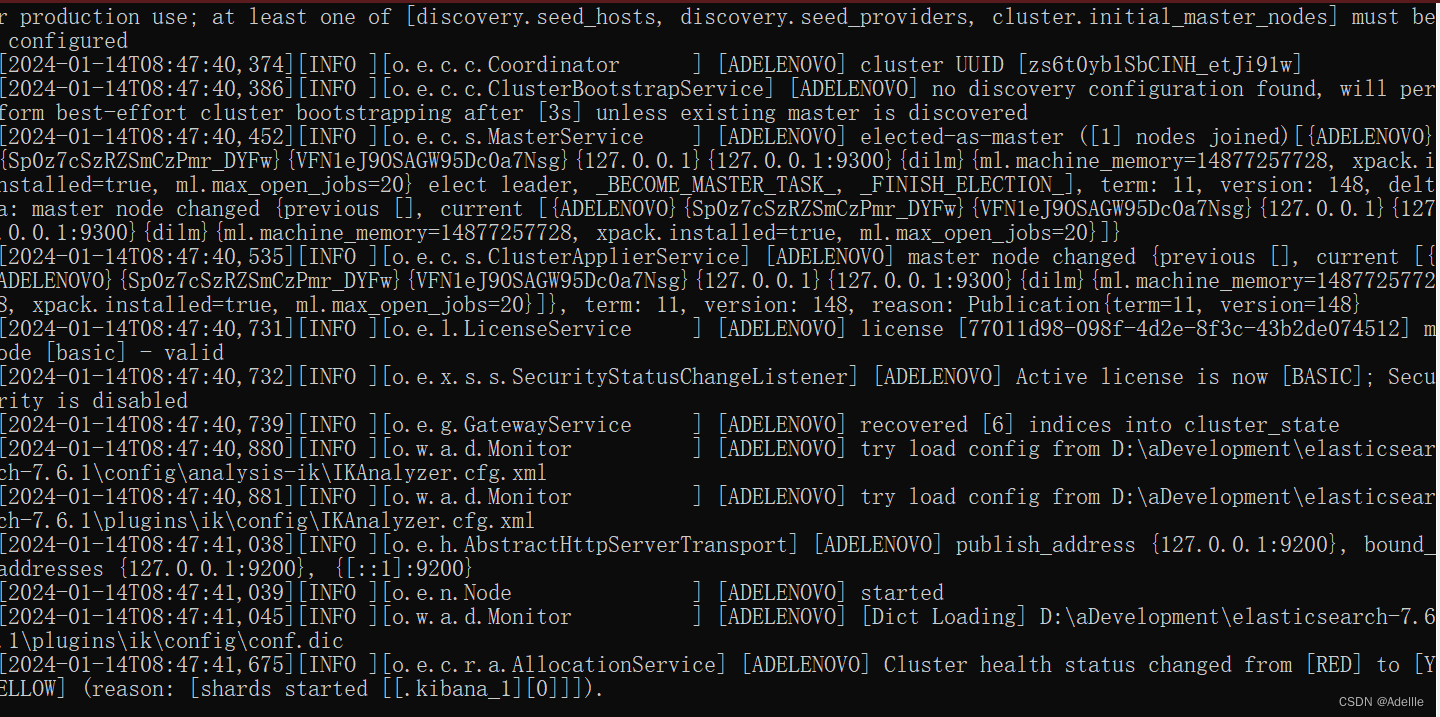
访问 http://127.0.0.1:9200
安装数据可视化界面 elasticsearch head
安装 nodejs
github 下载: https://github.com/mobz/elasticsearch-head/
github 加速器: https://github.ur1.fun/
在 config 目录中的 elasticsearch.yml 文件中配置
# 开启跨域
http.cors.enabled: true
# 所有人访问
http.cors.allow-origin: "*"
命令行进入目录(第一次安装即可)
npm install
启动可视化界面 (需要启动ES才可启动可视化界面)
npm run start
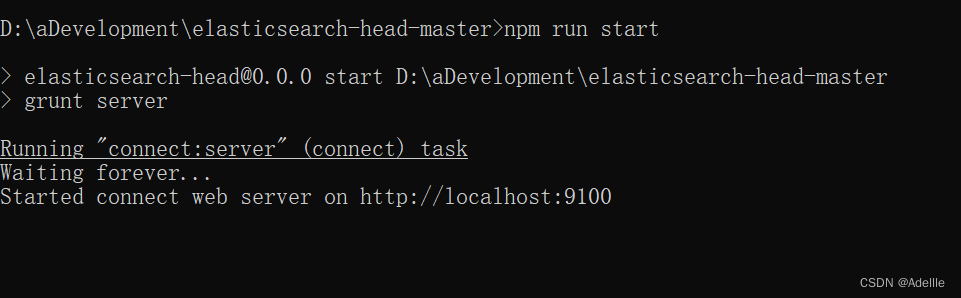
安装可视化 kibana 组件
Kibana 是一个针对 Elasticsearch 的开源分析及可视化平台,用来搜索、查看交互 存储在 Elasticsearch 索引中的数据。
使用 Kibana,可以通过各种图表进行高级数据分析及展示。Kibana 让海量数据更 容易理解。
下载版本要和 ES 版本一致
下载地址 : https://www.elastic.co/cn/downloads/kibana 默认打开是最新版本 7.6.1 下载版
https://artifacts.elastic.co/downloads/kibana/kibana-7.6.1-windows-x86_64.zip
汉化 kibana
修改 config 目录下的 kibana.yml 文件 i18n.locale: "zh-CN"
双击 bin 目录下的 kibana.bat 启动
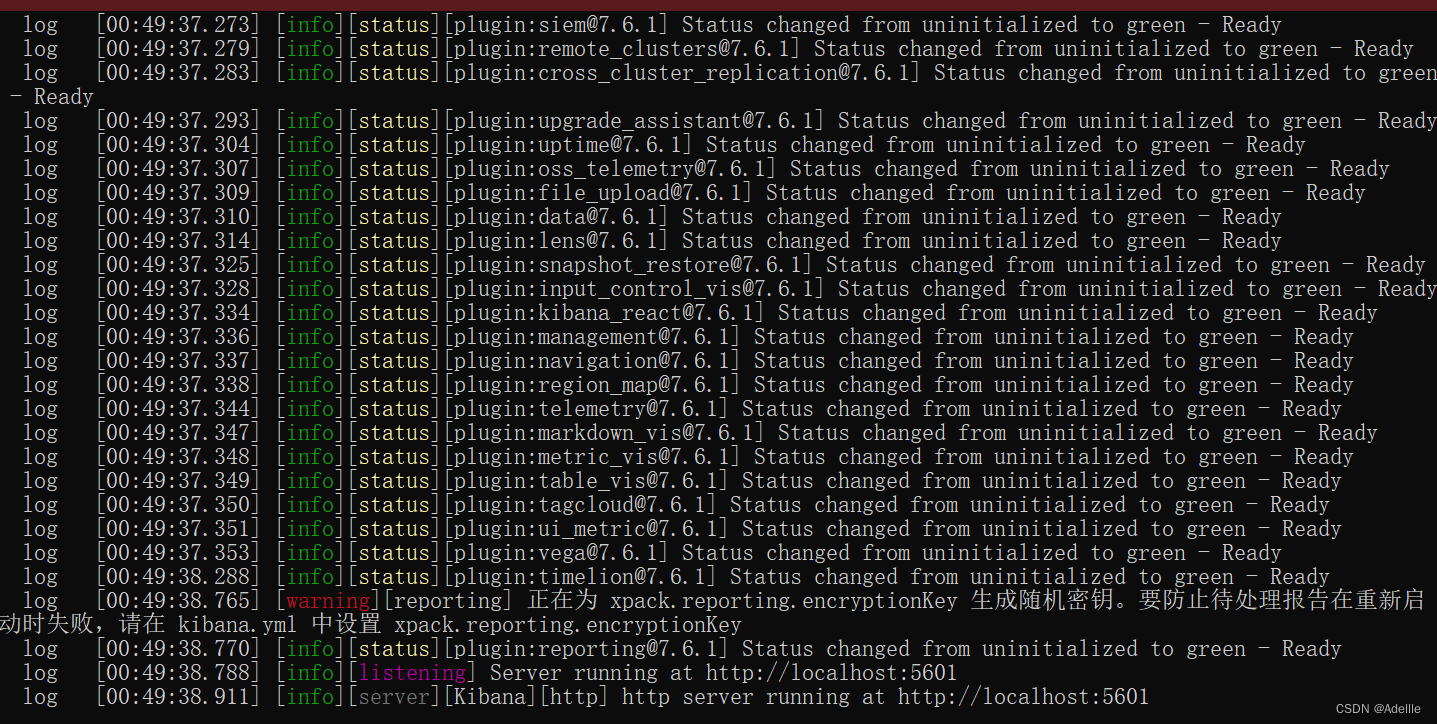
访问http://localhost:5601
显示界面
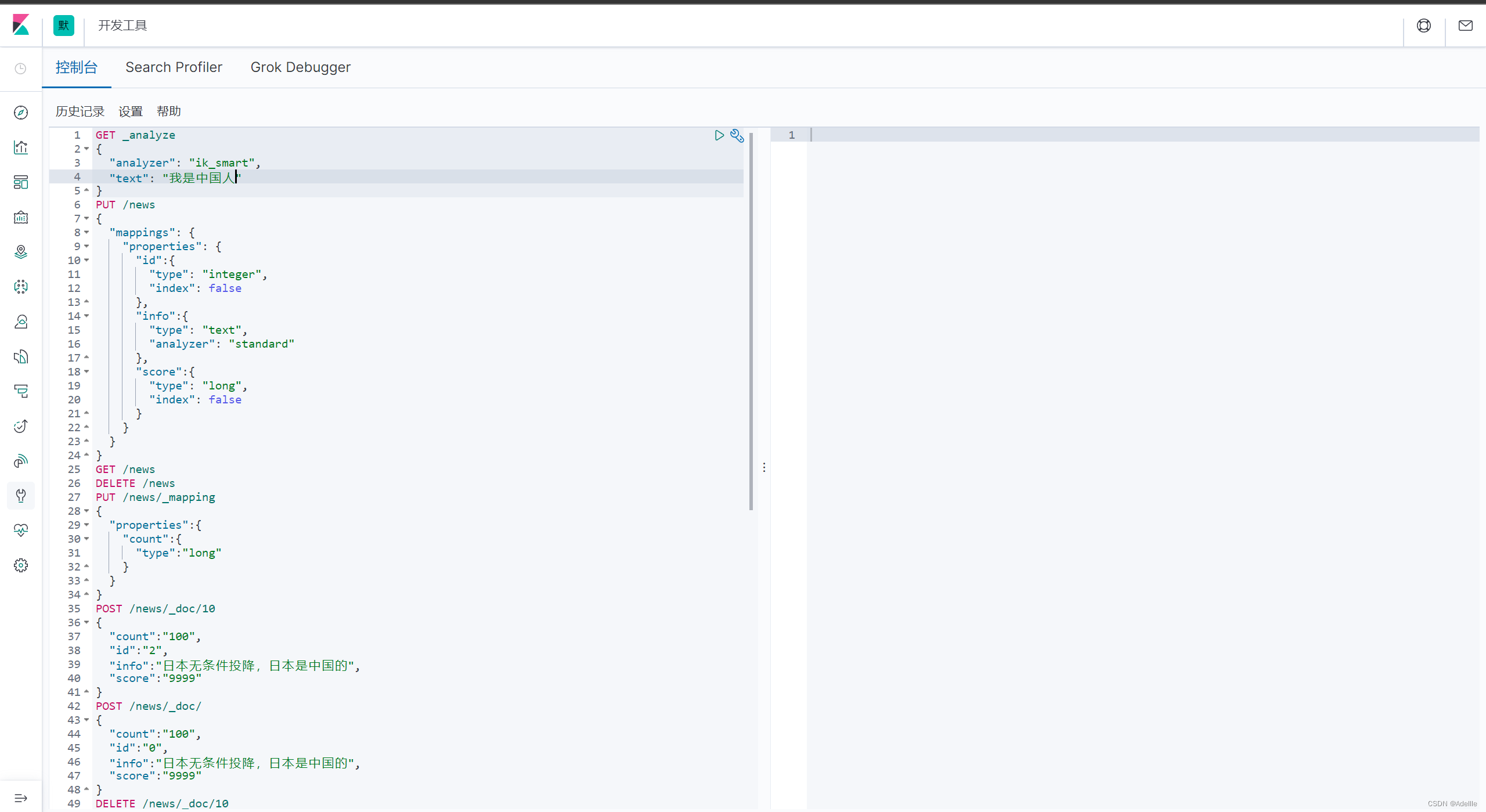
SpringBoot使用ES搜索
配置类
import org.apache.http.HttpHost;
import org.elasticsearch.client.RestClient;
import org.elasticsearch.client.RestHighLevelClient;
import org.springframework.context.annotation.Bean;
import org.springframework.context.annotation.Configuration;@Configuration
public class ElasticSearchConfig {@Beanpublic RestHighLevelClient restHighLevelClient(){RestHighLevelClient client = new RestHighLevelClient(RestClient.builder(new HttpHost("localhost", 9200, "http")));return client;}
}
使用
import com.fasterxml.jackson.databind.ObjectMapper;import com.ffyc.news.config.ElasticSearchConfig;
import org.elasticsearch.client.RequestOptions;
import org.elasticsearch.client.indices.CreateIndexRequest;
import org.springframework.beans.factory.annotation.Autowired;
import org.springframework.web.bind.annotation.GetMapping;
import org.springframework.web.bind.annotation.RequestMapping;
import org.springframework.web.bind.annotation.RestController;import java.io.IOException;@RestController
@RequestMapping(path = "/es")
public class EsController {@AutowiredElasticSearchConfig elasticSearchConfig;@GetMapping(path = "/indexOper")public String indexOper() throws IOException {//创建索引库CreateIndexRequest request = new CreateIndexRequest("users_index");elasticSearchConfig.restHighLevelClient().indices().create(request, RequestOptions.DEFAULT);return "success";//删除库
//        DeleteIndexRequest deleteIndexRequest = new DeleteIndexRequest("users");
//        AcknowledgedResponse delete = restHighLevelClient.indices().delete(deleteIndexRequest, RequestOptions.DEFAULT);
//        System.out.println(delete.isAcknowledged());//        判断库为例
//        GetIndexRequest getIndexRequest = new GetIndexRequest("users");
//        boolean users =  restHighLevelClient.indices().exists(getIndexRequest, RequestOptions.DEFAULT);
//        System.out.println(users);}/*@GetMapping(path = "/docOper")public String docOper() throws IOException {//模拟从前端传递过来的数据News news = new News();news.setId(1);news.setTitle("美国今年要总统选择,拜登着急了");news.setImg("aaaaasssss.jpg");news.setContent("少时诵诗书所所所所所所所所所所所所所所所");news.setCount(300);//把News中的数据封装到NewsESNewsES newsES = new NewsES();//对象数据复制BeanUtils.copyProperties(news,newsES);//创建请求对象IndexRequest indexRequest  = new IndexRequest("news").id(newsES.getId().toString());indexRequest.source(new ObjectMapper().writeValueAsString(newsES), XContentType.JSON);//执行restHighLevelClient.index(indexRequest, RequestOptions.DEFAULT);return "success";}*//* @GetMapping(path = "/docOper")public String docOper() throws IOException {//模拟从前端传递过来的数据News news = new News();news.setId(1);news.setTitle("中国航母开往美国,准备开战,拜登着急了");news.setImg("ddddddddddddddddddddd.jpg");news.setContent("少时诵诗书所所所所所所所所所所所所所所所");news.setCount(30000);//把News中的数据封装到NewsESNewsES newsES = new NewsES();//对象数据复制BeanUtils.copyProperties(news,newsES);//创建一个修改的请求UpdateRequest updateRequest = new UpdateRequest("news",newsES.getId().toString());updateRequest.doc(new ObjectMapper().writeValueAsString(newsES), XContentType.JSON);restHighLevelClient.update(updateRequest,RequestOptions.DEFAULT);return "success";}*//*  @GetMapping(path = "/docOper")public String docOper() throws IOException {//创建一个修改的请求DeleteRequest deleteIndexRequest = new DeleteRequest("news","1");restHighLevelClient.delete(deleteIndexRequest,RequestOptions.DEFAULT);return "success";}*//*  @GetMapping(path = "/docOper")public String docOper() throws IOException {//创建一个搜索的请求SearchRequest searchRequest = new SearchRequest("news");//封装搜索条件searchRequest.source().query(QueryBuilders.termQuery("title","免费"));//发送搜索请求, 接收搜索的结果SearchResponse search = restHighLevelClient.search(searchRequest, RequestOptions.DEFAULT);ArrayList<NewsES> arrayList  = new ArrayList<>();SearchHits hits = search.getHits();SearchHit[] hits1 = hits.getHits();for (SearchHit searchHit : hits1){String json =    searchHit.getSourceAsString();NewsES newsES = new ObjectMapper().readValue(json,NewsES.class);arrayList.add(newsES);}return "success";}*///    @GetMapping(path = "/docOper")
//    public String docOper() throws IOException {
//        //创建一个搜索的请求
//        SearchRequest searchRequest = new SearchRequest("news");
//        //封装搜索条件
//        //设置关键字 高亮显示
//        searchRequest.source().highlighter(new HighlightBuilder().field("title").requireFieldMatch(false));
//        searchRequest.source().query(QueryBuilders.termQuery("title","免费"));
//        //发送搜索请求, 接收搜索的结果
//        SearchResponse search = restHighLevelClient.search(searchRequest, RequestOptions.DEFAULT);
//
//        ArrayList<NewsES> arrayList  = new ArrayList<>();
//        SearchHits hits = search.getHits();
//        SearchHit[] hits1 = hits.getHits();
//        for (SearchHit searchHit : hits1){
//            String json =    searchHit.getSourceAsString();
//            NewsES newsES = new ObjectMapper().readValue(json,NewsES.class);
//
//            //获取高亮名称
//            Map<String, HighlightField> highlightFields = searchHit.getHighlightFields();
//            HighlightField titleField = highlightFields.get("title");
//            String highttitle = titleField.getFragments()[0].string();
//            newsES.setTitle(highttitle);//用添加了高亮的标题替换原始文档标题内容
//            arrayList.add(newsES);
//        }
//
//
//
//        return "success";
//    }
}