element-ui el-table表格勾选框条件禁用,及全勾选按钮禁用, 记录

项目场景:
表格的部分内容是可以被勾选的,部分内容是不可以被勾选的
使用的是 “element-plus”: “^2.2.22”, 以上应该都是兼容的
问题描述
要求el-table表格中,部分内容不可以被勾选,全选框在没有可选内容时,是禁用状态
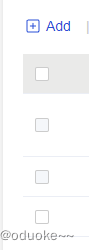
如上图所示,要求数据id是1或者2的数据不可被选择,当数据只剩下id为1和2的数据时,全选为禁用状态,当某一个全局值为true时,所有勾选框全部都是禁用状态
分析:
从描述来看,需求有以下几点
1、要求数据id是1或者2的数据不可被选择
2、当数据只剩下id为1和2的数据或者时,全选为禁用状态
3、当某一个全局值为true时,所有勾选框全部都是禁用状态
解决方案:
满足第一个条件:要求数据id是1或者2的数据不可被选择
<template><el-table :data="tableDatas" ><el-table-column type="selection" fixed="left" :selectable="checkSelectable"/><el-table-column label='姓名' prop="name" /></el-table>
</template>
<script setup>
const tableDatas = ref([
{ id:1, name:"张三"},
{ id:2, name:"李四"}])
const checkSelectable = (row) => {if (row.id == 1 || row.id == 2) {return false} else {return true}
}
</script>
满足第二个条件:当数据只剩下id为1和2的数据或者时,全选为禁用状态
因为1和2不可被选择,所以他们只能剩下两条数据,由于全选框不能直接disable,所以需要给他加上样式
<template><el-table :data="tableDatas" :header-cell-class-name="cellClass"><el-table-column type="selection" fixed="left" :selectable="checkSelectable"/><el-table-column label='姓名' prop="name" /></el-table>
</template>
<script setup>
const tableDatas = ref([
{ id:1, name:"张三"},
{ id:2, name:"李四"}])
const checkSelectable = (row) => {if (row.id == 1 || row.id == 2) {return false} else {return true}
}const cellClass = (row) => {const list = tableDatas.value.filter((rowss) => {return (rowss.idx == 1 || rowss.idx == 16)})if (row.columnIndex === 0) {if (list.length == tableData.length) {return "DisableSelection"}}}
</script>
<style scoped lang="less">
::v-deep {  //全选框用了fixed 用这个样式,没有用fixed就用下面那个样式.DisableSelection .cell .el-checkbox .el-checkbox__inner {background-color: var(--el-checkbox-disabled-input-fill) !important;border-color: var(--el-checkbox-disabled-border-color) !important;cursor: not-allowed !important;}
}::v-deep .el-table .DisableSelection .cell .el-checkbox__inner{background-color: var(--el-checkbox-disabled-input-fill);border-color: var(--el-checkbox-disabled-border-color);cursor: not-allowed;
}</style>
再满足第三个条件
<template><el-table :data="tableDatas" :header-cell-class-name="cellClass"><el-table-column type="selection" fixed="left"  :selectable="checkSelectable"/><el-table-column label='姓名' prop="name" /></el-table>
</template>
<script setup>
let ablestatus = true
const tableDatas = ref([
{ id:1, name:"张三"},
{ id:2, name:"李四"}])
const checkSelectable = (row) => {if (row.id == 1 || row.id == 2 || ablestatus) {return false} else {return true}
}const cellClass = (row) => {const list = tableDatas.value.filter((rowss) => {return (rowss.idx == 1 || rowss.idx == 16)})if (row.columnIndex === 0) {if (list.length == tableData.length || ablestatus ) {return "DisableSelection"}}}
</script>
<style scoped lang="less">
::v-deep {  //全选框用了fixed 用这个样式,没有用fixed就用下面那个样式.DisableSelection .cell .el-checkbox .el-checkbox__inner {background-color: var(--el-checkbox-disabled-input-fill) !important;border-color: var(--el-checkbox-disabled-border-color) !important;cursor: not-allowed !important;}
}::v-deep .el-table .DisableSelection .cell .el-checkbox__inner{background-color: var(--el-checkbox-disabled-input-fill);border-color: var(--el-checkbox-disabled-border-color);cursor: not-allowed;
}</style>
就可以了 ,最后一个是完整代码,当然如果想在没有可选数据时,将全选按钮隐藏也可以把样式改成display:none,