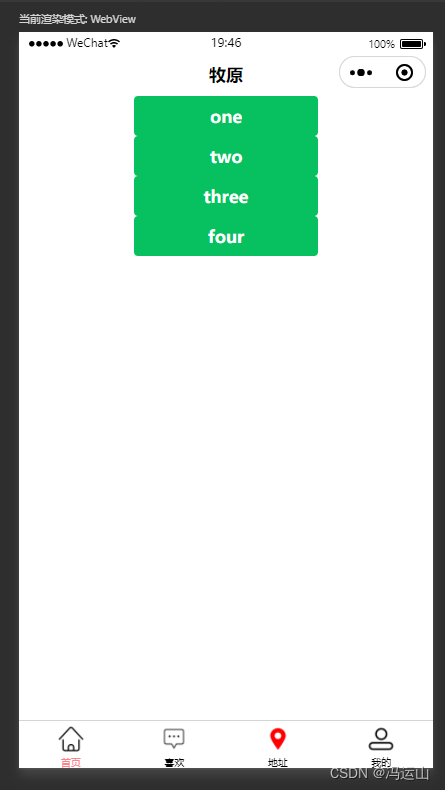
原理通过首页展示的方式设置一个按钮,然后点击按钮跳转到相应的页面即可。
一 在js中定义一个需要展示页面的数组
二 在页面中使用fou循环来遍历其中的数据,并展示出来
页面代码
<!--index.wxml-->
<navigation-bar title="牧原" back="{{false}}" color="black" background="#FFF"></navigation-bar>
<view class="pages"><block wx:for="{{pages}}" wx:key="name"><button type="primary" bindtap="go" data-item="{{item}}"> {{item.name}}</button></block></view>
// index.js
Page({data: {"pages" :[{ name :"one" , path :"/pages/one/one"},{ name :"two" , path :"/pages/two/two"},{ name :"three" , path :"/pages/three/three"},{ name :"four" , path :"/pages/four/four"}]},// 跳转到tabBar页面
go: function (event) {console.log(event)const item = event.target.dataset.itemwx.navigateTo({url: item.path,})
}})
{"usingComponents": {"navigation-bar": "/components/navigation-bar/navigation-bar"},"component": true
}
)