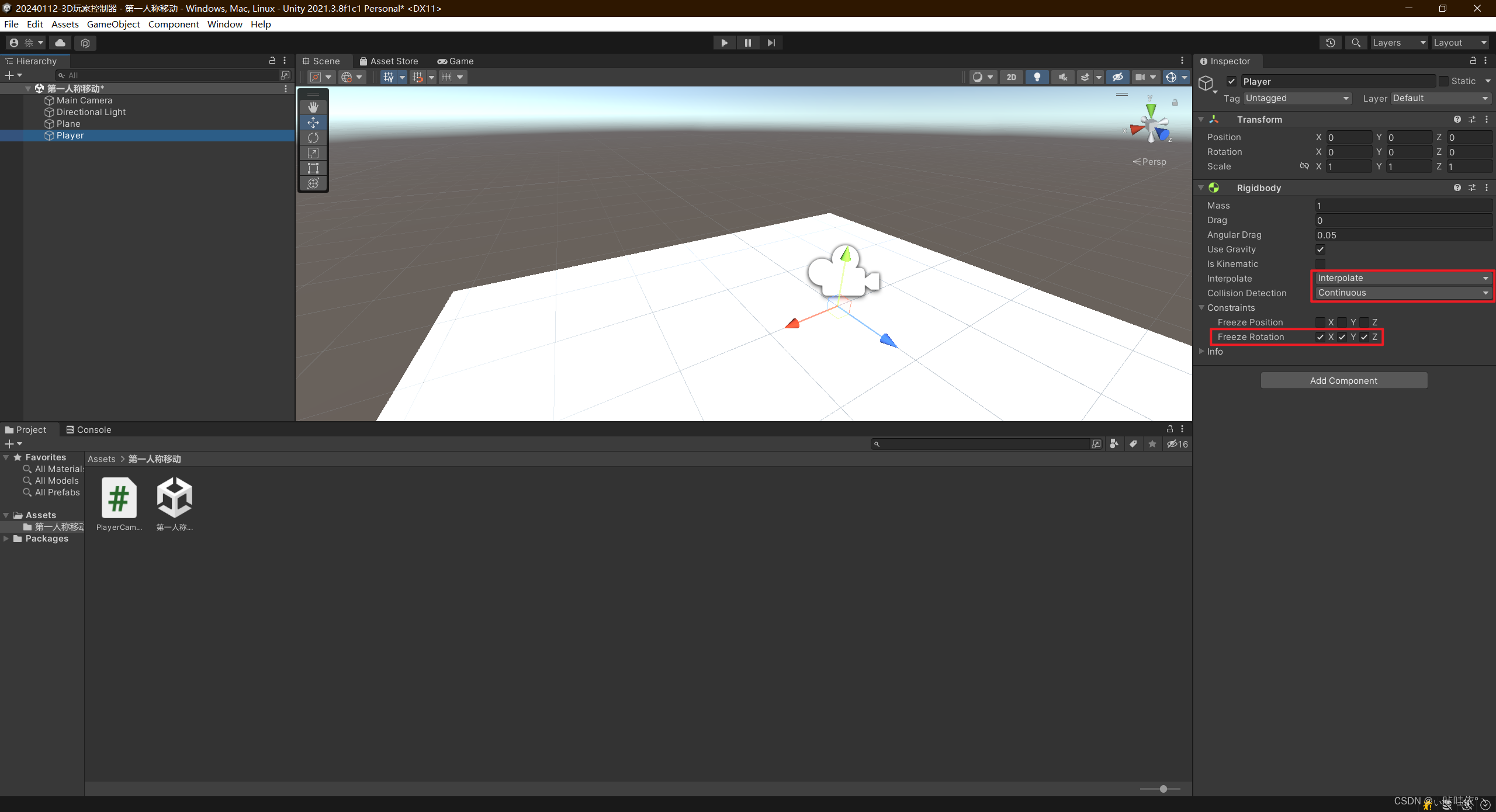
1、创建一个空物体,挂载Rigidbody组件,并设置相应参数
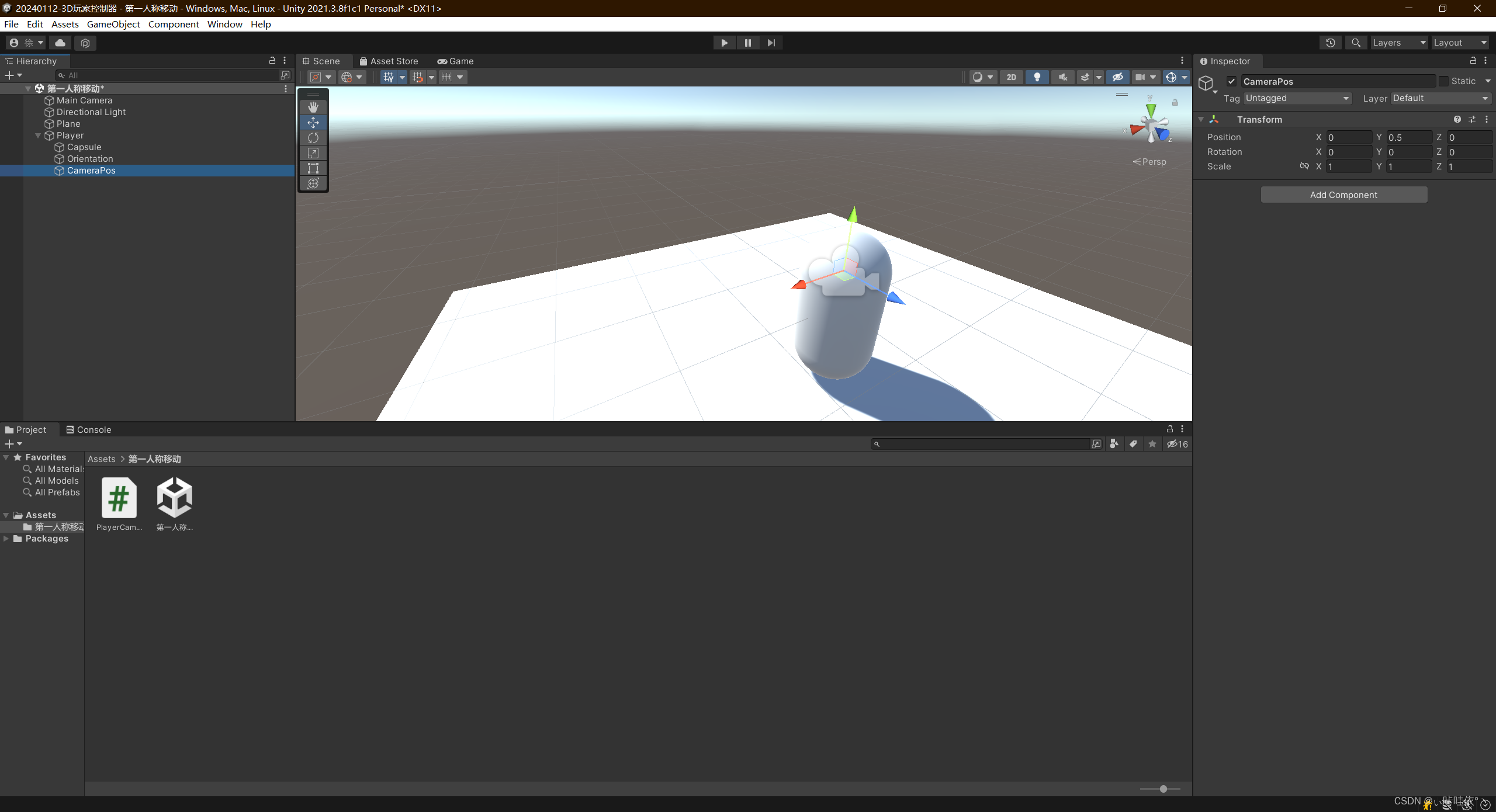
2、在上述空物体下创建一个胶囊体,两个空物体,一个用来控制朝向,另一个用来控制摄像机
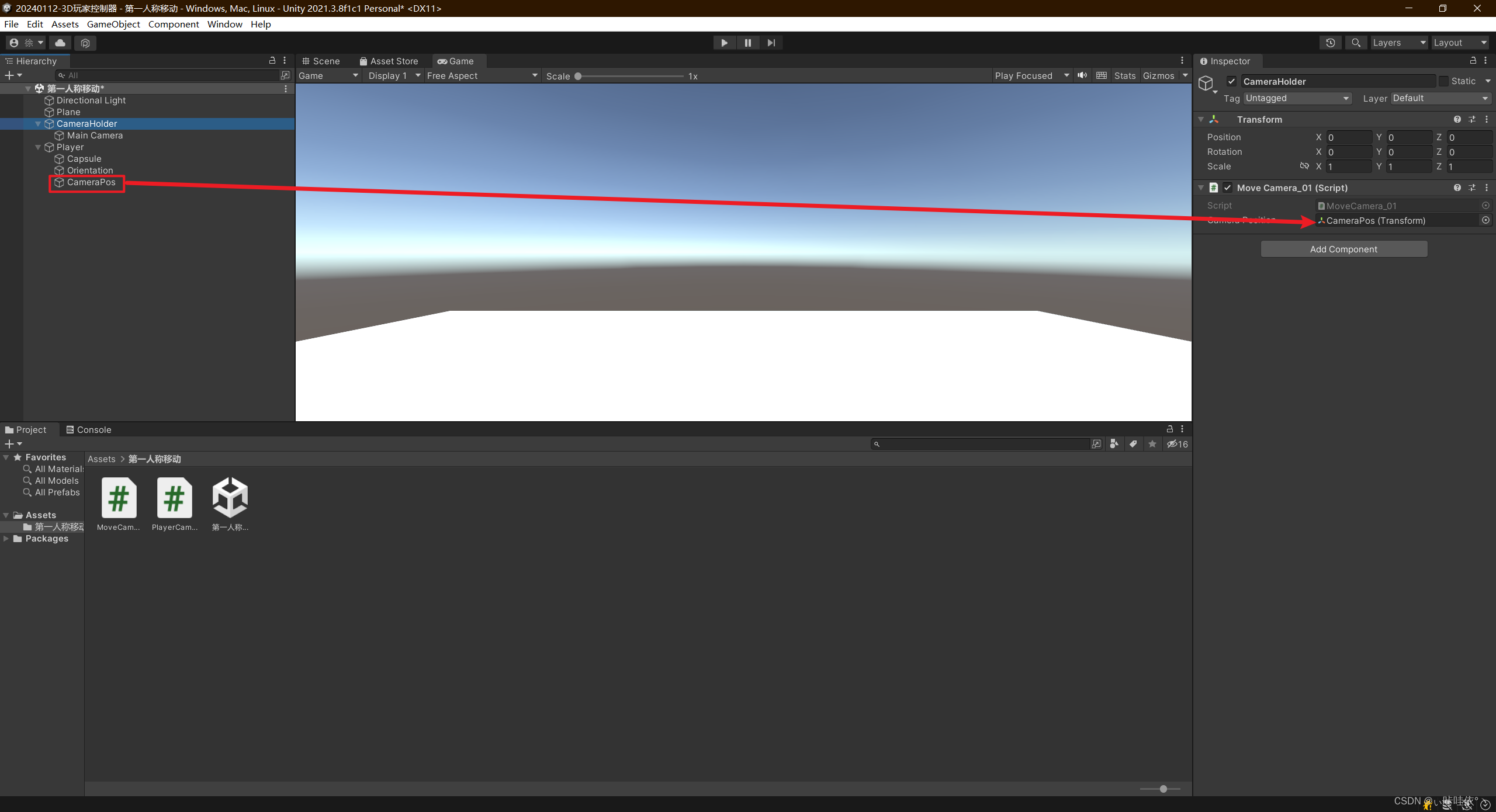
3、给摄像机创建一个父物体,并挂载脚本MoveCamera_01.cs
using System.Collections;
using System.Collections.Generic;
using UnityEngine;public class MoveCamera_01 : MonoBehaviour
{public Transform cameraPosition;private void Update(){transform.position = cameraPosition.position;}
}
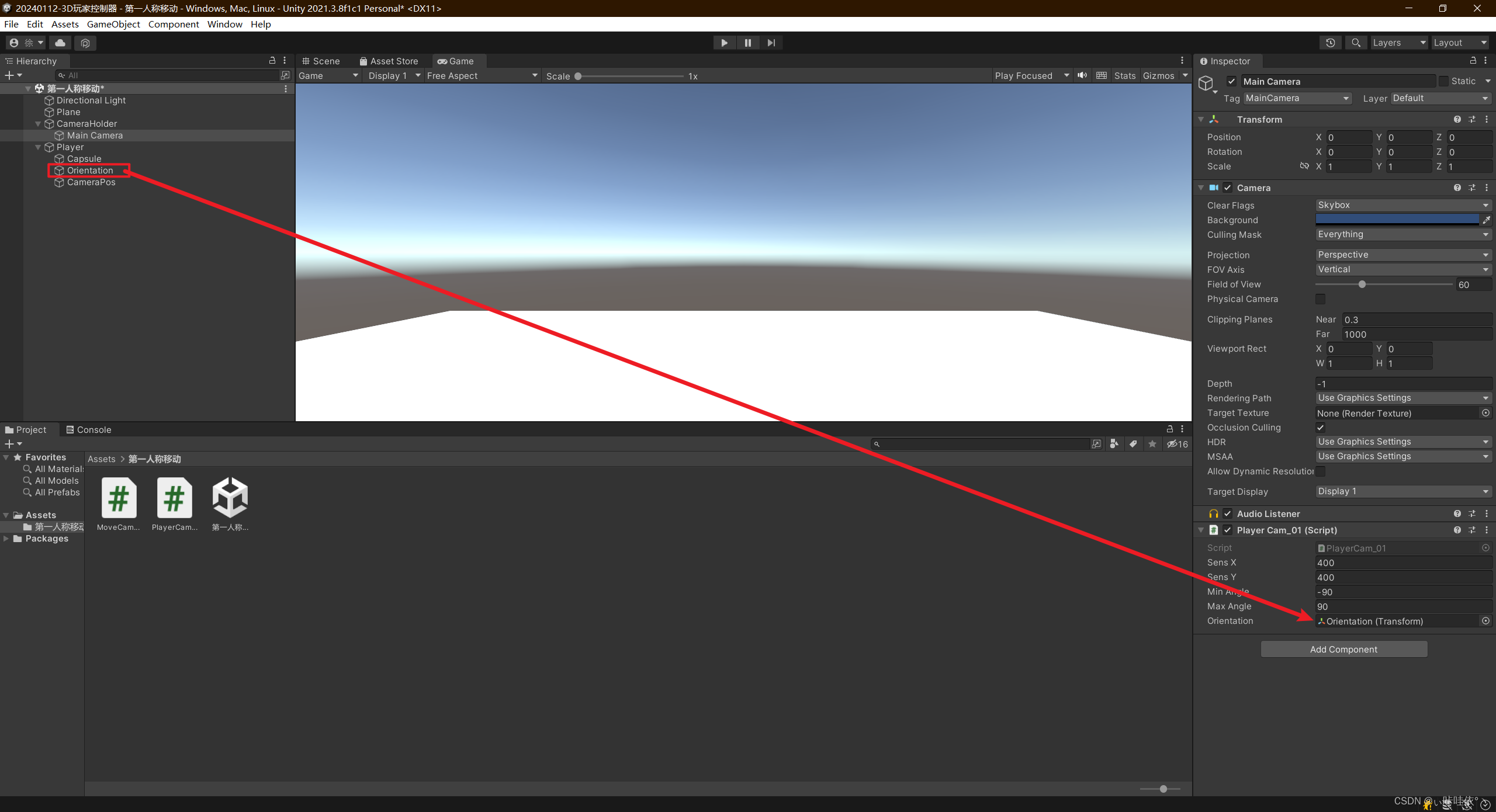
4、给摄像机挂载脚本PlayerCam_01.cs
using System.Collections;
using System.Collections.Generic;
using UnityEngine;public class PlayerCam_01 : MonoBehaviour
{public float sensX = 400;public float sensY = 400;public float minAngle = -90f;public float maxAngle = 90f;public Transform orientation;private float xRotation;private float yRotation;private void Start(){Cursor.lockState = CursorLockMode.Locked;Cursor.visible = false;}private void Update(){float mouseX = Input.GetAxisRaw("Mouse X") * Time.deltaTime * sensX;float mouseY = Input.GetAxisRaw("Mouse Y") * Time.deltaTime * sensY;yRotation += mouseX;xRotation -= mouseY;xRotation = Mathf.Clamp(xRotation, minAngle, maxAngle);transform.rotation = Quaternion.Euler(xRotation, yRotation, 0);orientation.rotation = Quaternion.Euler(0, yRotation, 0);}
}
5、给主角挂载脚本PlayerMovement_01.cs
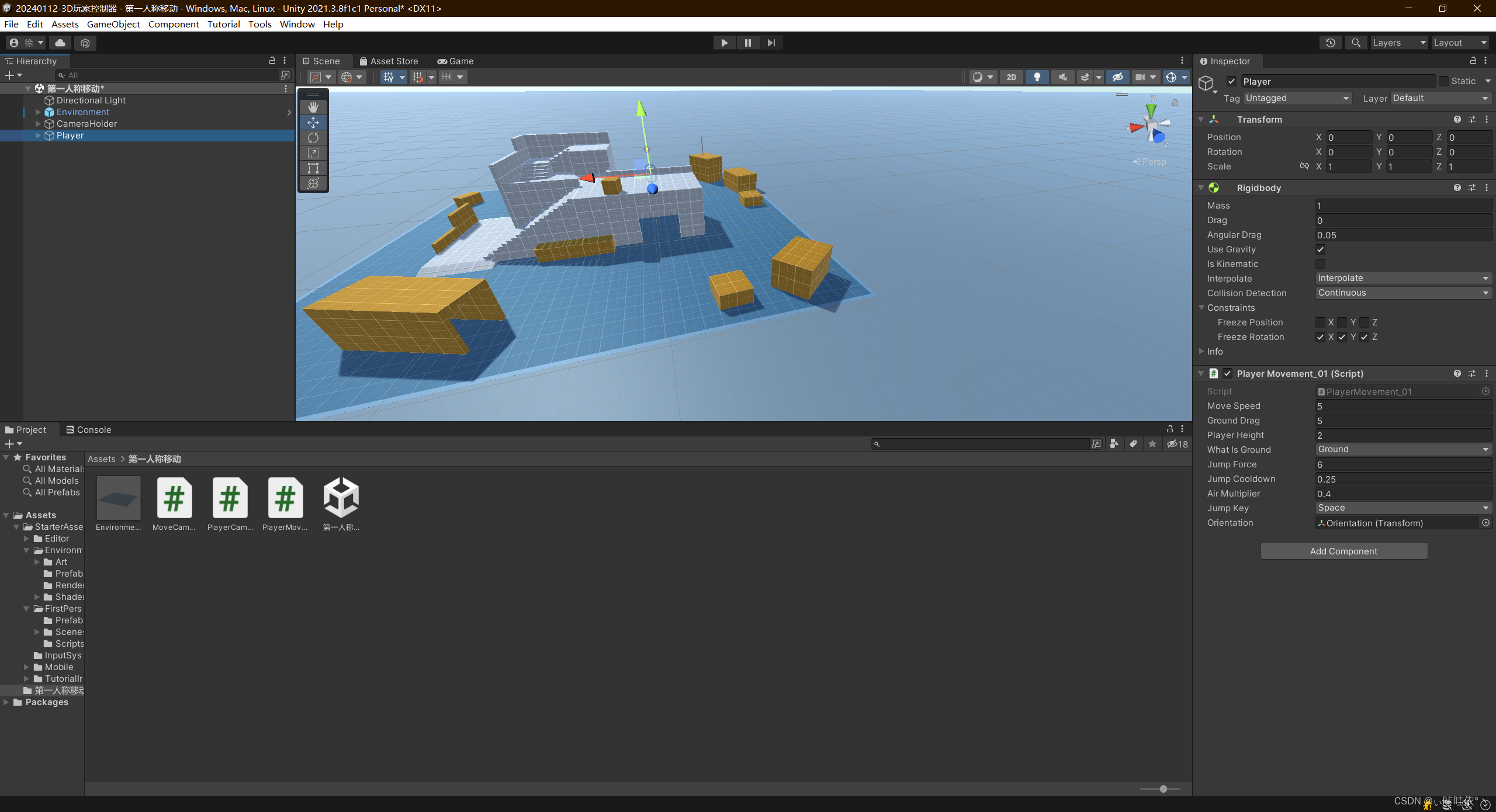
using System.Collections;
using System.Collections.Generic;
using UnityEngine;public class PlayerMovement_01 : MonoBehaviour
{public float moveSpeed = 7; public float groundDrag = 5; public float playerHeight = 2; public LayerMask whatIsGround; private bool grounded; public float jumpForce = 6; public float jumpCooldown = 0.25f; public float airMultiplier = 0.4f; private bool readyToJump = true; public KeyCode jumpKey = KeyCode.Space; public Transform orientation; private float h; private float v; private Vector3 moveDirection; private Rigidbody rb; private void Start(){rb = GetComponent<Rigidbody>();rb.freezeRotation = true; }private void Update(){grounded = Physics.Raycast(transform.position, Vector3.down, playerHeight * 0.5f + 0.2f, whatIsGround);MyInput();SpeedControl();if (grounded)rb.drag = groundDrag;elserb.drag = 0;}private void FixedUpdate(){MovePlayer();}private void MyInput(){h = Input.GetAxisRaw("Horizontal");v = Input.GetAxisRaw("Vertical");if (Input.GetKey(jumpKey) && readyToJump && grounded){readyToJump = false;Jump();Invoke(nameof(ResetJump), jumpCooldown);}}private void MovePlayer(){moveDirection = orientation.forward * v + orientation.right * h;if (grounded){rb.AddForce(moveDirection.normalized * moveSpeed * 10f, ForceMode.Force);}else if (!grounded){rb.AddForce(moveDirection.normalized * moveSpeed * 10f * airMultiplier, ForceMode.Force);}}private void SpeedControl(){Vector3 flatVel = new Vector3(rb.velocity.x, 0f, rb.velocity.z);if (flatVel.magnitude > moveSpeed){Vector3 limitedVel = flatVel.normalized * moveSpeed;rb.velocity = new Vector3(limitedVel.x, rb.velocity.y, limitedVel.z);}}private void Jump(){rb.velocity = Vector3.zero;rb.AddForce(transform.up * jumpForce, ForceMode.Impulse);}private void ResetJump(){readyToJump = true;}
}
