Danswer部署指南

Quickstart
How to deploy Danswer on your local machine
Requirements
- git
- docker with compose (docker version >= 1.13.0)
Setup
This quickstart guide covers setting up Danswer for local execution
- Clone the Danswer repo:
git clone https://github.com/danswer-ai/danswer.git
- Navigate to danswer/deployment/docker_compose
cd danswer/deployment/docker_compose
- Bring up your docker engine and run:
- To pull images from DockerHub and run Danswer:
docker compose -f docker-compose.dev.yml -p danswer-stack up -d --pull always --force-recreate- Alternatively, to build the containers from source and start Danswer, run:
docker compose -f docker-compose.dev.yml -p danswer-stack up -d --build --force-recreate- These commands are also used to redeploy if any .env variables are updated
- This may take 15+ minutes depending on your internet speed.
- Danswer will now be running on http://localhost:3000.
OpenAI API Key
Note: On the initial visit, Danswer will prompt for an OpenAI API key. Without this Danswer will be able to provide search functionalities but not direct Question Answering.
You can get an OpenAI API key at: https://platform.openai.com/account/api-keys
Indexing Documents
This quickstart guide will index a publicly accessible website as this requires no additional authorization setup
- Navigate to the top right of Danswer’s home screen and select Admin Panel
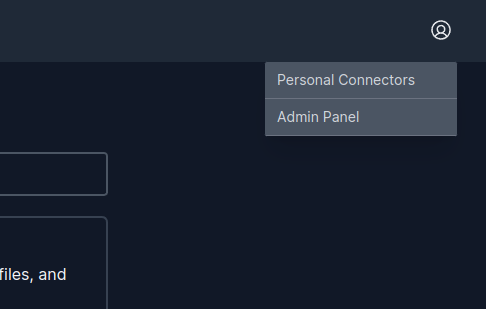
Connectors
- In the Web Connector dashboard, pick any base URL to index.
- This will index all pages under that base URL that is reachable from hyperlinks.
- You can check the indexing status page to monitor the progress.
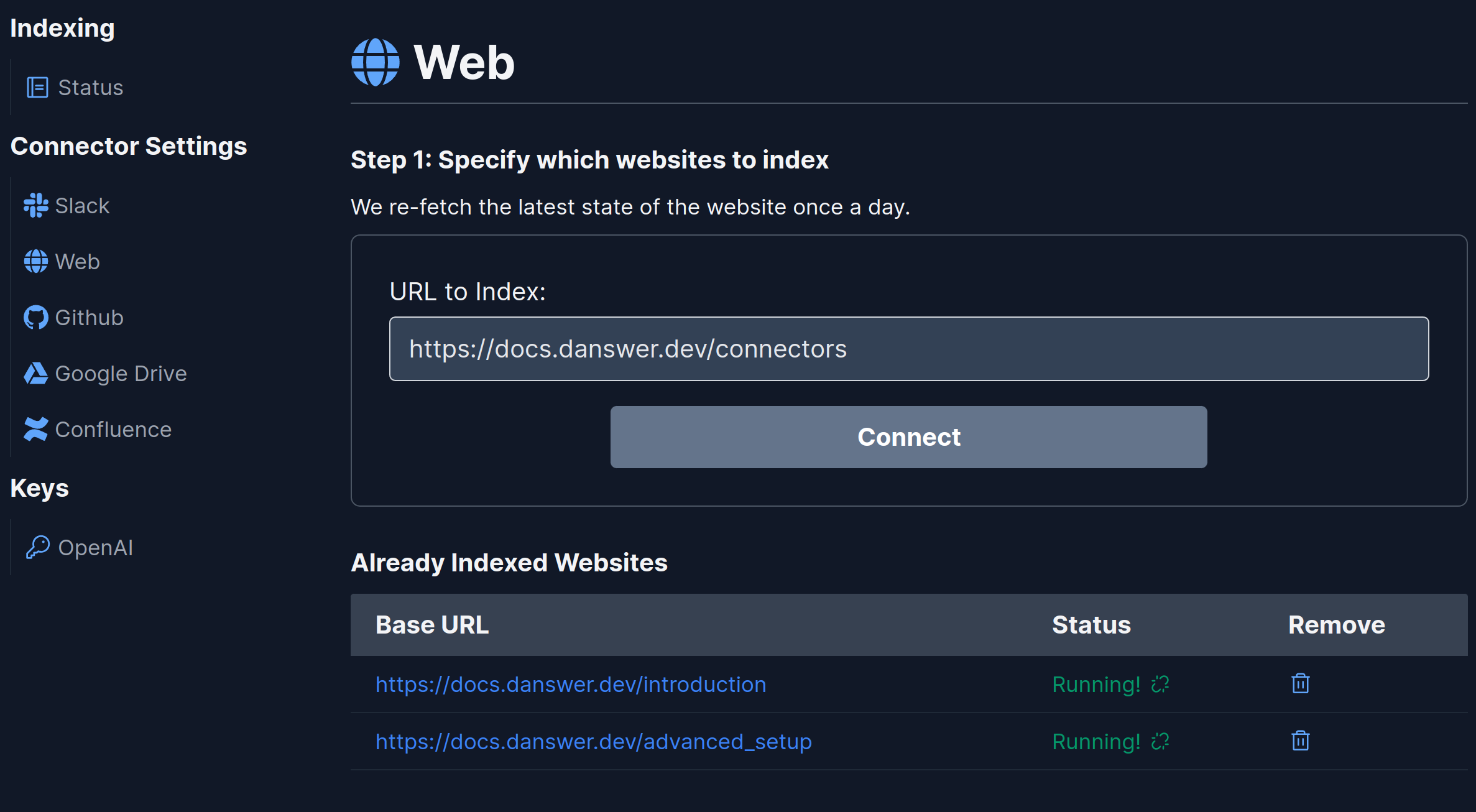
WebConnector
- After the pages are indexed, you can now navigate back to the homepage and start asking questions and getting answers! 🥳
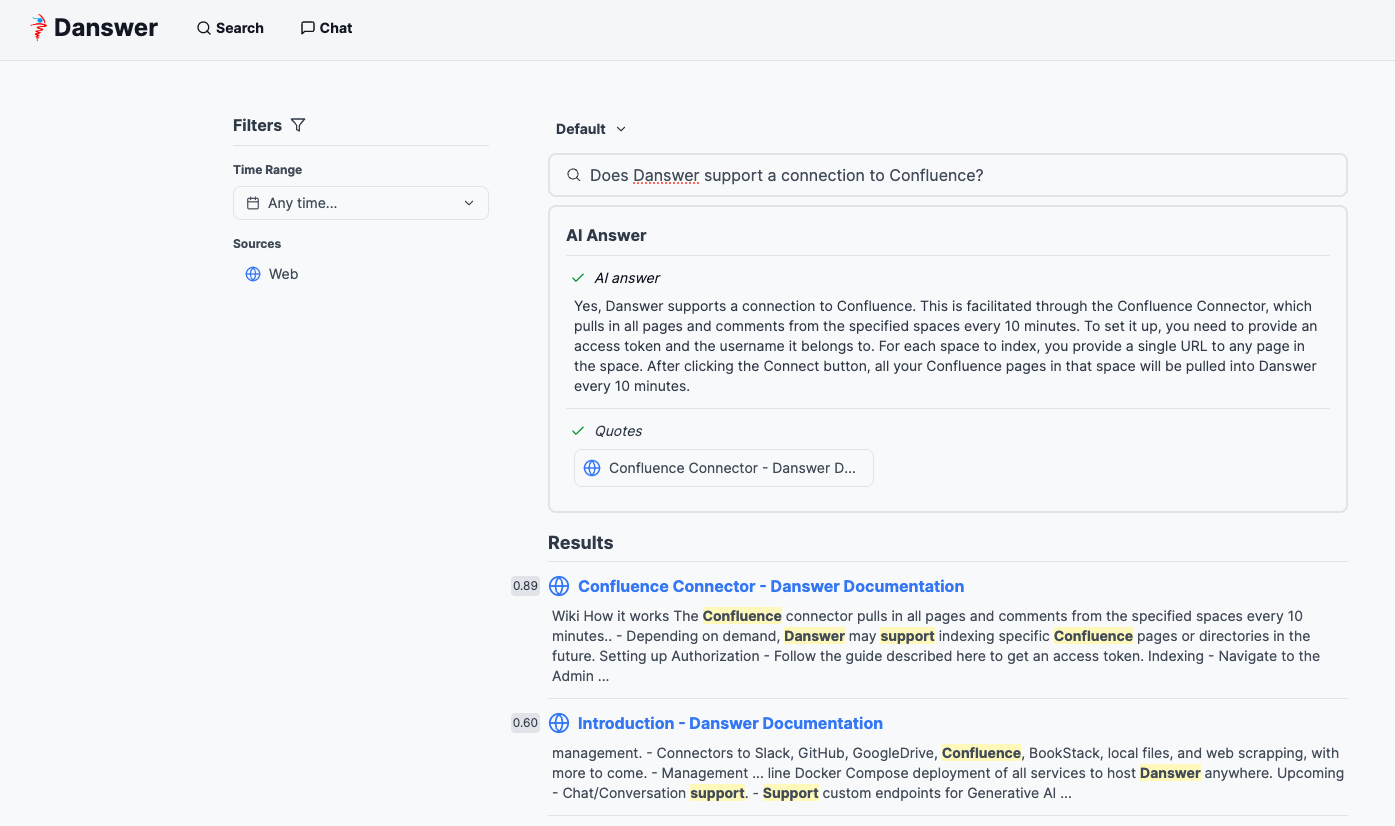
SampleQA
Shutting Down
docker compose -f docker-compose.dev.yml -p danswer-stack down
add -v at the end to delete the volumes (containing users and indexed documents)
参考文档:Quickstart - Danswer Documentation