Java中异常处理-详解

异常(Exception)
-
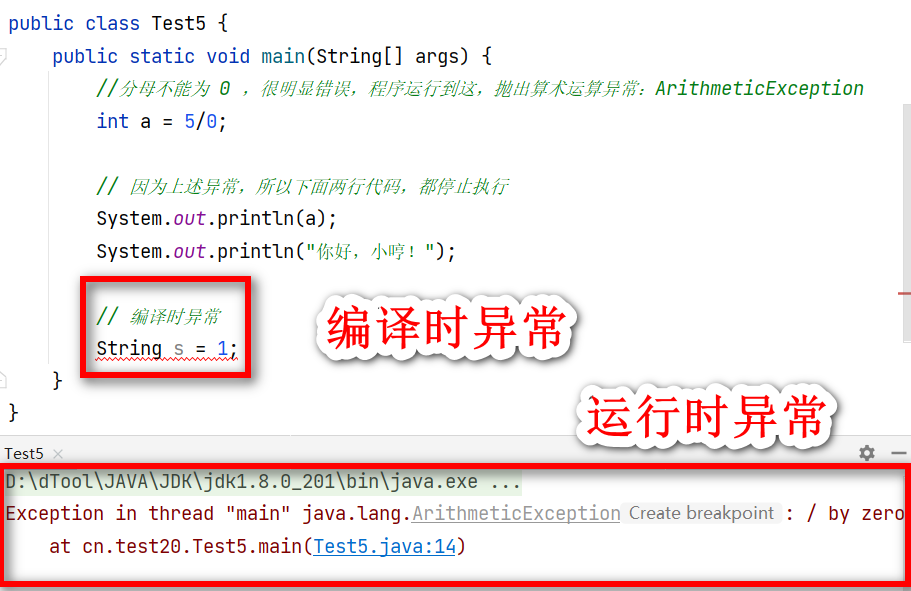
JVM 默认处理方案
- 把异常的名称,异常的原因,及异常出错的位置等信息输出在控制台
- 程序停止执行
-
异常类型
编译时异常 必须显示处理,否则程序会发生错误,无法通过编译 运行时异常 无需显示处理,也可以和编译时异常一样处理 -
代码示例:
异常处理三种方式
try…catch
-
格式:
try{ 可能出现异常的代码; }catch(异常类名 变量名){异常的处理代码;e.printStackTrace(); // 打印异常信息 }finally{有无异常都执行的代码 } -
示例代码:
public class Test5 {public static void main(String[] args) {try{//分母不能为 0 ,很明显错误,程序运行到这,抛出算术运算异常:ArithmeticExceptionint a = 5/0;// ①System.out.println("砥砺前行");}catch (Exception e){e.printStackTrace();}finally {System.out.println("欢迎来到编程世界!");}}
}
①位置因,上一行代码异常,被抓取到了,catch 中进行处理,处理完后,执行 finally 中代码,finally 最经常使用于,IO 处理释放流

throws
-
格式:
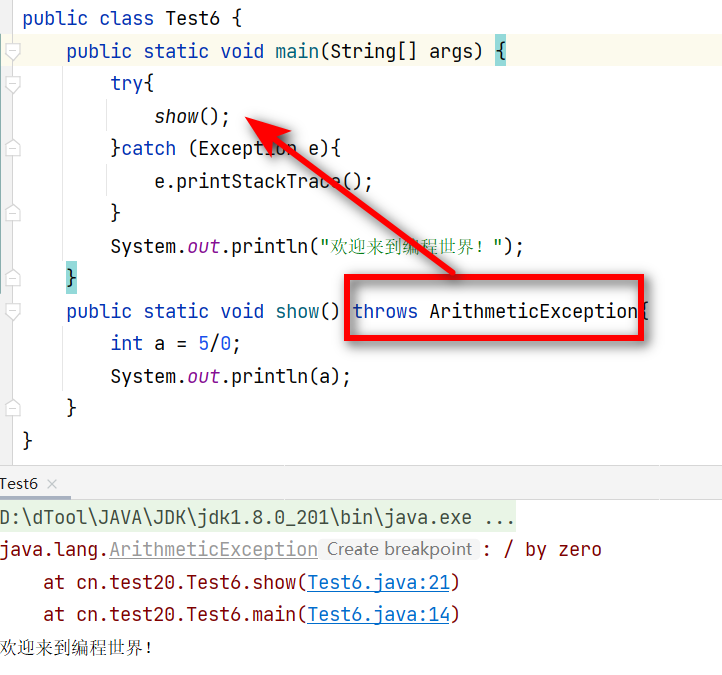
throws 异常类名跟在方法的括号后面,仅仅是将异常抛出,谁调用谁处理,main 抛出,由 JVM 虚拟机处理
-
示例代码:
public class Test6 {public static void main(String[] args) {try{show();}catch (Exception e){e.printStackTrace();}System.out.println("欢迎来到编程世界!");}public static void show() throws ArithmeticException{int a = 5/0;System.out.println(a);}
}
throw
-
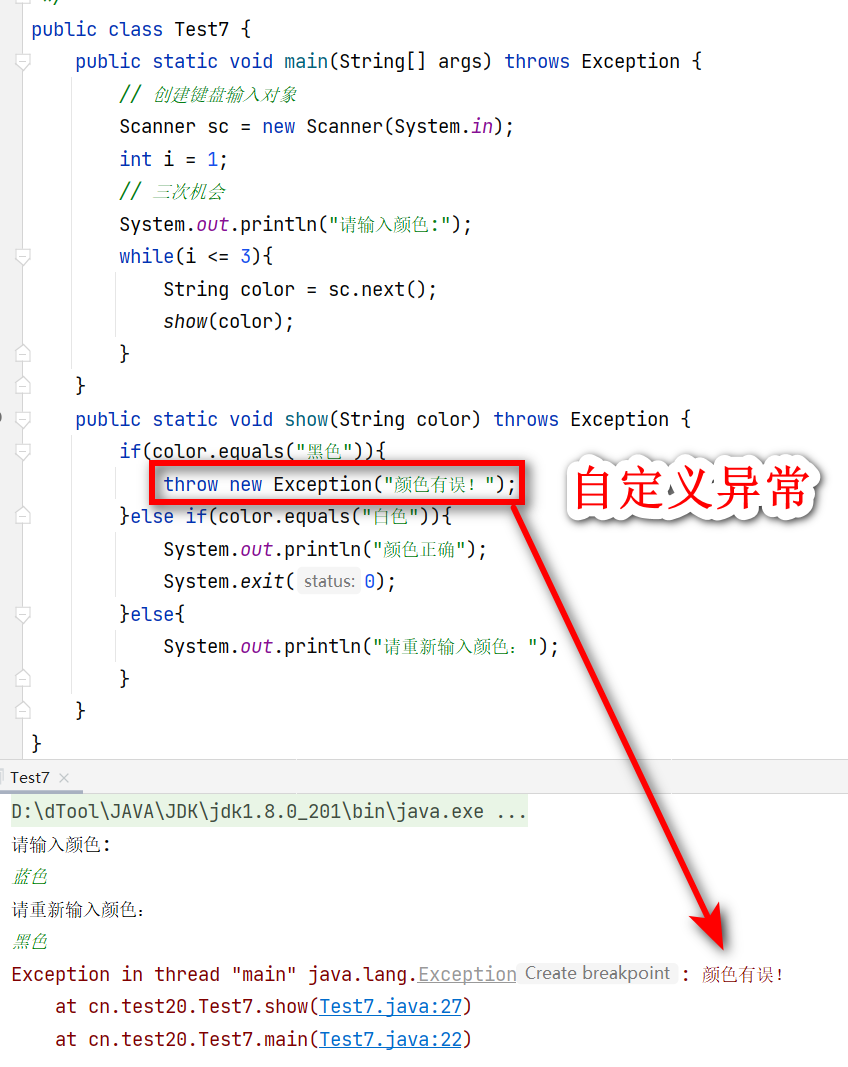
自定义异常,用在方法体内,跟的是异常对象名,表示抛出异常
-
格式
throw new Exception("自定义异常"); -
示例代码
public class Test7 {public static void main(String[] args) throws Exception {// 创建键盘输入对象Scanner sc = new Scanner(System.in);int i = 1;// 三次机会System.out.println("请输入颜色:");while(i <= 3){String color = sc.next();show(color);}}public static void show(String color) throws Exception {if(color.equals("黑色")){throw new Exception("颜色有误!");}else if(color.equals("白色")){System.out.println("颜色正确");System.exit(0);}else{System.out.println("请重新输入颜色:");}}
}