uniapp自定义顶部导航并解决打包成apk后getMenuButtonBoundingClientRect方法失效问题

需求:要在app上的顶部导航提示哪里添加一些东西进去,用uniapp自带的肯定不行啊,所以自定义了所有的页面的顶部导航,之后自定义后用手机调试发现 uni.getMenuButtonBoundingClientRect()这个方法的top获取不到....网上找了很多种方法才实现,记录一下
1.自测手机上效果
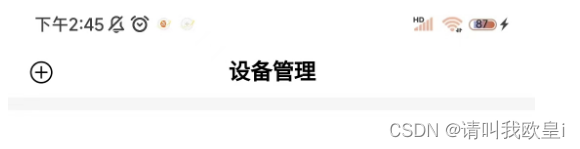
2.实现
在pages.json页面给所有需要顶部导航栏的添加自定义样式
"enablePullDownRefresh": false,是否开发下拉刷新
"navigationStyle": "custom":导航栏样式自定义
{"path": "pages/serve/index","style": {"enablePullDownRefresh": false,"navigationStyle": "custom"}}3.封装+主要代码讲解
创建封装的Title.vue页面
// #ifndef H5 || APP-PLUS || MP-ALIPAY // #endif
这个是预处理指令,这个指令的意思是:“如果
H5、APP-PLUS或MP-ALIPAY这三个宏(或标识符)中的任何一个没有被定义,则执行以下的代码uni.getSystemInfoSync():同步获取系统的信息
uni.getMenuButtonBoundingClientRect():方法来获取某个菜单按钮的边界信息。这个方法通常用于获取某个DOM元素的边界信息,包括其位置和尺寸。
// #ifndef H5 || APP-PLUS || MP-ALIPAYlet menuButtonInfo = uni.getMenuButtonBoundingClientRect()this.titleBarHeight = (menuButtonInfo.top - this.statusBarHeight) * 2 + menuButtonInfo.height// #endif<template><!-- 头部导航内容区域 --><view style="margin-bottom: 20rpx;" class="top-content"><view class="title-top"><view class="boxAndTop" :style="{height:statusBarHeight+'px'}"></view></view></view>
</template><script>export default {props: {titleName: {type: String,default: ''},},data() {return {// 状态栏高度statusBarHeight: 0,// 导航栏高度titleBarHeight: 82 + 11,menuFlag: false}},created() {//获取状态栏的高度let systemInfo = uni.getSystemInfoSync()this.statusBarHeight = systemInfo.statusBarHeightconsole.log(this.statusBarHeight,'状态栏的高度');// #ifndef H5 || APP-PLUS || MP-ALIPAYlet menuButtonInfo = uni.getMenuButtonBoundingClientRect()this.titleBarHeight = (menuButtonInfo.top - this.statusBarHeight) * 2 + menuButtonInfo.height// #endif},methods: {},}
</script><style lang="scss">.top-content {// position: fixed;height: 140rpx;.title-top {position: fixed;top: 0px;width: 100%;z-index: 999;height: 140rpx;background-color: #fff;}}</style>4.在页面导入使用
	<Title titleName="设备管理" />	import Title from '@/component/Title.vue'
export default {components: {Title},
}
文章到此结束,希望对你有所帮助~