【信息论与编码】【北京航空航天大学】实验一、哈夫曼编码【C语言实现】(上)
)
信息论与编码 实验1 哈夫曼编码 实验报告
一、运行源代码所需要的依赖:
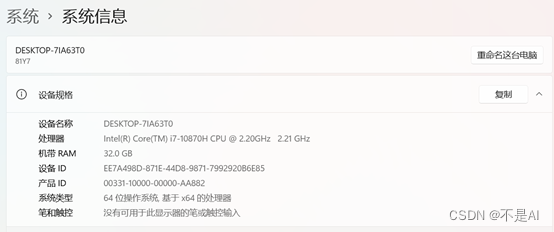
1、硬件支持
Windows 10,64位系统
2、编译器
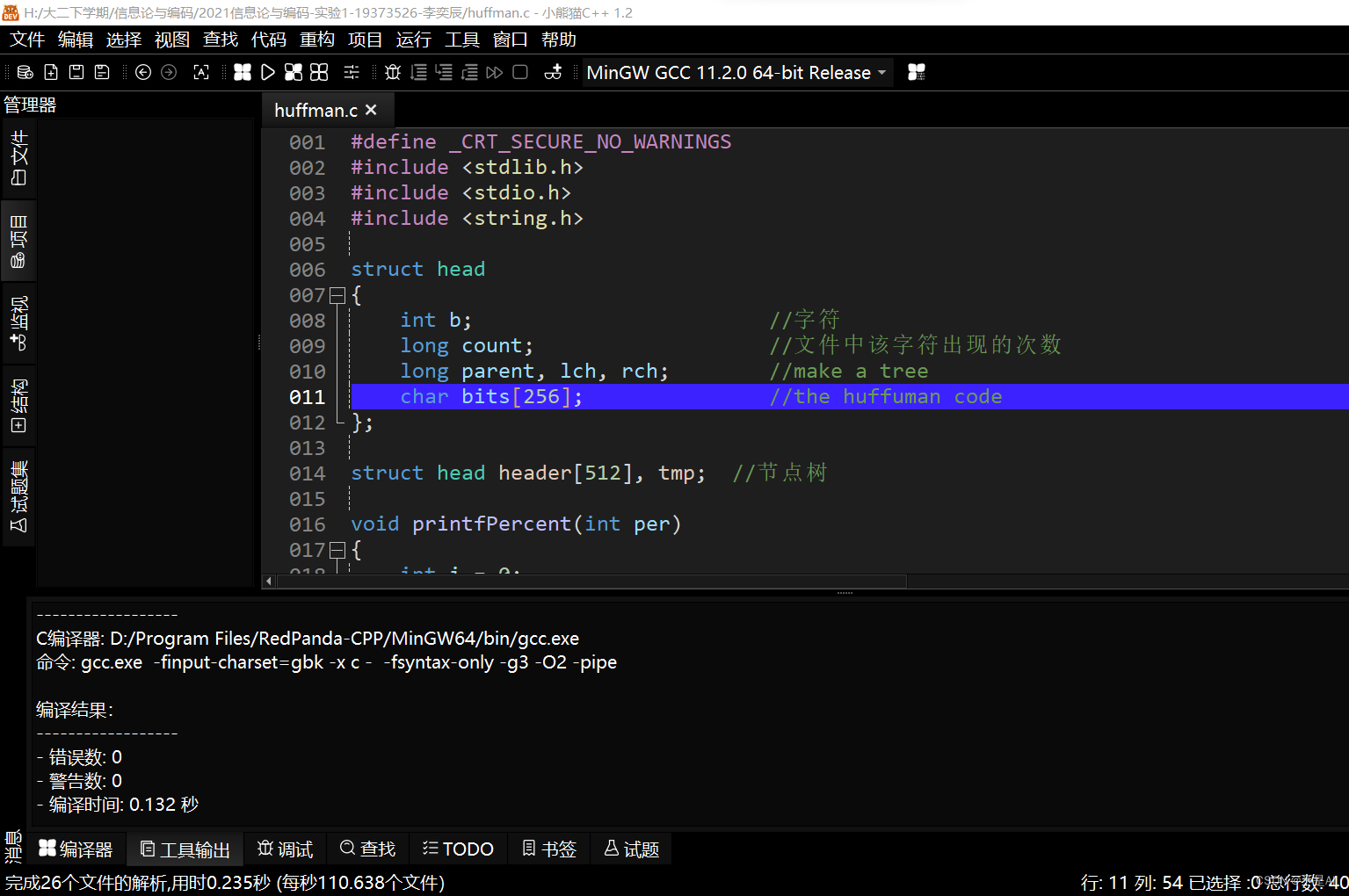
DEV-Redpanda IDE,小熊猫C++
二、算法实现及测试
1、C语言源程序
# define _CRT_SECURE_NO_WARNINGS
# include <stdlib.h>
# include <stdio.h>
# include <string.h>// 文件数据结构
struct head
{int b;						  //字符long count;                   //文件中该字符出现的次数long parent, lch, rch;        //父、左右子节点,make a treechar bits[256];               //存储编码 the huffuman code
};struct head header[512], tmp;  //节点树// 函数:printfPercent()
// 作用:输出压缩进度
void printfPercent(int per)
{int i = 0;printf("|");for(i = 0; i < 10; i++){if(i < per/10)printf(">");elseprintf("-");}printf("|已完成%d%%\n",per);
}//函数:compress()
//作用:读取文件内容并加以压缩
//将压缩内容写入另一个文档
int compress(const char *filename,const char *outputfile)
{char buf[512];unsigned char c;long i, j, m, n, f;long min1, pt1, flength;FILE *ifp, *ofp;int per = 10;ifp = fopen(filename, "rb");                  //打开原始文件if (ifp == NULL){printf("打开文件失败:%s\n",filename);return 0;                             //如果打开失败,则输出错误信息}ofp = fopen(outputfile,"wb");                 //打开压缩后存储信息的文件if (ofp == NULL){printf("打开文件失败:%s\n",outputfile);return 0;}fprintf(ofp, "%s", "myzip");flength = 0;while (!feof(ifp)){fread(&c, 1, 1, ifp);header[c].count ++;                       //读文件,统计字符出现次数flength ++;                               //记录文件的字符总数}flength --;header[c].count --;for (i = 0; i < 512; i ++)                    //HUFFMAN算法中初始节点的设置{if (header[i].count != 0)header[i].b = (unsigned char) i;elseheader[i].b = -1;header[i].parent = -1;header[i].lch = header[i].rch = -1;}for (i = 0; i < 256; i ++)                    //将节点按出现次数排序{for (j = i + 1; j < 256; j ++){if (header[i].count < header[j].count){tmp = header[i];header[i] = header[j];header[j] = tmp;}}}for (i = 0; i < 256; i ++)                    //统计不同字符的数量{if (header[i].count == 0)break;}n = i;m = 2 * n - 1;for (i = n; i < m; i ++){min1 = 999999999;for (j = 0; j < i; j ++){if (header[j].parent != -1) continue;if (min1 > header[j].count){pt1 = j;min1 = header[j].count;continue;}}header[i].count = header[pt1].count;header[pt1].parent = i;header[i].lch = pt1;min1 = 999999999;for (j = 0; j < i; j ++){if (header[j].parent != -1) continue;if (min1 > header[j].count){pt1 = j;min1 = header[j].count;continue;}}header[i].count += header[pt1].count;header[i].rch = pt1;header[pt1].parent = i;}for (i = 0; i < n; i ++)                        //构造HUFFMAN树,设置字符的编码{f = i;header[i].bits[0] = 0;while (header[f].parent != -1){j = f;f = header[f].parent;if (header[f].lch == j){j = strlen(header[i].bits);memmove(header[i].bits + 1, header[i].bits, j + 1);header[i].bits[0] = '0';}else{j = strlen(header[i].bits);memmove(header[i].bits + 1, header[i].bits, j + 1);header[i].bits[0] = '1';}}}//下面的就是读原文件的每一个字符,按照设置好的编码替换文件中的字符fseek(ifp, 0, SEEK_SET);                                                //将指针定在文件起始位置fseek(ofp, 8, SEEK_SET);                                //以8位二进制数为单位进行读取buf[0] = 0;f = 0;pt1 = 8;printf("读取将要压缩的文件:%s\n",filename);printf("当前文件有:%d字符\n",flength);if(flength == 0){printf("警告:该文件为空\n");return 0; }printf("正在压缩\n");while (!feof(ifp)){c = fgetc(ifp);f ++;for (i = 0; i < n; i ++){if (c == header[i].b) break;}strcat(buf, header[i].bits);j = strlen(buf);c = 0;while (j >= 8)                                             //当剩余字符数量不小于8个时{for (i = 0; i < 8; i ++)                               //按照八位二进制数转化成十进制ASCII码写入文件一次进行压缩{if (buf[i] == '1') c = (c << 1) | 1;else c = c << 1;}fwrite(&c, 1, 1, ofp);pt1 ++;strcpy(buf, buf + 8);j = strlen(buf);}if(100 * f/flength > per){printfPercent(per);per += 10;}if (f == flength)break;}printfPercent(100);if (j > 0)                                                      //当剩余字符数量少于8个时{strcat(buf, "00000000");for (i = 0; i < 8; i ++){if (buf[i] == '1') c = (c << 1) | 1;else c = c << 1;                                        //对不足的位数进行补零}fwrite(&c, 1, 1, ofp);pt1 ++;}fseek(ofp, 0, SEEK_SET);                                        //将编码信息写入存储文件fwrite(&flength,1,sizeof(flength),ofp);fwrite(&pt1, sizeof(long), 1, ofp);fseek(ofp, pt1, SEEK_SET);fwrite(&n, sizeof(long), 1, ofp);for (i = 0; i < n; i ++){tmp = header[i];fwrite(&(header[i].b), 1, 1, ofp);pt1++;c = strlen(header[i].bits);fwrite(&c, 1, 1, ofp);pt1++;j = strlen(header[i].bits);if (j % 8 != 0)                                             //当位数不满8时,对该数进行补零操作{for (f = j % 8; f < 8; f ++)strcat(header[i].bits, "0");}while (header[i].bits[0] != 0){c = 0;for (j = 0; j < 8; j ++){if (header[i].bits[j] == '1') c = (c << 1) | 1;else c = c << 1;}strcpy(header[i].bits, header[i].bits + 8);fwrite(&c, 1, 1, ofp);                                            //将所得的编码信息写入文件pt1++;}header[i] = tmp;}fclose(ifp);fclose(ofp);                                                              //关闭文件printf("压缩后文件为:%s\n",outputfile);printf("压缩后文件有:%d字符\n",pt1 + 4);return 1;                                       //返回压缩成功信息
}//函数:compress()
//作用:读取文件内容并加以压缩
//将压缩内容写入另一个文档
int compress(const char *filename,const char *outputfile)
{char buf[512];unsigned char c;long i, j, m, n, f;long min1, pt1, flength;FILE *ifp, *ofp;int per = 10;ifp = fopen(filename, "rb");                  //打开原始文件if (ifp == NULL){printf("打开文件失败:%s\n",filename);return 0;                             //如果打开失败,则输出错误信息}ofp = fopen(outputfile,"wb");                 //打开压缩后存储信息的文件if (ofp == NULL){printf("打开文件失败:%s\n",outputfile);return 0;}fprintf(ofp, "%s", "myzip");flength = 0;while (!feof(ifp)){fread(&c, 1, 1, ifp);header[c].count ++;                       //读文件,统计字符出现次数flength ++;                               //记录文件的字符总数}flength --;header[c].count --;for (i = 0; i < 512; i ++)                    //HUFFMAN算法中初始节点的设置{if (header[i].count != 0)header[i].b = (unsigned char) i;elseheader[i].b = -1;header[i].parent = -1;header[i].lch = header[i].rch = -1;}for (i = 0; i < 256; i ++)                    //将节点按出现次数排序{for (j = i + 1; j < 256; j ++){if (header[i].count < header[j].count){tmp = header[i];header[i] = header[j];header[j] = tmp;}}}for (i = 0; i < 256; i ++)                    //统计不同字符的数量{if (header[i].count == 0)break;}n = i;m = 2 * n - 1;for (i = n; i < m; i ++){min1 = 999999999;for (j = 0; j < i; j ++){if (header[j].parent != -1) continue;if (min1 > header[j].count){pt1 = j;min1 = header[j].count;continue;}}header[i].count = header[pt1].count;header[pt1].parent = i;header[i].lch = pt1;min1 = 999999999;for (j = 0; j < i; j ++){if (header[j].parent != -1) continue;if (min1 > header[j].count){pt1 = j;min1 = header[j].count;continue;}}header[i].count += header[pt1].count;header[i].rch = pt1;header[pt1].parent = i;}for (i = 0; i < n; i ++)                        //构造HUFFMAN树,设置字符的编码{f = i;header[i].bits[0] = 0;while (header[f].parent != -1){j = f;f = header[f].parent;if (header[f].lch == j){j = strlen(header[i].bits);memmove(header[i].bits + 1, header[i].bits, j + 1);header[i].bits[0] = '0';}else{j = strlen(header[i].bits);memmove(header[i].bits + 1, header[i].bits, j + 1);header[i].bits[0] = '1';}}}//下面的就是读原文件的每一个字符,按照设置好的编码替换文件中的字符fseek(ifp, 0, SEEK_SET);                                                //将指针定在文件起始位置fseek(ofp, 8, SEEK_SET);                                //以8位二进制数为单位进行读取buf[0] = 0;f = 0;pt1 = 8;printf("读取将要压缩的文件:%s\n",filename);printf("当前文件有:%d字符\n",flength);if(flength == 0){printf("警告:该文件为空\n");return 0; }printf("正在压缩\n");while (!feof(ifp)){c = fgetc(ifp);f ++;for (i = 0; i < n; i ++){if (c == header[i].b) break;}strcat(buf, header[i].bits);j = strlen(buf);c = 0;while (j >= 8)                                             //当剩余字符数量不小于8个时{for (i = 0; i < 8; i ++)                               //按照八位二进制数转化成十进制ASCII码写入文件一次进行压缩{if (buf[i] == '1') c = (c << 1) | 1;else c = c << 1;}fwrite(&c, 1, 1, ofp);pt1 ++;strcpy(buf, buf + 8);j = strlen(buf);}if(100 * f/flength > per){printfPercent(per);per += 10;}if (f == flength)break;}printfPercent(100);if (j > 0)                                                      //当剩余字符数量少于8个时{strcat(buf, "00000000");for (i = 0; i < 8; i ++){if (buf[i] == '1') c = (c << 1) | 1;else c = c << 1;                                        //对不足的位数进行补零}fwrite(&c, 1, 1, ofp);pt1 ++;}fseek(ofp, 0, SEEK_SET);                                        //将编码信息写入存储文件fwrite(&flength,1,sizeof(flength),ofp);fwrite(&pt1, sizeof(long), 1, ofp);fseek(ofp, pt1, SEEK_SET);fwrite(&n, sizeof(long), 1, ofp);for (i = 0; i < n; i ++){tmp = header[i];fwrite(&(header[i].b), 1, 1, ofp);pt1++;c = strlen(header[i].bits);fwrite(&c, 1, 1, ofp);pt1++;j = strlen(header[i].bits);if (j % 8 != 0)                                             //当位数不满8时,对该数进行补零操作{for (f = j % 8; f < 8; f ++)strcat(header[i].bits, "0");}while (header[i].bits[0] != 0){c = 0;for (j = 0; j < 8; j ++){if (header[i].bits[j] == '1') c = (c << 1) | 1;else c = c << 1;}strcpy(header[i].bits, header[i].bits + 8);fwrite(&c, 1, 1, ofp);                                            //将所得的编码信息写入文件pt1++;}header[i] = tmp;}fclose(ifp);fclose(ofp);                                                              //关闭文件printf("压缩后文件为:%s\n",outputfile);printf("压缩后文件有:%d字符\n",pt1 + 4);return 1;                                       //返回压缩成功信息
}// 主函数
int main(int argc,const char *argv[])
{memset(&header,0,sizeof(header));memset(&tmp,0,sizeof(tmp));char tmpname[100] = { 0 };char filename[100] = { 0 };char zipname[100] = { 0 };char recovername[100] = { 0 };//用户接口部分printf("------------欢迎使用本文件压缩程序,按任意键开始------------\n");system("pause");printf("------------请在下方输入你想要压缩的文件名------------\n");scanf("%s", tmpname);strcpy(filename, tmpname);strcat(tmpname, ".zip");strcpy(zipname, tmpname);printf("-----------压缩开始,请稍等片刻-----------\n");compress(filename,zipname);strcat(tmpname, "解压后.txt"); strcpy(recovername, tmpname);uncompress(zipname,recovername);system("pause");return 0;
}
2、算法性能测试
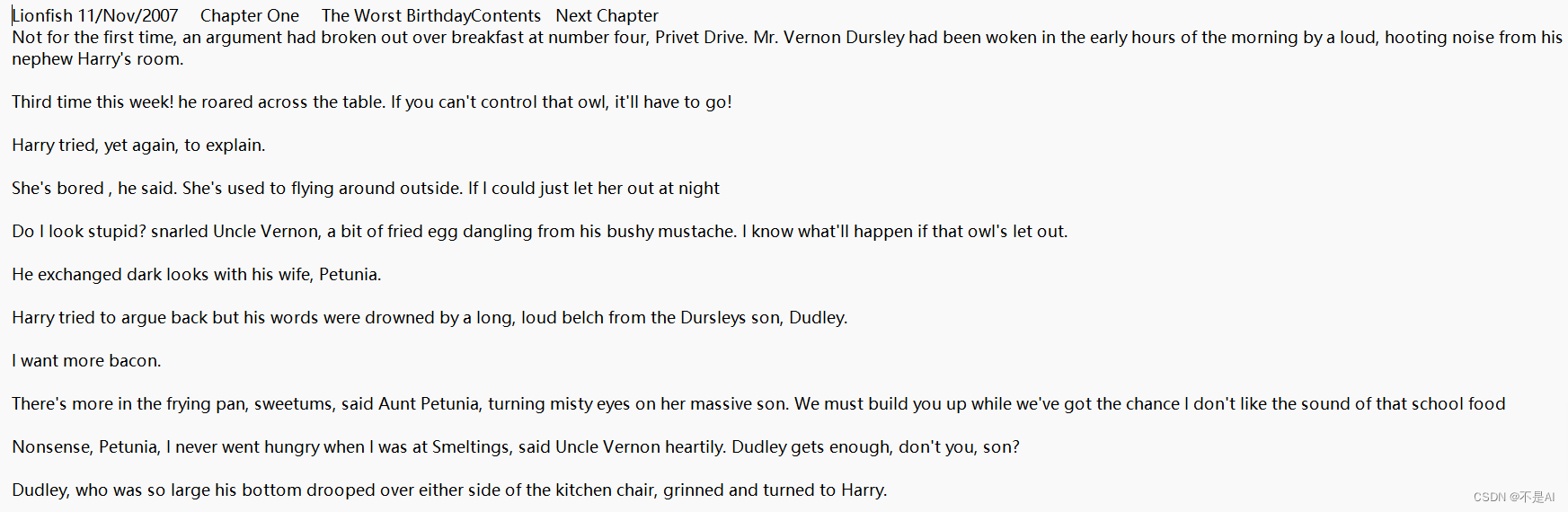
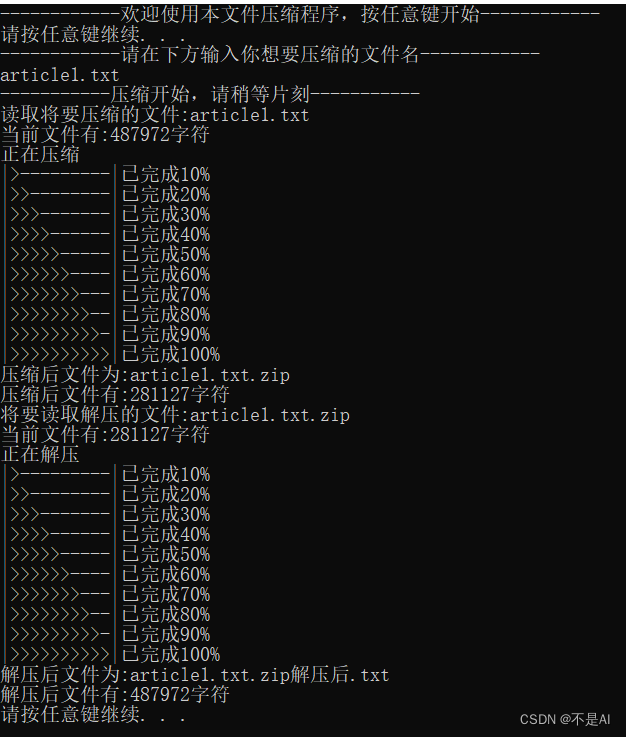
(1)测试文件1:article1.txt
文件说明:普通英文文档,取自英国小说《哈利·波特》的一个章节
文件截图:
运行时截图:
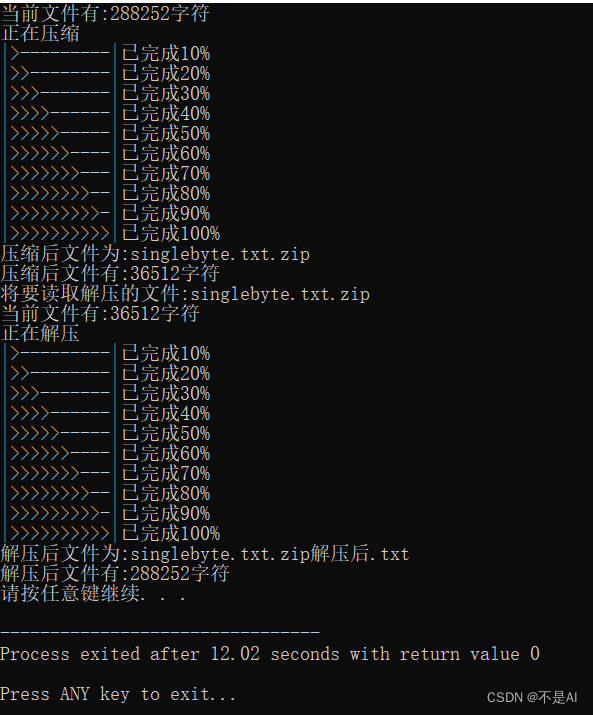
(2)测试文件2:singlebyte.txt
文件说明:只含一种字节(字母a)
文件截图:

运行时截图:
(3)测试文件3:empty.txt
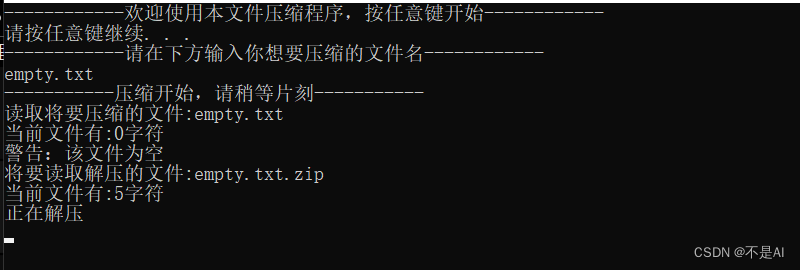
文件说明:空文本文件,大小为0KB。
运行时截图:
三、实践性问题
1、重复性的文件结构
使用你在必选模组实现的程序,编码 lab1_data/testfile1,lab1_data/testfile1 的文件内容是:256 字节 0x00,256 字节 0x01,256 字节 0x02,…,256 字节 0xff,总计 64 KiB。观察编码后的文件大小,解释为什么文件体积会发生这种变化(为什么会这样(模组 1 和 模组 3) / 是什么发挥了作用(模组 2))。
解答:
文件名称:testfile1.txt
压缩前大小:65536字节(64KB)
压缩后大小:66249字节(65KB)
压缩比例:101.6%
原文件SHA256值:
c3e145bc3d6790dab078e628cf8530b565c30aac7b5c70fd100b67651d064ad4
压缩后文件SHA256值:
23321562a0a3a4d891de297dade09c3ab0794d3e222dc8a08206429f0dd59e8a
解压缩后文件SHA256值:
c3e145bc3d6790dab078e628cf8530b565c30aac7b5c70fd100b67651d064ad4
运行时截图:
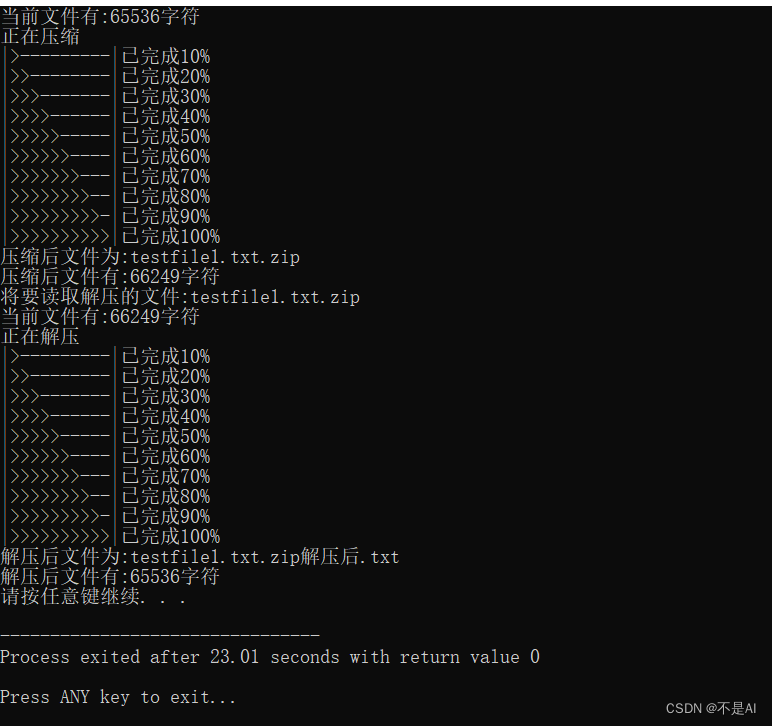
现象:压缩比例大于1,即压缩后的文件比压缩前的文件更大。
对该现象的解释:对于testfile1.txt中的字符,即0x00, 0x01, 0x02, …0xff共计256种字节,每种字节出现的概率相同,所生成的哈夫曼树为一棵极不平衡的二叉树,形如下图:

其中,256种字节(与顺序无关)分别被编码成码长为1,2,3,4,5,……255,255(单位为bit)共256个码元。故压缩后的文件大小为256 * (1 + 2 + 3 + 4 + 5 + …… + 255 + 255)= 256 * 255 * 129 bits。原文件大小为64KB = 64 * 2^10 * 8 = 2^19 bits. 可见,压缩后的文件体积比压缩前的文件体积更大。
2、“黑洞”来了?
问: 如果我将一个超大的文件压缩几百次,他就会变得越来越小,最后达到几 KB,这便是时间换空间!这种说法正确吗?
答: 这种说法不正确。
实践题: 对给定的 bmp 格式图片迭代地编码 10 次,观察压缩结果的体积变化。为什么会发生这种变化?结合你学过的知识解答。
答: 压缩结果的体积变化如下表所示:
第n次压缩 压缩前大小(KB) 压缩后大小(KB)
1 24301 3687
2 3687 1069
3 1069 791
4 791 773
5 773 781
6 781 792
7 792 803
8 803 814
9 814 826
10 826 837
被压缩的文件截图:
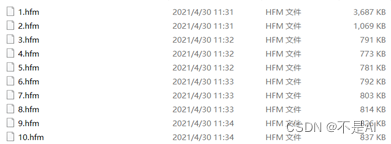
现象: 从第3次压缩操作之后,文件体积基本上没有变化,从第5次压缩操作开始,反而表现出越压缩,文件体积越大。
对该现象的解释: 香农Shannon信息论中的信息熵。熵界的存在性,导致文件不可能被压缩至 “无限小” (单个比特),所谓的 “文件黑洞” 违背信息论。
至此,本次实验结束。