【深度学习】SDXL tensorRT 推理,Stable Diffusion 转onnx,转TensorRT

文章目录
- sdxl 转 diffusers
- 转onnx
- 转TensorRT
sdxl 转 diffusers
def convert_sdxl_to_diffusers(pretrained_ckpt_path, output_diffusers_path):import osos.environ["HF_ENDPOINT"] = "https://hf-mirror.com" # 设置 HF 镜像源(国内用户使用)os.environ["CUDA_VISIBLE_DEVICES"] = "1" # 设置 GPU 所使用的节点import torchfrom diffusers import StableDiffusionXLPipelinepipe = StableDiffusionXLPipeline.from_single_file(pretrained_ckpt_path, torch_dtype=torch.float16).to("cuda")pipe.save_pretrained(output_diffusers_path, variant="fp16")转onnx
项目:https://huggingface.co/docs/diffusers/optimization/onnx
比如转sdxl模型:
optimum-cli export onnx --model stabilityai/stable-diffusion-xl-base-1.0 --task stable-diffusion-xl sd_xl_onnx/
optimum-cli export onnx --model frankjoshua/juggernautXL_version6Rundiffusion --task stable-diffusion-xl sdxl_onnx_juggernautXL_version6Rundiffusion
转TensorRT
stabilityai/stable-diffusion-xl-1.0-tensorrt
项目:https://huggingface.co/stabilityai/stable-diffusion-xl-1.0-tensorrt
TensorRT环境:
git clone https://github.com/rajeevsrao/TensorRT.git
cd TensorRT
git checkout release/9.2
stabilityai/stable-diffusion-xl-1.0-tensorrt项目
git lfs install
git clone https://huggingface.co/stabilityai/stable-diffusion-xl-1.0-tensorrt
cd stable-diffusion-xl-1.0-tensorrt
git lfs pull
cd ..
进入容器:
docker run -it --gpus all -v $PWD:/workspace nvcr.io/nvidia/pytorch:23.11-py3 /bin/bash
安装环境:
cd demo/Diffusion
python3 -m pip install --upgrade pip
pip3 install -r requirements.txt
python3 -m pip install --pre --upgrade --extra-index-url https://pypi.nvidia.com tensorrt
执行SDXL推理:
python3 demo_txt2img_xl.py "Astronaut in a jungle, cold color palette, muted colors, detailed, 8k" --build-static-batch --use-cuda-graph --num-warmup-runs 1 --width 1024 --height 1024 --denoising-steps 30 --version=xl-1.0 --onnx-dir /workspace/stable-diffusion-xl-1.0-tensorrt/sdxl-1.0-base --onnx-refiner-dir /workspace/stable-diffusion-xl-1.0-tensorrt/sdxl-1.0-refiner
python3 demo_txt2img_xl.py "Astronaut in a jungle, cold color palette, muted colors, detailed, 8k" --build-static-batch --use-cuda-graph --num-warmup-runs 1 --width 1024 --height 1024 --denoising-steps 30 --version=xl-1.0 --onnx-dir /workspace/sdxl_onnx_juggernautXL_version6Rundiffusion
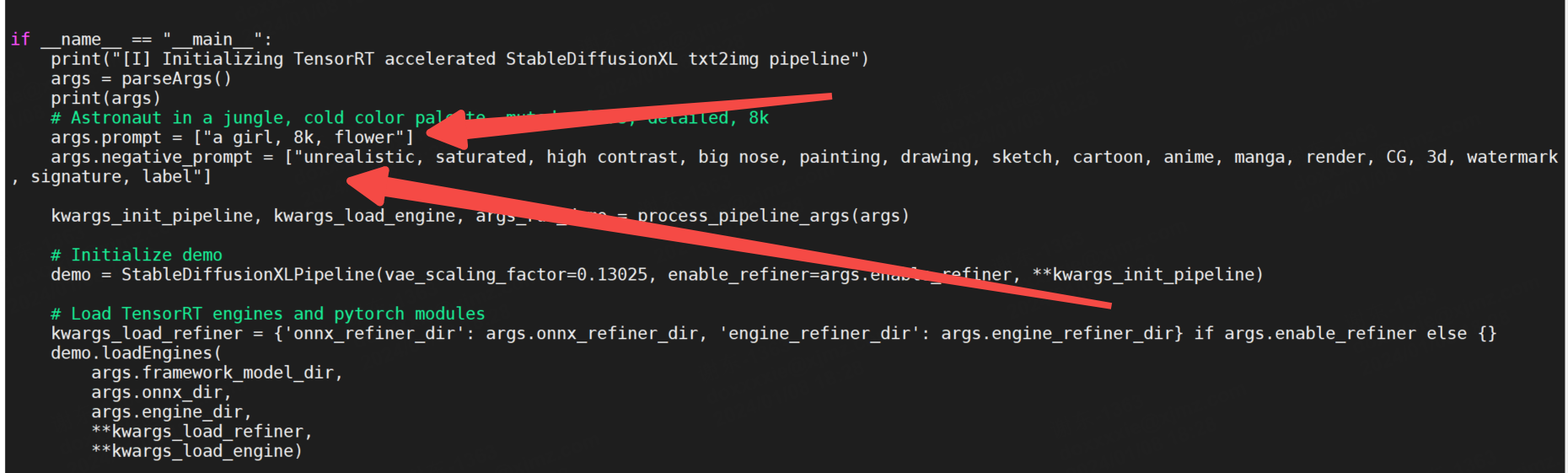
这个py代码对终端解析有时候有点问题,直接在代码里改一下,直接指定一下:
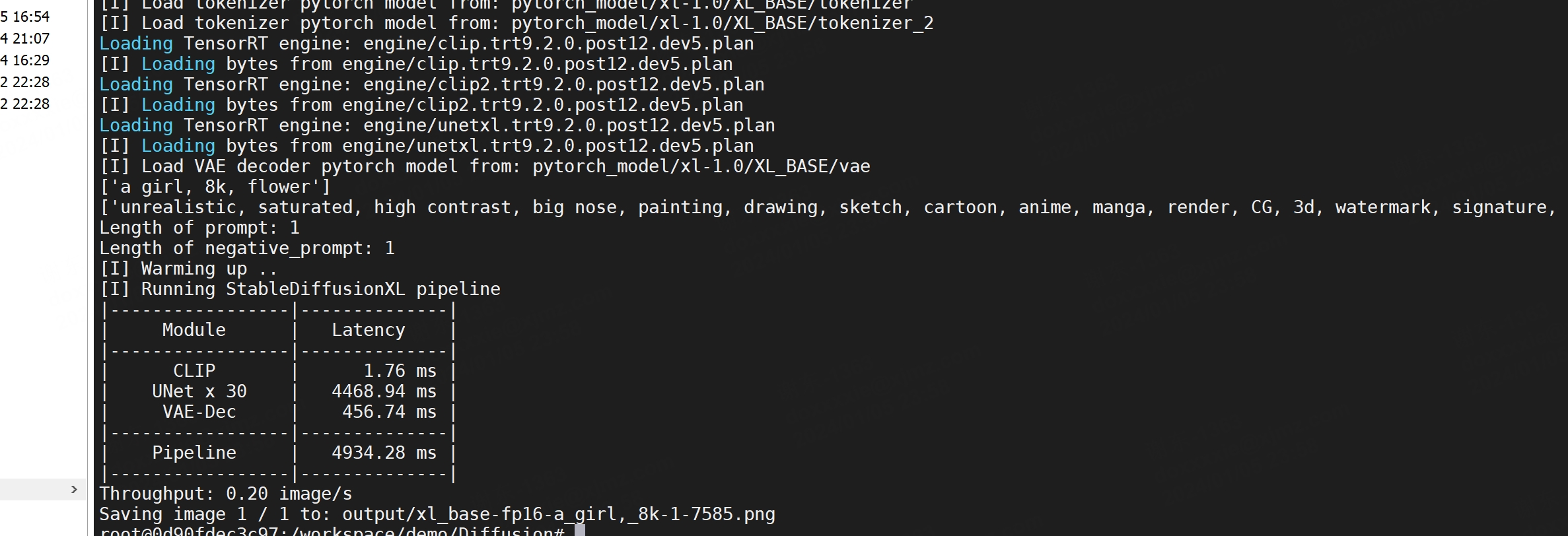
3090速度:
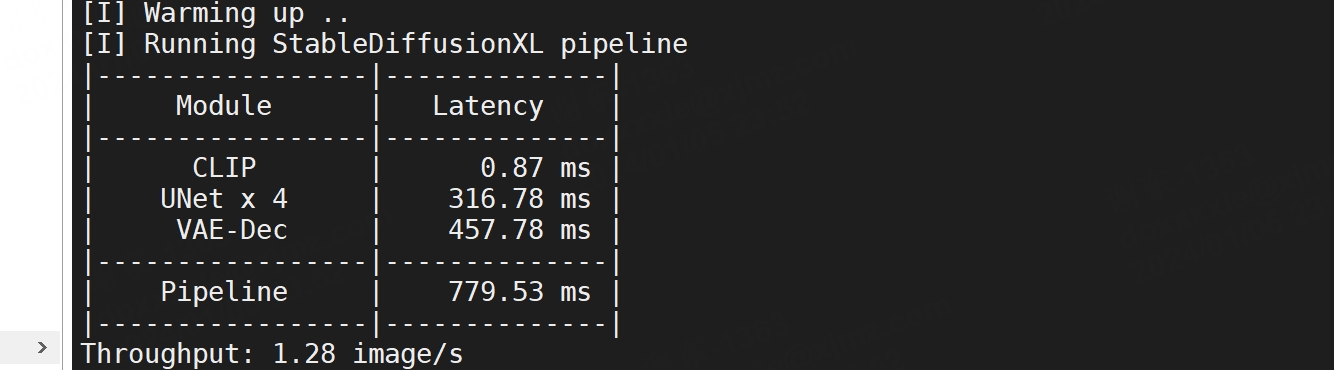
SDXL-LCM
python3 demo_txt2img_xl.py \"Astronaut in a jungle, cold color palette, muted colors, detailed, 8k" \--version=xl-1.0 \--onnx-dir /workspace/stable-diffusion-xl-1.0-tensorrt/lcm \--engine-dir /workspace/stable-diffusion-xl-1.0-tensorrt/lcm/engine-sdxl-lcm-nocfg \--scheduler LCM \--denoising-steps 4 \--guidance-scale 0.0 \--seed 42SDXL-LCMLORA
python3 demo_txt2img_xl.py \"Astronaut in a jungle, cold color palette, muted colors, detailed, 8k" \--version=xl-1.0 \--onnx-dir /workspace/stable-diffusion-xl-1.0-tensorrt/lcmlora \--engine-dir /workspace/stable-diffusion-xl-1.0-tensorrt/lcm/engine-sdxl-lcmlora-nocfg \--scheduler LCM \--lora-path latent-consistency/lcm-lora-sdxl \--lora-scale 1.0 \--denoising-steps 4 \--guidance-scale 0.0 \--seed 423090速度: