docker (portainer 安装nginx)
)
汉化版步骤可以参考:写文章-CSDN创作中心
https://mp.csdn.net/mp_blog/creation/editor/135258056
一、创建容器

二、配置端口,以及容器卷挂载
挂载目录配置:(下方截图的目录如下,docker 改为 mydocker,用docker作为根目录不行)
挂载页面 /data/dockerData/nginx/html /usr/share/nginx/html
挂载日志 /data/dockerData/nginx/logs /var/log/nginx
注意:最好将配置文件挂载出来,否则修改配置文件启动失败,就要删容器了
/data/dockerData/nginx/conf/my.config /etc/nginx/nginx.conf
/data/dockerData/nginx/conf/conf.d /etc/nginx/conf.d
重要一步:先编写配置文件 ,不然portainer会报错如下
failed to create task for container: failed to create shim task: OCI runtime create failed: runc create failed: unable to start container process: error during container init: error mounting "/mydocker/nginx/conf/nginx.conf" to rootfs at "/etc/nginx/nginx.conf": mount /mydocker/nginx/conf/nginx.conf:/etc/nginx/nginx.conf (via /proc/self/fd/6), flags: 0x5000: not a directory: unknown: Are you trying to mount a directory onto a file (or vice-versa)? Check if the specified host path exists and is the expected type
1-创建目录
[root@syf ~]# mkdir -p /data/dockerData/nginx/conf/
[root@syf ~]# cd /data/dockerData/nginx/conf/2-vim nginx.config#全局块
#user  nobody;
worker_processes  1;#event块
events {worker_connections  1024;
}#http块
http {#http全局块include       mime.types;default_type  application/octet-stream;sendfile        on;keepalive_timeout  65;#server块server {#server全局块listen       80;server_name  localhost;#location块location / {root   /usr/share/nginx/html;}}}
配置容器选项:
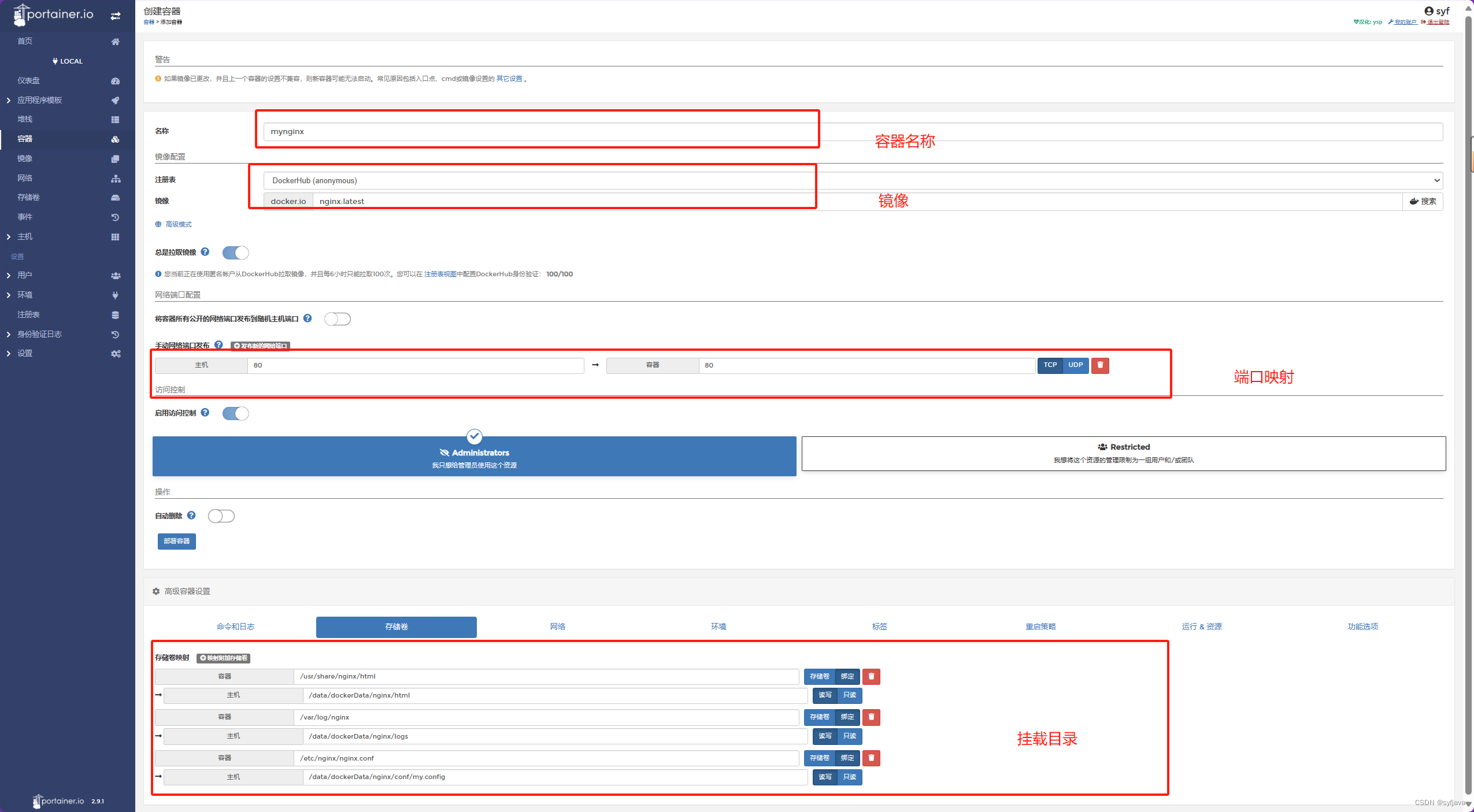
部署成功

三、连接控制台

3.1进入控制台配置nginx
也可以在 /mydocker/nginx/conf/nginx.conf,这个挂载的配置文件上修改。此处演示portainer修中改过程
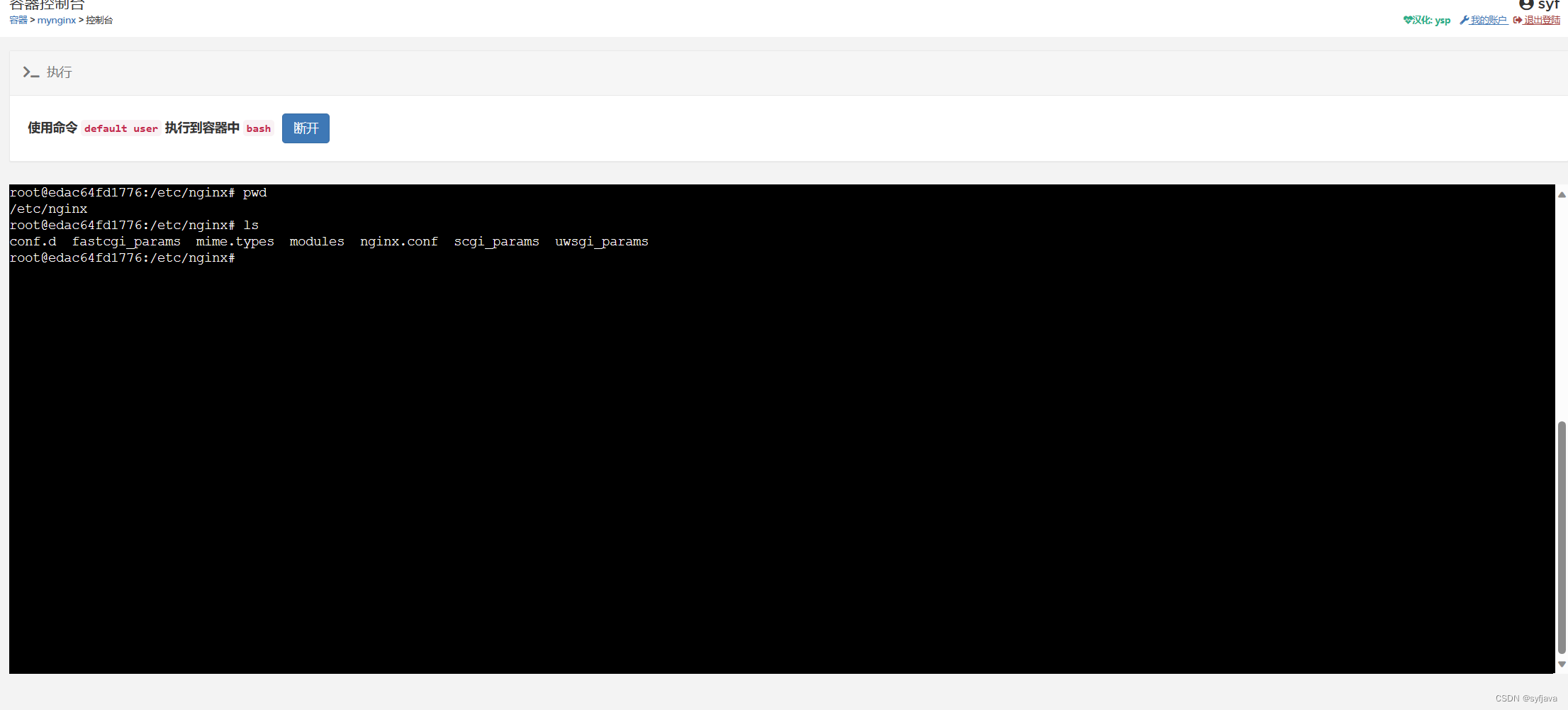
因为没有vim,所以安装下
更新ubuntu 包管理工具
apt-get update
安装vim
apt-get -y install vim
编辑conf文件:
1-进入nginx配置文件目录
root@edac64fd1776:/etc/nginx# pwd
/etc/nginx
root@edac64fd1776:/etc/nginx# vim nginx.conf 2-配置80端口,以及静态文件路径
user  nginx;
worker_processes  auto;error_log  /var/log/nginx/error.log notice;
pid        /var/run/nginx.pid;events {worker_connections  1024;
}http {include       /etc/nginx/mime.types;default_type  application/octet-stream;log_format  main  '$remote_addr - $remote_user [$time_local] "$request" ''$status $body_bytes_sent "$http_referer" ''"$http_user_agent" "$http_x_forwarded_for"';access_log  /var/log/nginx/access.log  main;sendfile        on;#tcp_nopush     on;keepalive_timeout  65;#gzip  on;include /etc/nginx/conf.d/*.conf;server{listen:80;location /{root /usr/share/nginx/html;}}
}