ubuntu terminator 非常好用的护眼配置

安装 sudo apt install terminator
配置文件:sudo gedit ~/.config/terminator/config (如果没有就创建)
配置如下:
[global_config]
handle_size = -3
title_transmit_fg_color = "#000000"
title_transmit_bg_color = "#3e3838"
inactive_color_offset = 1.0
enabled_plugins = CustomCommandsMenu, LaunchpadCodeURLHandler, APTURLHandler, LaunchpadBugURLHandler
suppress_multiple_term_dialog = True
[keybindings]
[profiles]
[[default]]
background_color = "#3e3e3e" #背景颜色
background_darkness = 0.70
background_type = transparent
cursor_shape = ibeam
cursor_color = "#e8e8e8" # 光标颜色
font = Ubuntu Mono 14 # 字体设置,后面的数字表示字体大小
foreground_color = "#e8e8e8"
show_titlebar = False # 不显示标题栏,也就是 terminator 中那个默认的红色的标题栏
scroll_background = False
scrollback_lines = 3000
palette = "#292424:#05aa5d:#c89f5e:#cdcd00:#05aa5d:#cd00cd:#00cdcd:#d6d9d4:#4c4c4c:#868e09:#00ff00:#ffff00:#4682b4:#ff00ff:#00ffff:#ffffff"
use_system_font = False #是否启用系统字体
[layouts]
[[default]]
[[[child1]]]
parent = window0
profile = default
type = Terminal
[[[window0]]]
parent = ""
size = 925, 570
type = Window
[plugins]
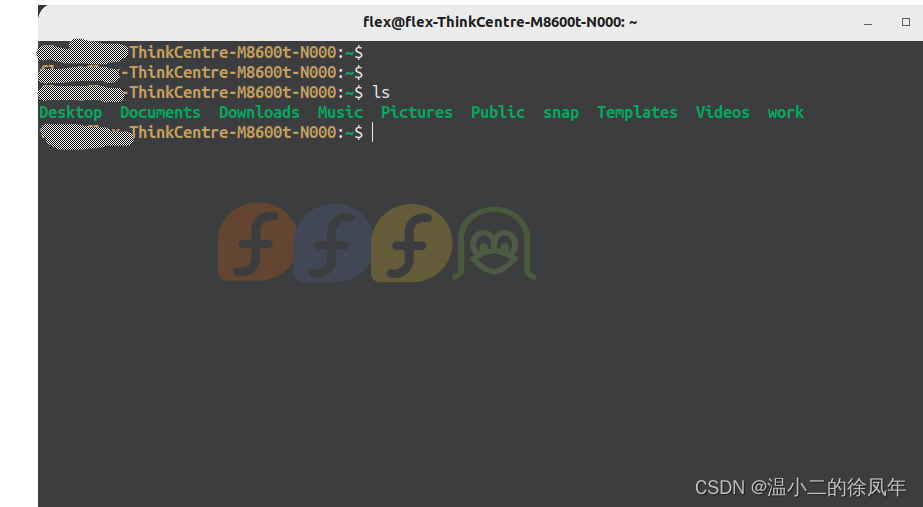
配置效果如下: