RPC(4):HttpClient实现RPC之POST请求
:HttpClient实现RPC之POST请求)
接上一篇博客RPC(3):HttpClient实现RPC之GET请求内容。
1 新建一个实体项目
新建项目httpclient_rpc_pojo
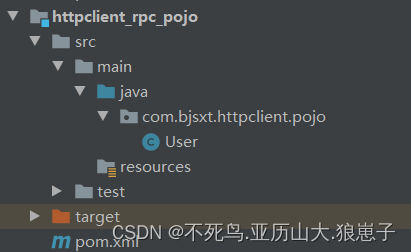
1.1 新建实体类
package com.example.httpclientpojo;import java.io.Serializable;
import java.util.Date;
import java.util.Objects;public class User implements Serializable {private String name;private String password;private Date birth;public int getAge(){if(birth == null){return -1;}int birthYear = birth.getYear();int currentYear = new Date().getYear();return currentYear - birthYear;}public void setAge(int age){}public Date getBirth() {return birth;}public void setBirth(Date birth) {this.birth = birth;}@Overridepublic String toString() {return "{\"name\":\""+name+"\", \"password\":\""+password+"\"}";}@Overridepublic boolean equals(Object o) {if (this == o) return true;if (o == null || getClass() != o.getClass()) return false;User user = (User) o;return Objects.equals(name, user.name) &&Objects.equals(password, user.password);}@Overridepublic int hashCode() {return Objects.hash(name, password);}public String getName() {return name;}public void setName(String name) {this.name = name;}public String getPassword() {return password;}public void setPassword(String password) {this.password = password;}
}
2 修改服务项目
修改httpclient_rpc_server项目,在TestController中新增“使用请求体传递请求参数”方法。
// 使用请求体传递请求参数。@RequestMapping(value="/bodyParams", produces = {"application/json;charset=UTF-8"})@ResponseBodypublic String bodyParams(@RequestBody List<User> users){System.out.println(users);return users.toString();}3 修改客户端项目
在TestHttpClient中新增方法如下:
public static void testPostNoParams() throws Exception{HttpClient client = HttpClients.createDefault();// 无参数Post请求HttpPost post = new HttpPost("http://localhost/test");HttpResponse response = client.execute(post);System.out.println(EntityUtils.toString(response.getEntity(), "UTF-8"));}public static void testPostParamswithTitle() throws Exception{HttpClient client = HttpClients.createDefault();// 有参数的Post请求// 请求头传递参数。和Get请求携带参数的方式一致。URIBuilder builder = new URIBuilder("http://localhost/params");builder.addParameter("name", "post");builder.addParameter("password", "postPassword");HttpResponse postResponse = client.execute(new HttpPost(builder.build()));System.out.println(EntityUtils.toString(postResponse.getEntity(), "UTF-8"));}public static void testPostParamswithBody() throws Exception{HttpClient client = HttpClients.createDefault();// 请求体传递参数HttpPost bodyParamsPost = new HttpPost("http://localhost/bodyParams");// 定义请求协议体,设置请求参数。 使用请求体传递参数的时候,需要定义请求体格式。默认是表单格式。// 使用URIBuilder构建的URI对象,就是请求体传递参数的。User u1 = new User();u1.setName("name1");u1.setPassword("password1");User u2 = new User();u2.setName("name2");u2.setPassword("password2");List<User> users = new ArrayList<User>();users.add(u1);users.add(u2);// 把集合users -> JSON字符串// 创建Jackson中的转换器对象ObjectMapper objectMapper = new ObjectMapper();// java对象转换成JSON格式字符串String paramsString = objectMapper.writeValueAsString(users);System.out.println(paramsString);// 拼接一个JSON格式字符串,表示请求参数, 一个List<User>// String paramsString = "[" + u1.toString() + ", " + u2.toString() + "]";HttpEntity entity = new StringEntity(paramsString, "application/json", "UTF-8");bodyParamsPost.setEntity(entity);String responseString = EntityUtils.toString(client.execute(bodyParamsPost).getEntity(), "UTF-8");String userString = responseString.substring(1, responseString.indexOf("},")+1);User responseUser = objectMapper.readValue(userString, User.class);System.out.println(responseUser);// 构建一个Jackson识别的Java类型映射。JavaType valueType = objectMapper.getTypeFactory().constructParametricType(List.class, User.class);List<User> responseList = objectMapper.readValue(responseString, valueType);System.out.println(responseList);}
4 启动TestHttpClient测试

结果如下:
