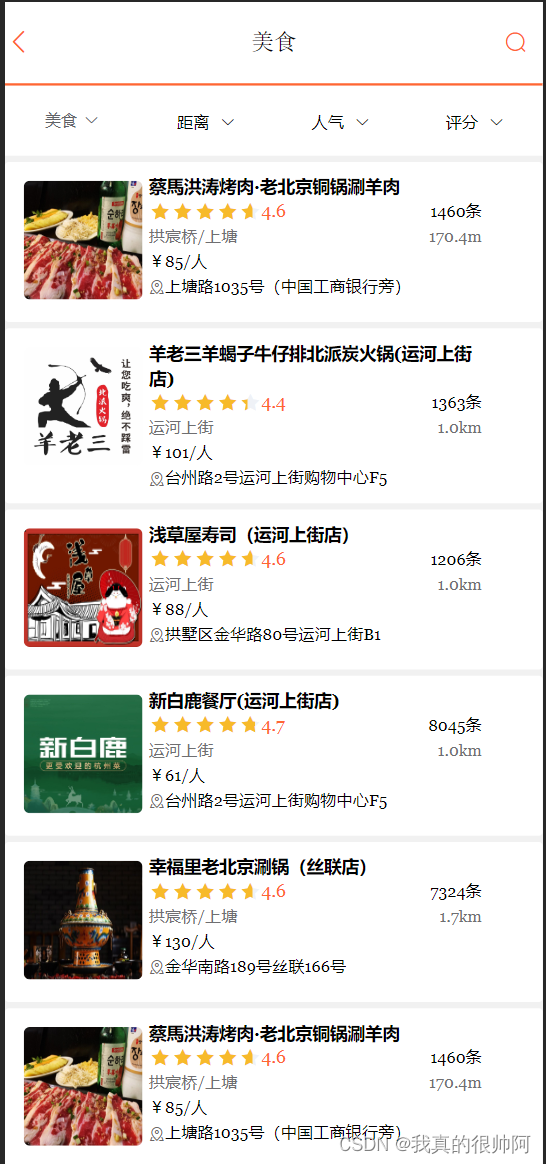
点评项目——附近商户模块

2023.12.13
GEO数据结构
要实现查找附近商户的功能,需要用到redis中的数据结构GEO,GEO就是Geolocation的简写形式,代表地理坐标。Redis在3.2版本中加入了对GEO的支持,允许存储地理坐标信息,帮助我们根据经纬度来检索数据。
常见的命令有:
- GEOADD:添加一个地理空间信息,包含:经度(longitude)、纬度(latitude)、值(member)
- GEODIST:计算指定的两个点之间的距离并返回
- GEOHASH:将指定member的坐标转化为hash字符串形式并返回
- GEOPOS:返回指定member的坐标
- GEORADIUS:指定圆心、半径,找到该圆内包含的所有member,并按照与圆心之间的距离排序后返回。6.2以后已废弃
- GEOSEARCH:在指定范围内搜索member,并按照与指定点之间的距离排序后返回。范围可以是圆形或矩形。6.2.新功能
附近商户功能实现
首先需要将数据库中的数据导入redis中,该数据结构redis中的格式如下:

key对应的是店铺的类型,相同类型的店铺放入同一个key中,value中保存的是店铺的id,score即为店铺的经纬度哈希值,也就是位置信息。
实现代码如下:
@Testvoid loadShopData() {// 1.查询店铺信息List<Shop> list = shopService.list();// 2.把店铺分组,按照typeId分组,typeId一致的放到一个集合Map<Long, List<Shop>> map = list.stream().collect(Collectors.groupingBy(Shop::getTypeId));// 3.分批完成写入Redisfor (Map.Entry<Long, List<Shop>> entry : map.entrySet()) {// 3.1.获取类型idLong typeId = entry.getKey();String key = SHOP_GEO_KEY + typeId;// 3.2.获取同类型的店铺的集合List<Shop> value = entry.getValue();List<RedisGeoCommands.GeoLocation<String>> locations = new ArrayList<>(value.size());// 3.3.写入redis GEOADD key 经度 纬度 memberfor (Shop shop : value) {// stringRedisTemplate.opsForGeo().add(key, new Point(shop.getX(), shop.getY()), shop.getId().toString());locations.add(new RedisGeoCommands.GeoLocation<>(shop.getId().toString(),new Point(shop.getX(), shop.getY())));}stringRedisTemplate.opsForGeo().add(key, locations);}}导入完成后redis界面如下:
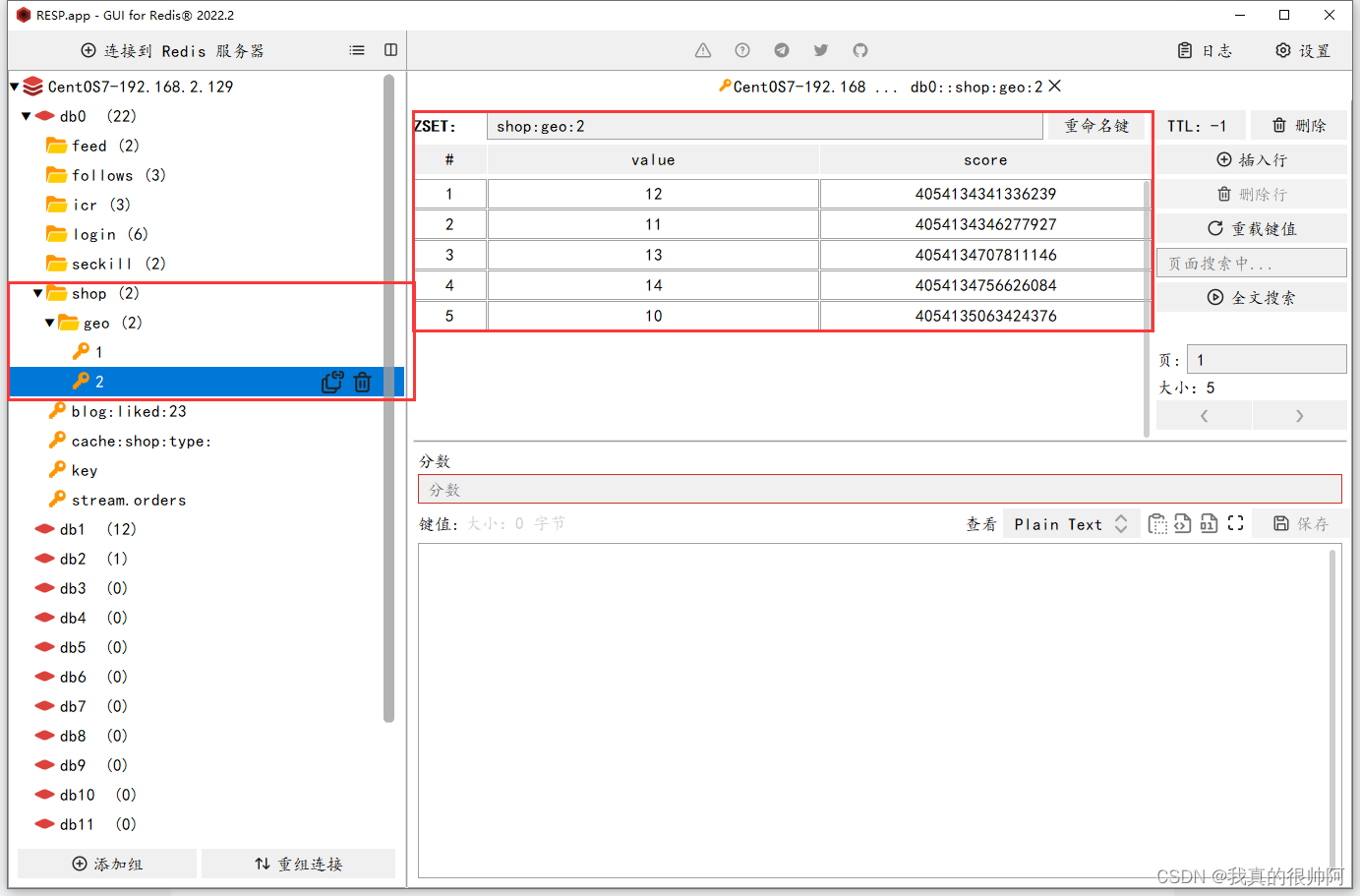
key对应的是店铺的类型,如美食类、ktv类... value对应具体的店铺id,score存储了id的位置信息。
再看一下请求的方式,点击美食的距离那一栏,我们期望从近到远出现美食店铺,请求方式如下图:

可以看到字段除了页码和店铺id之外,还有x和y,这个x和y记录了当前的位置信息,需要根据这个信息计算出与店铺之间的距离。 下面在service层中编写具体的业务代码:
@Overridepublic Result queryShopByType(Integer typeId, Integer current, Double x, Double y) {// 1.判断是否需要根据坐标查询if (x == null || y == null) {// 不需要坐标查询,按数据库查询Page<Shop> page = query().eq("type_id", typeId).page(new Page<>(current, SystemConstants.DEFAULT_PAGE_SIZE));// 返回数据return Result.ok(page.getRecords());}// 2.计算分页参数int from = (current - 1) * SystemConstants.DEFAULT_PAGE_SIZE;int end = current * SystemConstants.DEFAULT_PAGE_SIZE;// 3.查询redis、按照距离排序、分页。结果:shopId、distanceString key = SHOP_GEO_KEY + typeId;GeoResults<RedisGeoCommands.GeoLocation<String>> results = stringRedisTemplate.opsForGeo() // GEOSEARCH key BYLONLAT x y BYRADIUS 10 WITHDISTANCE.search(key,GeoReference.fromCoordinate(x, y),new Distance(5000),RedisGeoCommands.GeoSearchCommandArgs.newGeoSearchArgs().includeDistance().limit(end));// 4.解析出idif (results == null) {return Result.ok(Collections.emptyList());}List<GeoResult<RedisGeoCommands.GeoLocation<String>>> list = results.getContent();if (list.size() <= from) {// 没有下一页了,结束return Result.ok(Collections.emptyList());}// 4.1.截取 from ~ end的部分List<Long> ids = new ArrayList<>(list.size());Map<String, Distance> distanceMap = new HashMap<>(list.size());list.stream().skip(from).forEach(result -> {// 4.2.获取店铺idString shopIdStr = result.getContent().getName();ids.add(Long.valueOf(shopIdStr));// 4.3.获取距离Distance distance = result.getDistance();distanceMap.put(shopIdStr, distance);});// 5.根据id查询ShopString idStr = StrUtil.join(",", ids);List<Shop> shops = query().in("id", ids).last("ORDER BY FIELD(id," + idStr + ")").list();for (Shop shop : shops) {shop.setDistance(distanceMap.get(shop.getId().toString()).getValue());}// 6.返回return Result.ok(shops);}最后即可实现查看当前附近的商铺功能: