如何搭建eureka-server

- 在Spring Cloud项目的pom文件中添加eureka-server的starter依赖坐标
-
<project xmlns="http://maven.apache.org/POM/4.0.0" xmlns:xsi="http://www.w3.org/2001/XMLSchema-instance"xsi:schemaLocation="http://maven.apache.org/POM/4.0.0 http://maven.apache.org/maven-v4_0_0.xsd"><modelVersion>4.0.0</modelVersion><parent><groupId>com.app</groupId><artifactId>study-spring-cloud</artifactId><version>1.0.0</version></parent><artifactId>eureka-server</artifactId><dependencies><!-- eureka-server依赖 --><dependency><groupId>org.springframework.cloud</groupId><artifactId>spring-cloud-starter-netflix-eureka-server</artifactId></dependency></dependencies><build><finalName>app</finalName><plugins><plugin><groupId>org.springframework.boot</groupId><artifactId>spring-boot-maven-plugin</artifactId></plugin></plugins></build></project>
-
- 编写spring boot启动类,并在启动类上添加注解@EnableEurekaServer
-
package com.app.eureka;import org.springframework.boot.SpringApplication;
import org.springframework.boot.autoconfigure.SpringBootApplication;
import org.springframework.cloud.netflix.eureka.server.EnableEurekaServer;/*** 添加Eureka的服务启动类** @author Administrator*/
@SpringBootApplication
@EnableEurekaServer
public class EurekaApplication {public static void main(String[] args) {SpringApplication.run(EurekaApplication.class, args);}}
-
- 添加并编写application.yml文件
-
server:port: 9000
spring:application:name: eureka-server
eureka:client:service-url:# 服务端暴露的地址defaultZone: http://127.0.0.1:9000/eureka
-
- 启动eureka-server服务,启动成功后访问地址Eureka
 http://127.0.0.1:9000/
 - 看到以下结果则表示已经启动成功
-
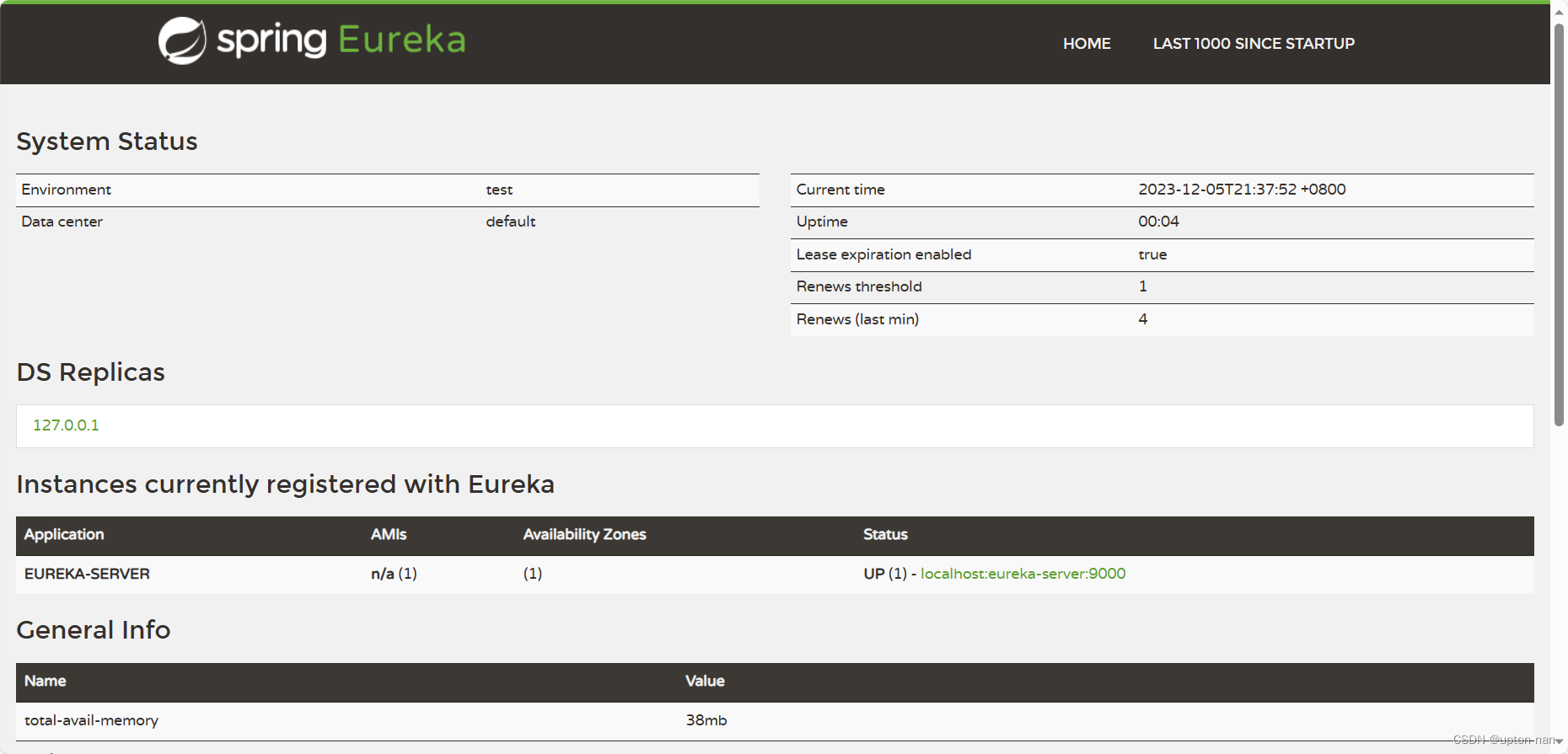
-
- 看到以下结果则表示已经启动成功
- 同时可以看出eureka-server即作为服务的注册中心,同时也将自己的服务注册到eureka-server上面,这是为了进行集群部署的时候需要用到的