element Cascader级联选择器数据多时卡顿问题记录并解决

文章目录
- 一、问题
- 二、解决方案
- 2.1、方案一:Cascader级联选择器动态加载方式(不推荐,数据多仍会卡死)
- 2.2 方案二:根据前一级动态加载后一级
- 三、总结
一、问题
最近项目遇到一个问题,如下图:当选择“所属单位”时,测试的电脑总出现卡顿并退出现象,但神奇的是我和其他人的电脑点击是正常的。这可怎么办呢,头皮发麻
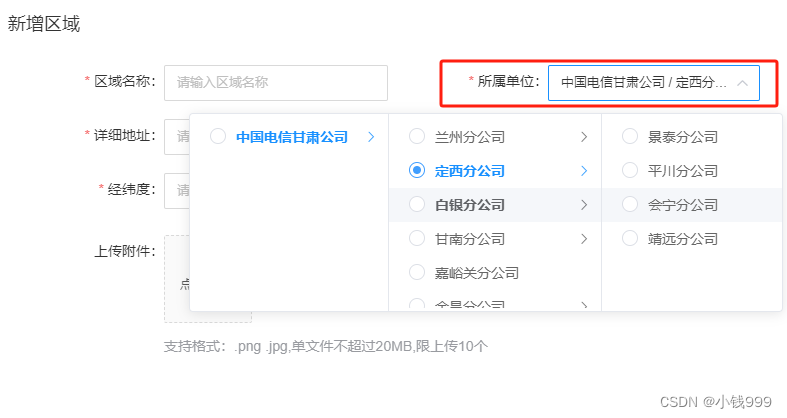
问题描述:
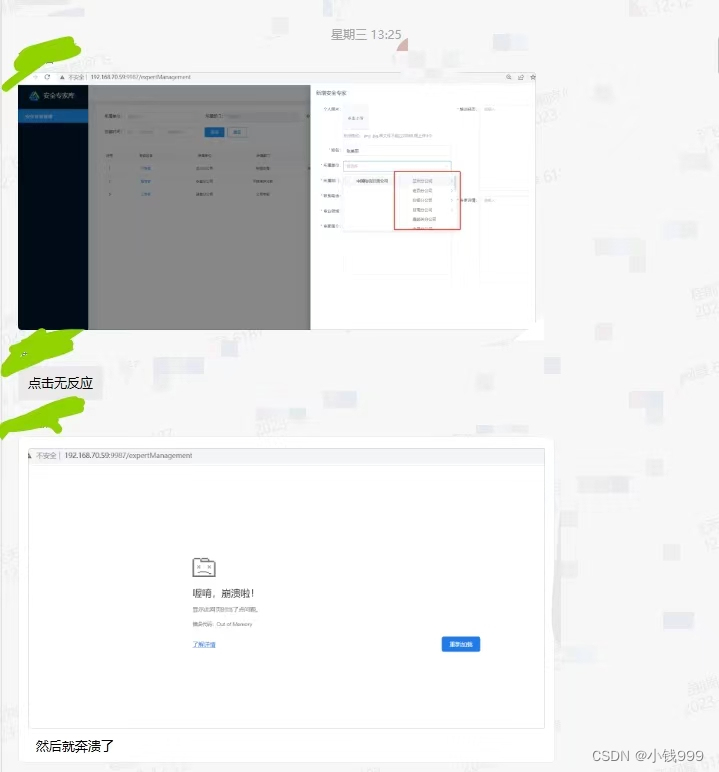
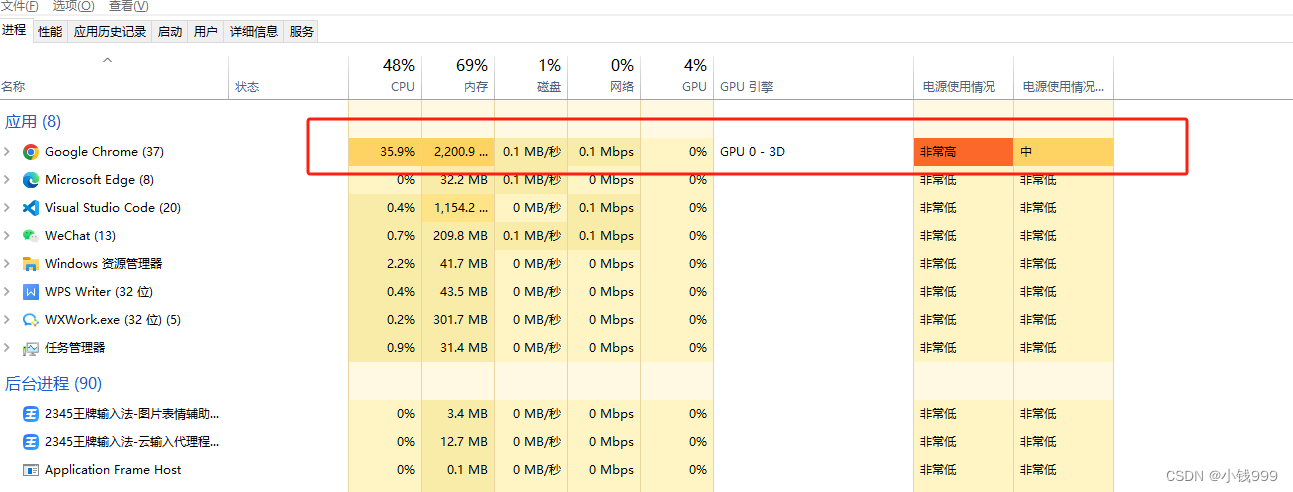
后面多试了几次,发现我的电脑也卡住了。但并没有像测试那样卡死,时卡时不卡。于是,我打开了“任务管理器”,果然,Google Chrome的CPU迅速标黄(测试的电脑直接爆红的哈哈)
二、解决方案
后来经过百度和查阅资料,明白了这是因为后端是一次性返回的数据太多,导致联级选择器嵌套了dom且绑定相关事件,从而存在卡死现象。
2.1、方案一:Cascader级联选择器动态加载方式(不推荐,数据多仍会卡死)
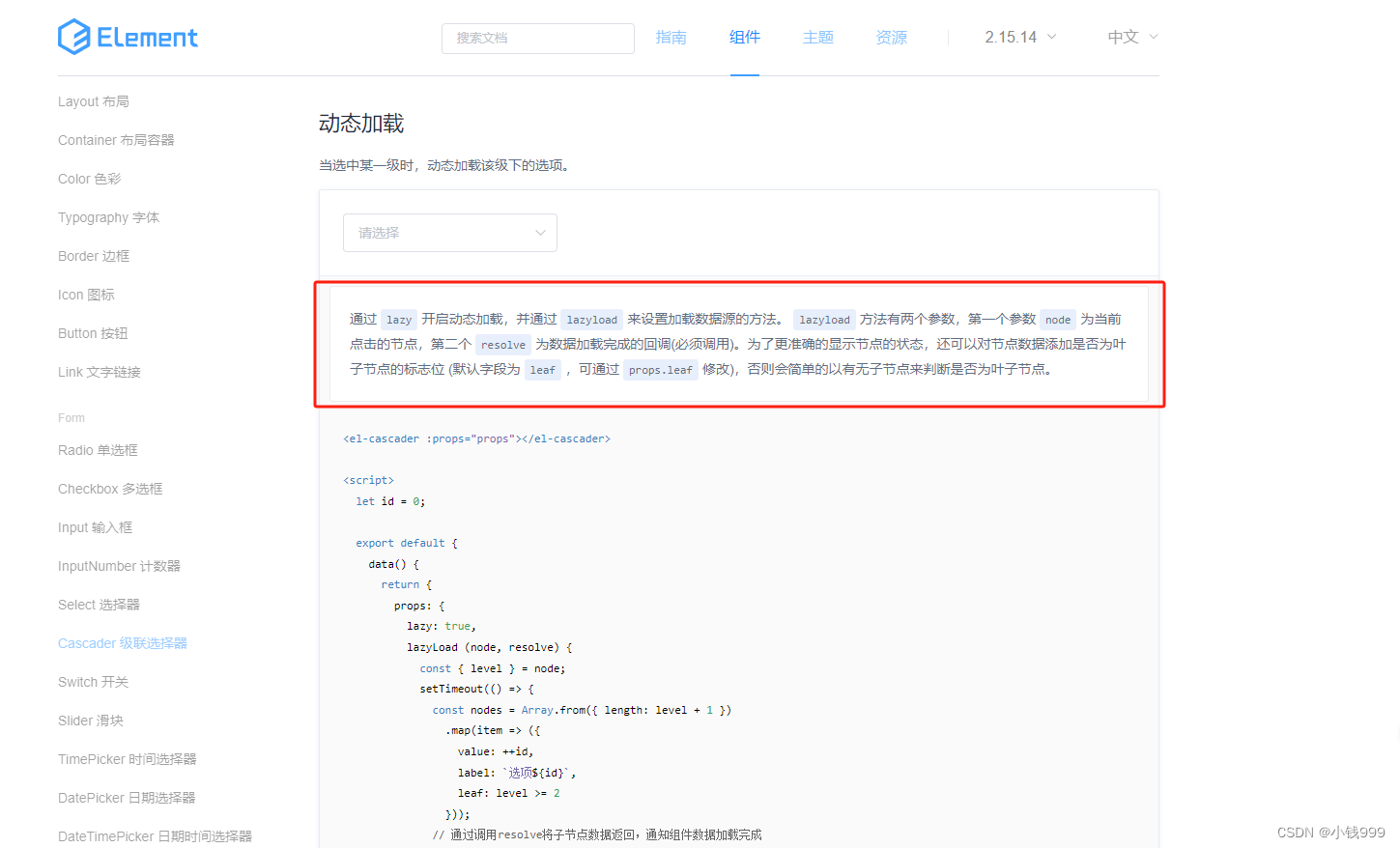
我看官网上有个动态加载,即根据上级的数据点击再加载下一层数据。但可能是因为本次数据太多的原因,测试电脑仍处于卡死状态(注:测试电脑是8G,数据多更容易卡)。动态加载的代码当时忘记保存,在这里我也不过多赘述,小伙伴可以根据官网的案例进行尝试一下。
2.2 方案二:根据前一级动态加载后一级
前一级选择后若后一级有数据则显示下拉框(这里下拉框不能写固定:子公司后面可能还有子公司!!!)
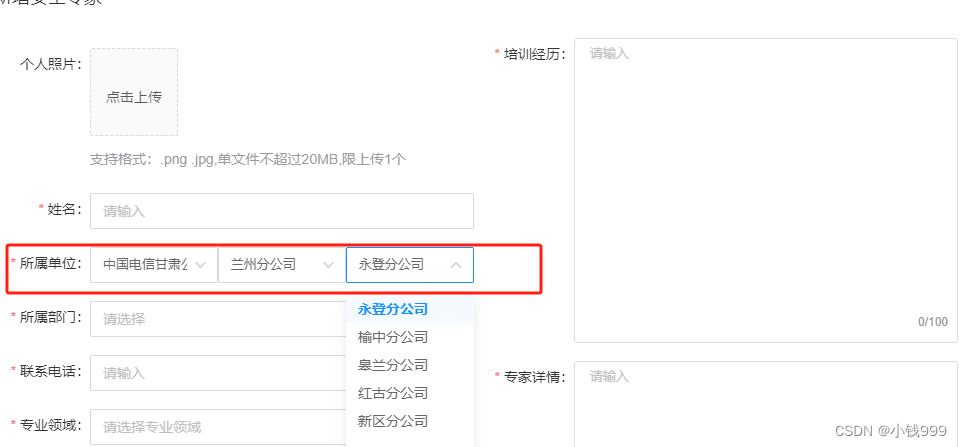
由于“所属单位”所在的地方比较多,所以在这里我就对该功能封装了一下,具体代码如下:
<template><div class="company"><custom-selectv-for="(item, index) in companyList":key="index"v-model="searchForm[index].company"style="width: 33.3%":options="companyList[index]"placeholder="请选择":defaultProps="defaultProps"@selectChange="getCompanyList(searchForm[index].company, Number(index) + 1, true, true)"/></div>
</template>
<script>
// CustomSelect是对element中的select进行封装了的组件
import CustomSelect from "@/components/customComponents/CustomSelect";export default {components: {CustomSelect},props: {orgIds: {type: String,default: ""},isCompile: {type: Boolean,default: false},//重置时清空isClear: {type: Boolean,default: false}},data() {return {defaultProps: {value: "id",label: "orgName",key: "id"},searchForm: [{company: ""}],companyList: [[]],lastData: [], //上次数据onoff: false };},watch: {isClear: {handler(val) {if (val) {let searchArr = this.searchForm.toSpliced(0, 1, {company: ""});this.searchForm = searchArr.slice(0, 1);this.companyList = this.companyList.slice(0, 1);}},immediate: true},orgIds: {async handler(val) {if (val && this.isCompile && !this.onoff) {this.onoff = true;this.searchForm = [];const orgIds = this.orgIds.split(",");for (let i = 0; i < orgIds.length; i++) {this.searchForm.push({company: orgIds[i]});await this.getCompanyList(orgIds[i], i + 1, true);}}},immediate: true}},async mounted() {await this.getCompanyList("", 0, false);},methods: {async getCompanyList(id, index, isEmit, isClick) {const { data } = await this.$api.expertManagement.getDeptList({companyType: "",orgType: "0",pid: id || "1"});if (data.length) {if (index < this.companyList.length && isEmit) {//当点击之前的索引&选择情况let arr = this.companyList.toSpliced(index, 1, data);let searchArr = this.searchForm.toSpliced(index, 1, {company: ""});this.searchForm = searchArr.slice(0, index + 1);this.companyList = arr.slice(0, index + 1);} else if (index == this.companyList.length && isEmit) {//点击当前的索引&选择情况if (isClick) {this.searchForm.push({company: ""});}this.$nextTick(() => {this.companyList.push([]);this.companyList[index].push(...data);});} else if (!isEmit) {//第一次加载this.companyList[index].push(...data);}}let searchForm = this.searchForm?.map(item => {return item.company;});let currentId = "";for (let i = this.searchForm.length - 1; i >= 0; i--) {if (this.searchForm[i].company) {currentId = this.searchForm[i].company;break;}}if (isEmit && isClick) {this.$emit("selectChange", searchForm?.join(","), currentId);}}}
};
</script>
<style lang="scss" scoped>
.company {width: 100%;
}
</style>
上面代码比较多,功能比较复杂,主要要考虑的有
- 控制选择后没有子公司数据了应不添加下拉选择框
- 当返回点击之前的(即上级)公司不添加下拉选择框,并将后一级的数据清空
- 回显时搜索和装数据的索引需要对应等等。
三、总结
方案二更多的用到了数组的方法,所以数组方法一定要牢记,注意双向绑定!当然,若小伙伴有其他更好的解决方案,也欢迎留言