uniapp实战 —— 自定义顶部导航栏

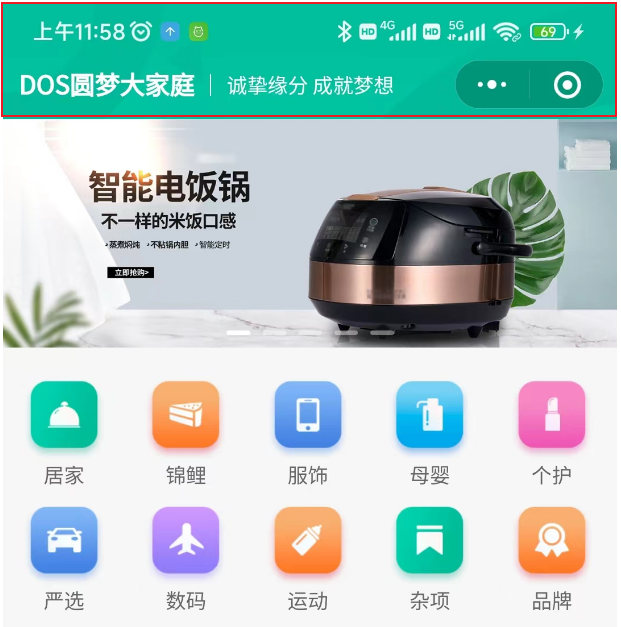
效果预览
下图中的红框区域
范例代码
src\pages.json
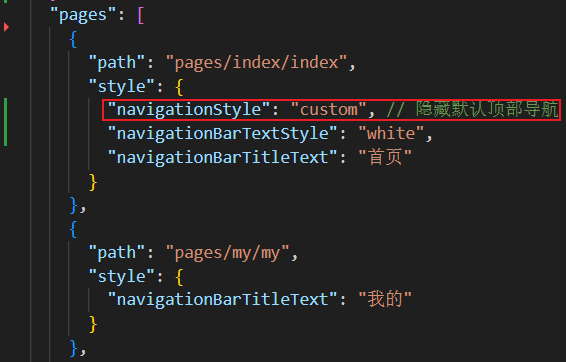
配置隐藏默认顶部导航栏
"navigationStyle": "custom", // 隐藏默认顶部导航
src\pages\index\components\CustomNavbar.vue
封装自定义顶部导航栏的组件(要点在于:获取屏幕边界到安全区域距离)
<script setup lang="ts">
// 获取屏幕边界到安全区域距离
const { safeAreaInsets } = uni.getSystemInfoSync()
</script><template><view class="navbar" :style="{ paddingTop: safeAreaInsets?.top + 'px' }"><view class="logo"><!-- <image class="logo-image" src="@/static/images/logo.jpg"></image> --><text class="logo-title">DOS圆梦大家庭</text><text class="logo-text">诚挚缘分 成就梦想</text></view></view>
</template><style lang="scss">
.navbar {background-image: url(@/static/images/navigator_bg.png);background-size: cover;display: flex;.logo {display: flex;align-items: center;height: 86rpx;padding: 20rpx;.logo-image {width: 40rpx;height: 40rpx;}.logo-title {font-size: 32rpx;color: #fff;font-weight: bold;}.logo-text {flex: 1;line-height: 28rpx;color: #fff;margin: 2rpx 0 0 20rpx;padding-left: 20rpx;border-left: 1rpx solid #fff;font-size: 26rpx;}}
}
</style>
src\pages\index\index.vue
在目标页面中导入使用
import CustomNavbar from './components/CustomNavbar.vue'
<CustomNavbar />