
quick lauching of git-bash
Steps for Configuration
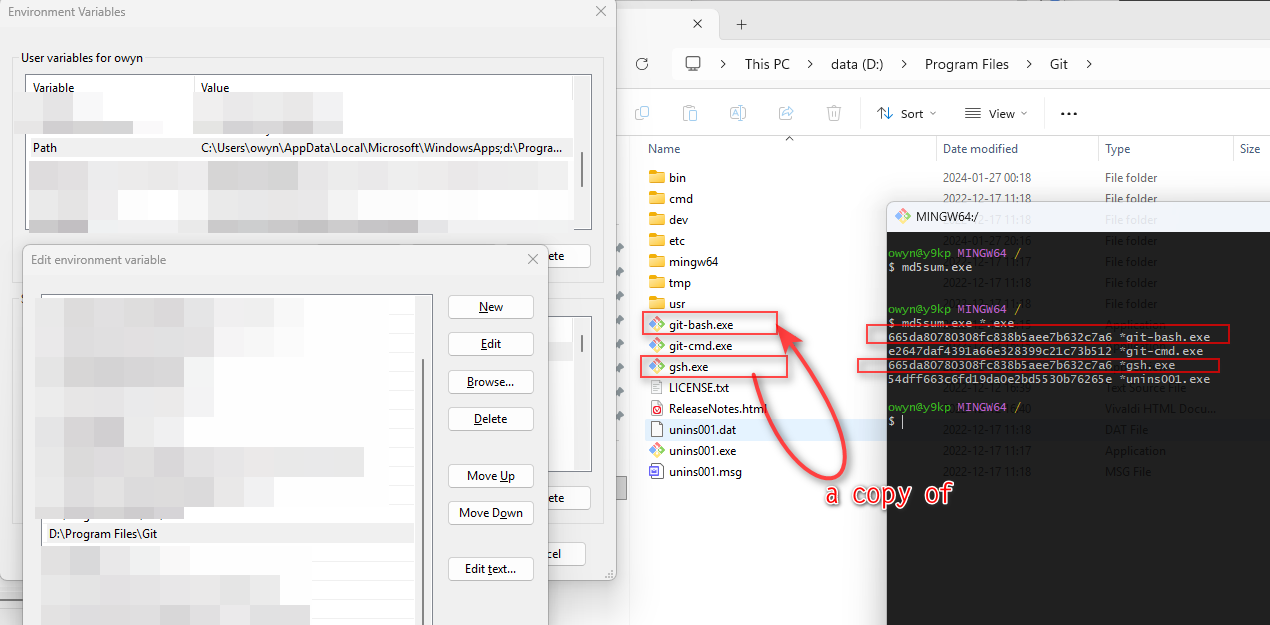
- Add the directory where
git-bash.exeis located topathenvironment variable. - Make a copy of this file (e.g., name it
gsh.exe) to simplify calling. - Log out and log back in so that the environment variable takes effect.
![image]()
Usage
- In
windows file explorer, navigate to the folder where you want to start the git bash console. PressCtrl+Lto focus the address bar. (Alt+Sin Q-dir) - Type
gshand pressEnter- the git bash console will launch.
related
quick lauching of everything - yusisc - 博客园: https://www.cnblogs.com/yusisc/p/18771296